
SamirSussy123456 - Minecraft Skins & Skin History
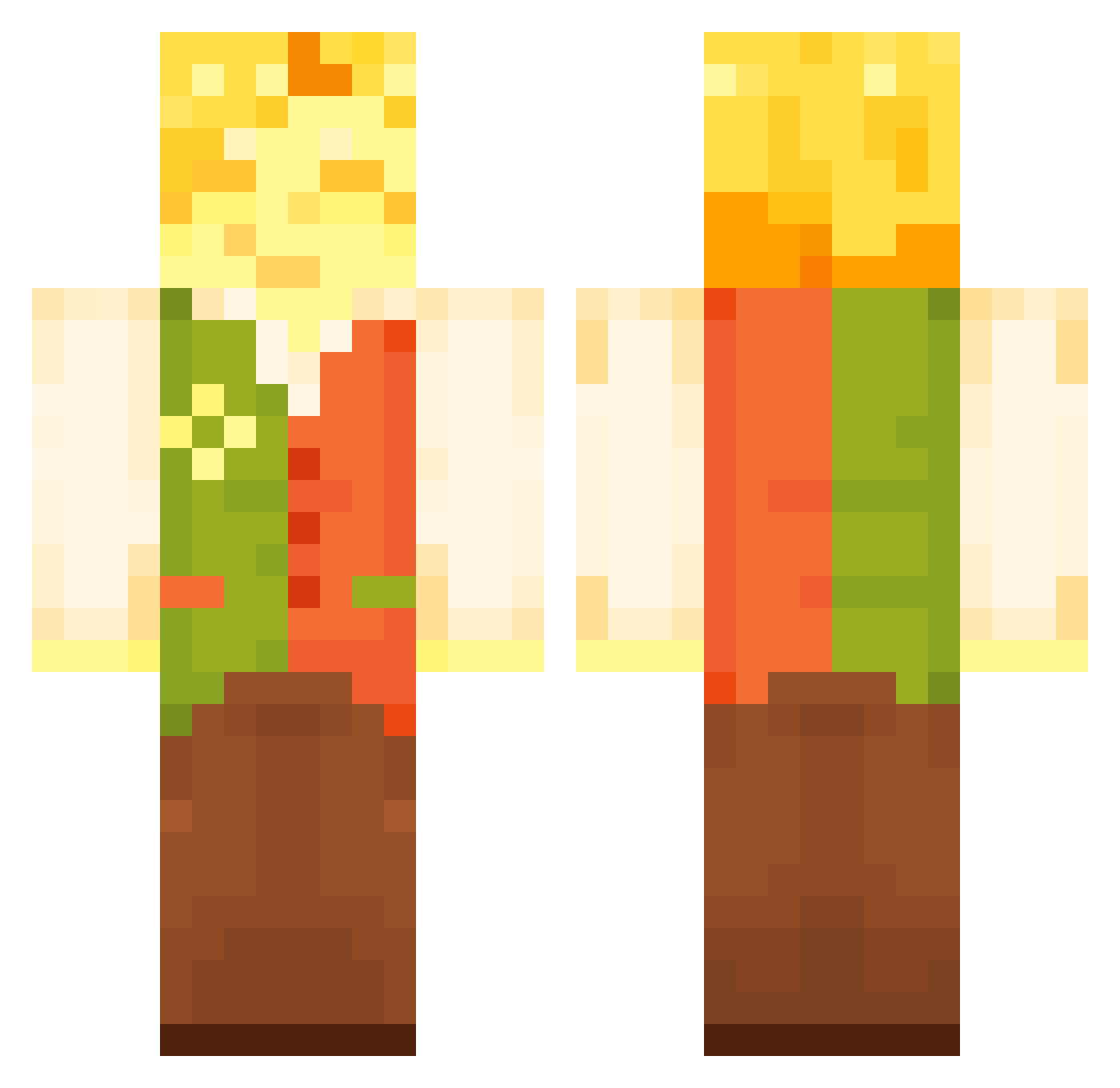
Current Minecraft skin of the player SamirSussy123456, loaded from the official Mojang API. Rotate the 3D model with your mouse or finger, then download the skin as a PNG file and use it in Minecraft: Bedrock Edition or Java Edition for free. When SamirSussy123456 changes their skin, this page updates automatically and the old skin stays in the history below.
Other players with this skin (117)
SamirSussy123456 was the 102nd player we have seen with this skin, first spotted on 17.10.2026. The same skin was seen on these players. Open a nickname to see their current skin and skin history.
 SirGooglez TheseNuttz FloweryChapter5 ItsCl0wn Shadowtriad_riso Keyboard089 powercraft122 rixruben FryssyX Divalooo PiKAS321 TheMlgLmg ThatFlower Len1rx FloweryDeltarune sweetspotato Muddy_King MrMoa1 TortelliniK MateusDPofc Sullixam joeishoe Nim2000 NobaObscur Logan6885 mamalolMDR hmeoj l1nk1npark1 thenorthernlad 4Greg_ ChurrascoDeRato Jcoop920 Doom_shroom0 ThatGuyBennie pvccutters Deimos_the_wacky TheDeluxePenguin JaronaSustingus Razurion WayfaringStrnger SolidSnake6194 Conexiono Pan_Azmir Sir_Derpy_ PaulKnowBalls Relyt026 NiceYun Elipuffo _dzery hallon318 Webcm Quilieaf YelpRetro xndrq BlueFire2014 frenchfryeboy DanTheBestDan italyitself Qualier PurpleRelic6222
More Flowers Minecraft skins
How to install the SamirSussy123456 skin
- Press the Download button above to save the skin as a PNG file.
- Minecraft: Bedrock Edition (PE): open the Dressing Room from the main menu (or tap your character → Edit Character), go to Classic Skins → Owned, press the + (new skin) button, choose the downloaded PNG and pick the Classic (Steve) model. Works on PC and mobile; consoles cannot import custom skins.
- Minecraft: Java Edition: open the Minecraft Launcher, go to the Skins tab, click New Skin, load the PNG, pick the Classic (Steve) model and press Save & Use. You can also upload it at minecraft.net → Profile → Change Skin.
The skin does not show up after import - what should I do?
Restart Minecraft and open the Dressing Room again - imported skins sometimes appear only after a restart. Also make sure you selected the imported skin and picked the Classic (Steve) model.
Which model should I choose, Classic or Slim?
This skin is designed for the Classic (Steve) model. If you pick the wrong model, the arms of the skin will look stretched or squeezed.
Is the skin of SamirSussy123456 free to download?
Yes. Press Download, save the PNG file and use it in Minecraft: Bedrock Edition or Java Edition - no payment or registration needed. The skin also works on multiplayer servers and Realms.
More skins
Looking for more? Go back to all Minecraft skins and check the top skins of the week, month and all time, or find any player's skin by nickname.