
SUGGA_KANE - Minecraft Skins & Skin History
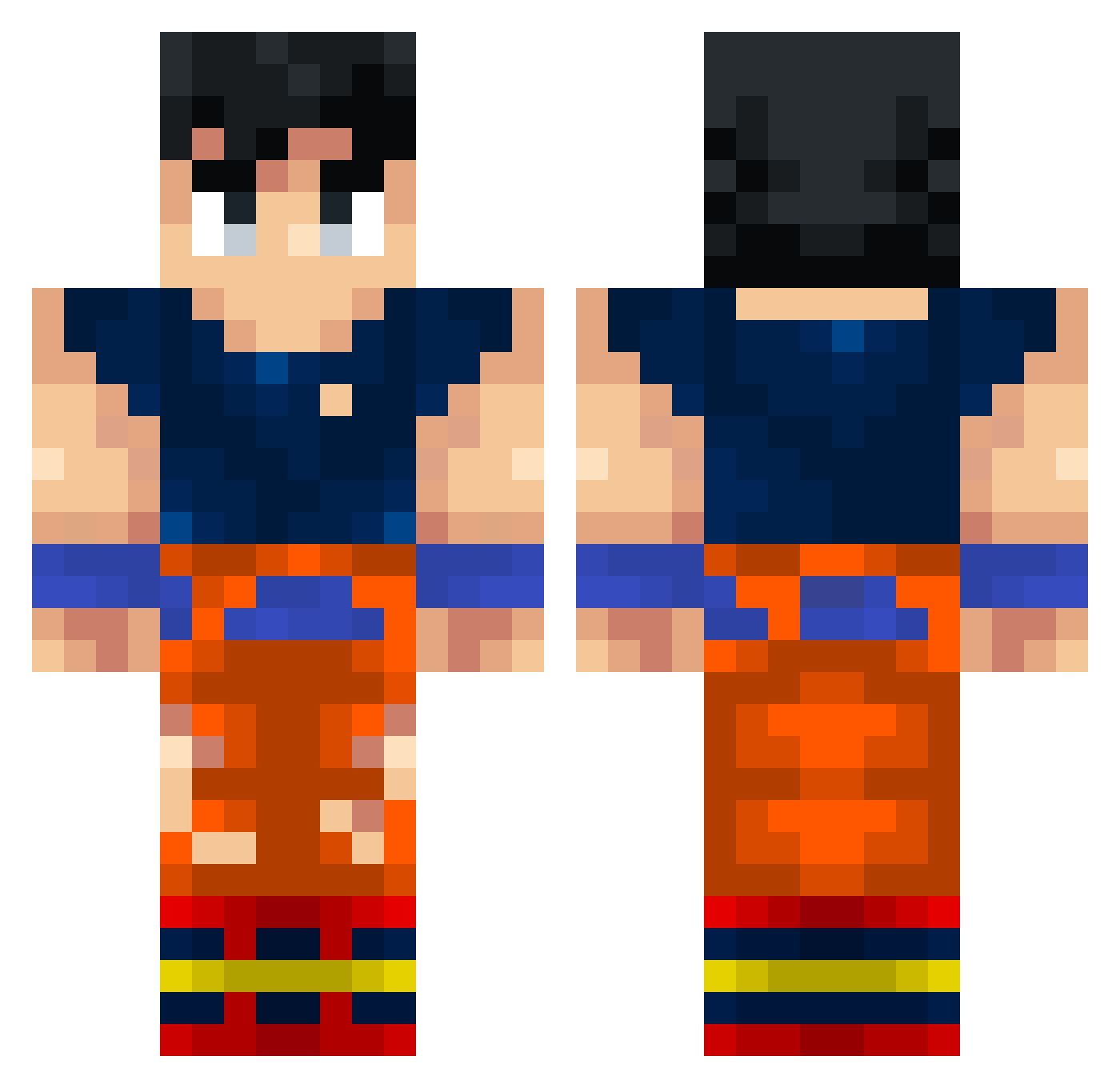
Current Minecraft skin of the player SUGGA_KANE, loaded from the official Mojang API. Rotate the 3D model with your mouse or finger, then download the skin as a PNG file and use it in Minecraft: Bedrock Edition or Java Edition for free. When SUGGA_KANE changes their skin, this page updates automatically and the old skin stays in the history below.
Other players with this skin (353)
SUGGA_KANE was the 270th player we have seen with this skin, first spotted on 15.10.2026. The same skin was seen on these players. Open a nickname to see their current skin and skin history.
 Thordee CoconutTree2 misurv SonicAsh Re33m11 Glossal VITOR2984 fromtheinside62 xXN0R4G3DudeXx SLENDERPLAY2001 Memo43 keven111978 samuu_43 notdiego1 dame_ian taffarel3222 Proron Tuncay_Karatas Ch_Rayyan Ghoder44 Andrew2776 PilotenAli Zanpaukia __epic____ DARUMA107 sparkefran Rheagoz kavin992647w Skyzenn59 BrianUID degii480 Led_Zeppelin_2 Aniket7643 GTRLEGEND v7Sync Castle_988 Digg07 AltEddie Jokerebus _nzr cn8vr LinhVeil9htUwU Cl33f SuperManKal77 Gokupro14 ViBreX MiniFlow593 ElComeAbuelas2 CachaAbuelitas MLGMONEY ysudo MOHAMED_ZOR roko4 Kyblmaster joshua56108 Zaloudek69 FireXHamza Void_Hush florixex iNicolailo
More Goku Minecraft skins
How to install the SUGGA_KANE skin
- Press the Download button above to save the skin as a PNG file.
- Minecraft: Bedrock Edition (PE): open the Dressing Room from the main menu (or tap your character → Edit Character), go to Classic Skins → Owned, press the + (new skin) button, choose the downloaded PNG and pick the Classic (Steve) model. Works on PC and mobile; consoles cannot import custom skins.
- Minecraft: Java Edition: open the Minecraft Launcher, go to the Skins tab, click New Skin, load the PNG, pick the Classic (Steve) model and press Save & Use. You can also upload it at minecraft.net → Profile → Change Skin.
The skin does not show up after import - what should I do?
Restart Minecraft and open the Dressing Room again - imported skins sometimes appear only after a restart. Also make sure you selected the imported skin and picked the Classic (Steve) model.
Which model should I choose, Classic or Slim?
This skin is designed for the Classic (Steve) model. If you pick the wrong model, the arms of the skin will look stretched or squeezed.
Is the skin of SUGGA_KANE free to download?
Yes. Press Download, save the PNG file and use it in Minecraft: Bedrock Edition or Java Edition - no payment or registration needed. The skin also works on multiplayer servers and Realms.
More skins
Looking for more? Go back to all Minecraft skins and check the top skins of the week, month and all time, or find any player's skin by nickname.