
STAR053 - Minecraft Skins & Skin History
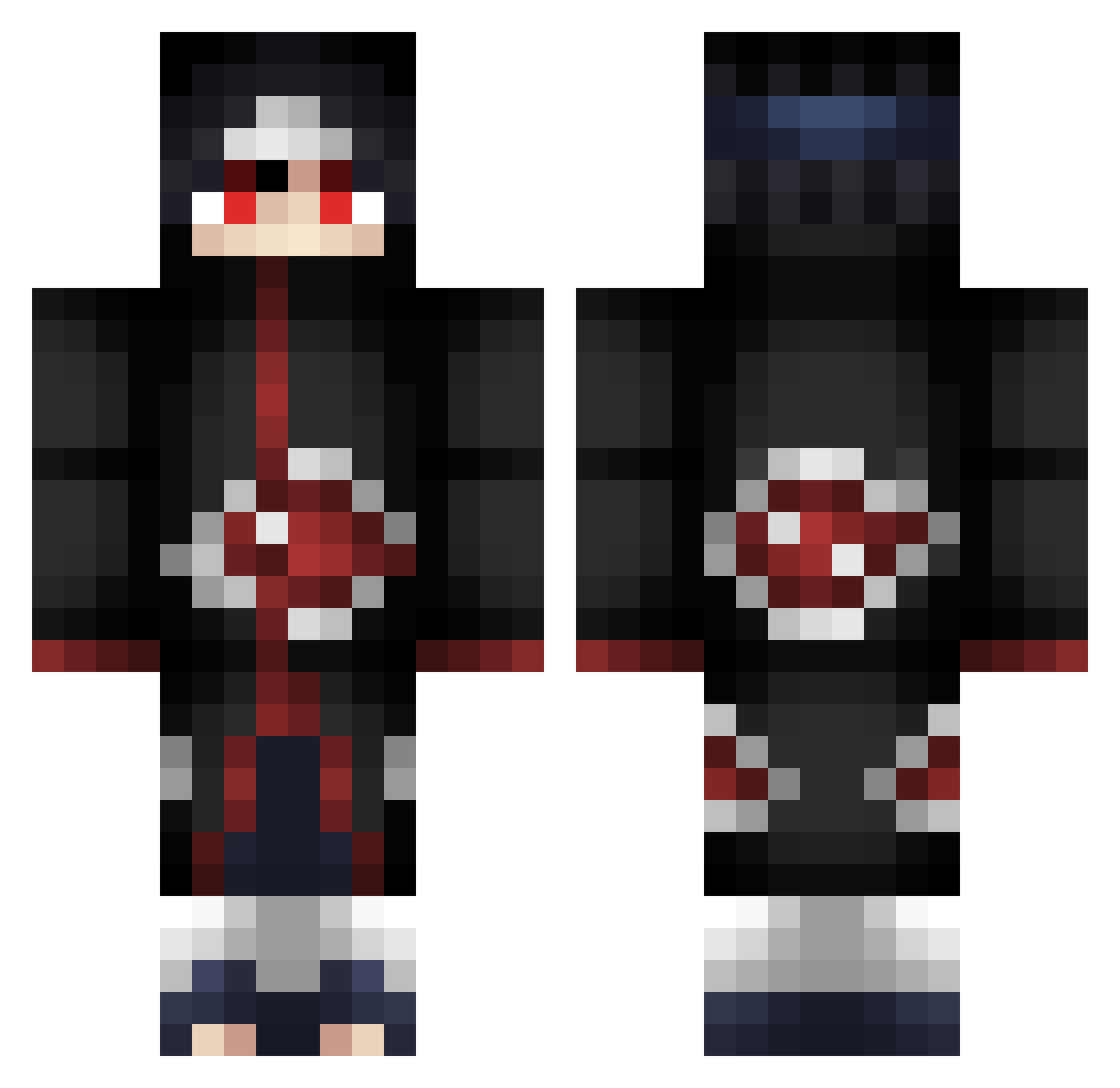
Current Minecraft skin of the player STAR053, loaded from the official Mojang API. Rotate the 3D model with your mouse or finger, then download the skin as a PNG file and use it in Minecraft: Bedrock Edition or Java Edition for free. When STAR053 changes their skin, this page updates automatically and the old skin stays in the history below.
Other players with this skin (319)
STAR053 was the 287th player we have seen with this skin, first spotted on 02.11.2026. The same skin was seen on these players. Open a nickname to see their current skin and skin history.
 ZephyrusOTK ZHE0525 Bunnyx420 Marceloitalo Levin_12518 HitPunch Baba_Senpai_ hhervey _R3v1z0r_ JasonNguyen Edebede3112 xx_Itachi_xx Wardeen77 martinito34 RobtheOfficial Lil_Noxx Chidococol SirFeizu JINYAA KevinVaultHunter wiserprawn Serega2008 scurbby youngUng669 mifih09 Aluro_Moon s4suk4nge COCsMAN XxRaulRKxX 1027mac Seethee Ismaap_ MarioWI Zephire10120 Jaiirey Fenrir829 SunlightGuy kswiss802 desc3nd Nikitakrytoi AkumaRice Mr_Blooblo APPOLO32 Pirotiiil NaolyX Katarrraaaa breckk_ DjDoselico datasiantommy kafta01 KkareeChu ChipiXD SeeMeeNoMoree _n1ger1anpr1nce_ CornyChocoFresh CjTheDj313 KillerOK212 Liza91 BOLDddd Renaissance
More Itachi Uchiha Minecraft skins
See all 376 Itachi Uchiha skins
How to install the STAR053 skin
- Press the Download button above to save the skin as a PNG file.
- Minecraft: Bedrock Edition (PE): open the Dressing Room from the main menu (or tap your character → Edit Character), go to Classic Skins → Owned, press the + (new skin) button, choose the downloaded PNG and pick the Classic (Steve) model. Works on PC and mobile; consoles cannot import custom skins.
- Minecraft: Java Edition: open the Minecraft Launcher, go to the Skins tab, click New Skin, load the PNG, pick the Classic (Steve) model and press Save & Use. You can also upload it at minecraft.net → Profile → Change Skin.
The skin does not show up after import - what should I do?
Restart Minecraft and open the Dressing Room again - imported skins sometimes appear only after a restart. Also make sure you selected the imported skin and picked the Classic (Steve) model.
Which model should I choose, Classic or Slim?
This skin is designed for the Classic (Steve) model. If you pick the wrong model, the arms of the skin will look stretched or squeezed.
Is the skin of STAR053 free to download?
Yes. Press Download, save the PNG file and use it in Minecraft: Bedrock Edition or Java Edition - no payment or registration needed. The skin also works on multiplayer servers and Realms.
More skins
Looking for more? Go back to all Minecraft skins and check the top skins of the week, month and all time, or find any player's skin by nickname.