
S1THPRO - Minecraft Skins & Skin History
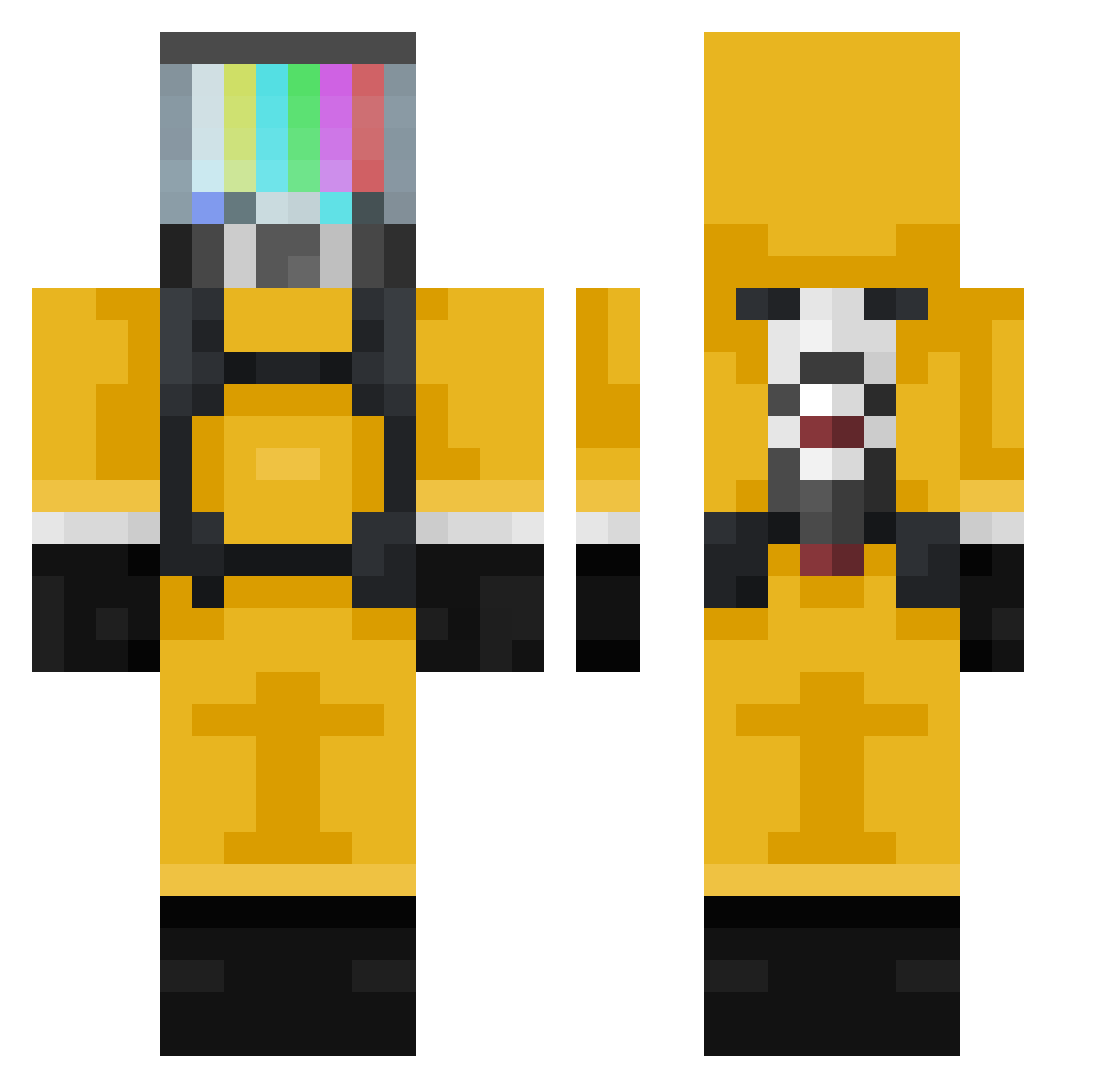
Current Minecraft skin of the player S1THPRO, loaded from the official Mojang API. Rotate the 3D model with your mouse or finger, then download the skin as a PNG file and use it in Minecraft: Bedrock Edition or Java Edition for free. When S1THPRO changes their skin, this page updates automatically and the old skin stays in the history below.
Other players with this skin (377)
S1THPRO was the 237th player we have seen with this skin, first spotted on 07.10.2026. The same skin was seen on these players. Open a nickname to see their current skin and skin history.
 matthewsaw Mugunghwa LSPSM MateoShulz BlitzLomi Susquehanna420 Toxeec Bertox110 Fatal_Banana Naahji Aserco8 Meth_e axioOOO GueStarT CHPROT CommanderLem jajiboji123 skeleqrow Nowar_prod Hashbraun01 LaTongue Marthok kolunar NeXaM02 MkClipzz deniisee ajkarambaaa Killerxriley JNcs Aylek22 CrazyFlower peko13 PattyJax Snob_dl BZFC08 TheBig_JJ Xabuep Lyoniss FUFUFURY olafolaf2008 metroyuchan OscarBagarre ZenZew97 czolg_ xCoronaVictim NESvyaToI xXZombie_GoreXx Amboxfire ImagineTime ramiczek doutorschio SuperCharrone Mahoyerodemahoya ephialtes09 AseenTV Curare0815 DesktopDB 4eKavo Frankmore jj808
More TV Head Minecraft skins
How to install the S1THPRO skin
- Press the Download button above to save the skin as a PNG file.
- Minecraft: Bedrock Edition (PE): open the Dressing Room from the main menu (or tap your character → Edit Character), go to Classic Skins → Owned, press the + (new skin) button, choose the downloaded PNG and pick the Classic (Steve) model. Works on PC and mobile; consoles cannot import custom skins.
- Minecraft: Java Edition: open the Minecraft Launcher, go to the Skins tab, click New Skin, load the PNG, pick the Classic (Steve) model and press Save & Use. You can also upload it at minecraft.net → Profile → Change Skin.
The skin does not show up after import - what should I do?
Restart Minecraft and open the Dressing Room again - imported skins sometimes appear only after a restart. Also make sure you selected the imported skin and picked the Classic (Steve) model.
Which model should I choose, Classic or Slim?
This skin is designed for the Classic (Steve) model. If you pick the wrong model, the arms of the skin will look stretched or squeezed.
Is the skin of S1THPRO free to download?
Yes. Press Download, save the PNG file and use it in Minecraft: Bedrock Edition or Java Edition - no payment or registration needed. The skin also works on multiplayer servers and Realms.
More skins
Looking for more? Go back to all Minecraft skins and check the top skins of the week, month and all time, or find any player's skin by nickname.