
Roclexas - Minecraft Skins & Skin History
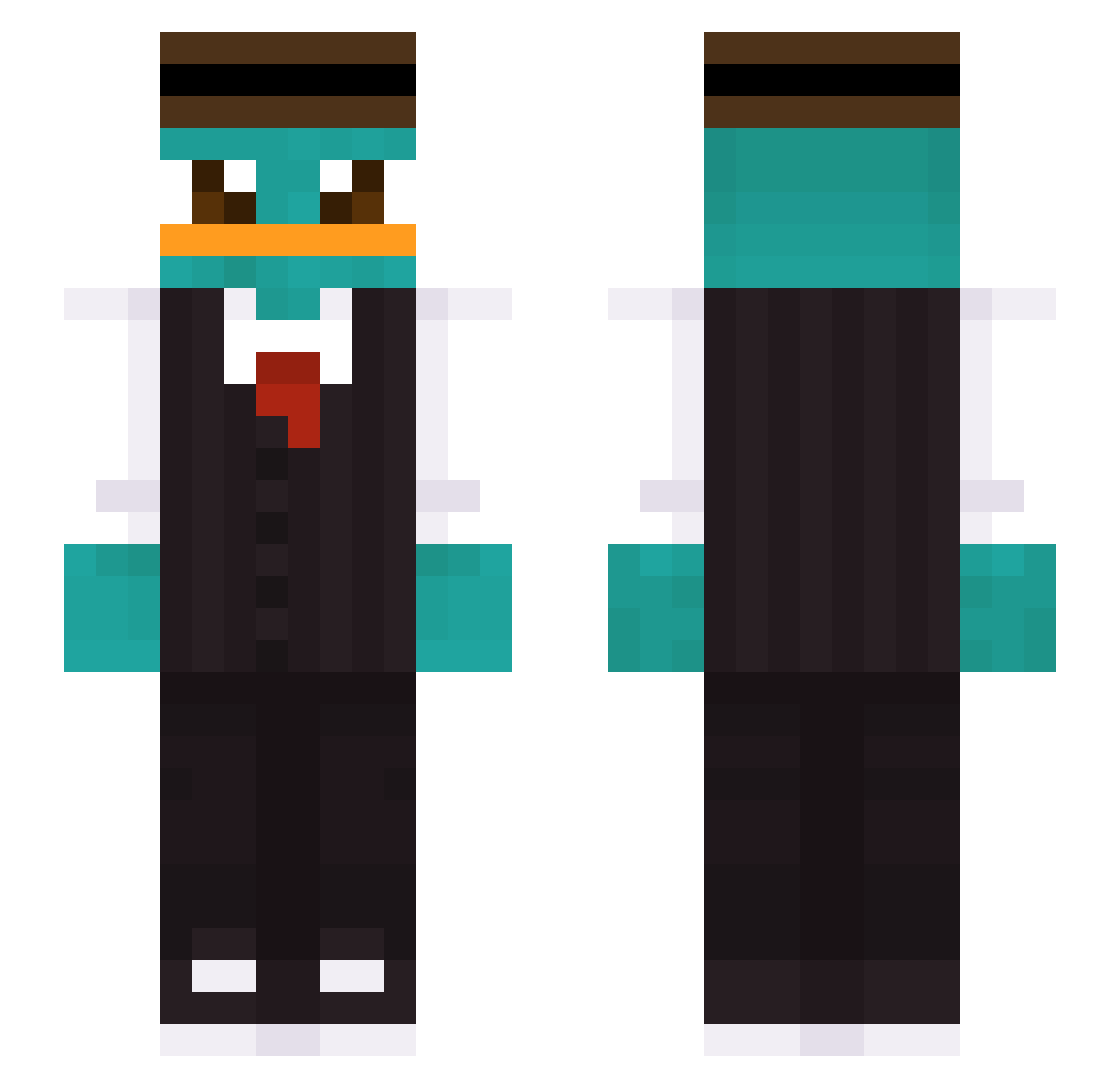
Current Minecraft skin of the player Roclexas, loaded from the official Mojang API. Rotate the 3D model with your mouse or finger, then download the skin as a PNG file and use it in Minecraft: Bedrock Edition or Java Edition for free. When Roclexas changes their skin, this page updates automatically and the old skin stays in the history below.
Other players with this skin (423)
Roclexas was the 246th player we have seen with this skin, first spotted on 01.10.2026. The same skin was seen on these players. Open a nickname to see their current skin and skin history.
 Ziwill07 platypusman1234 1ssarock Kingkalle123 padokinha joeyeco Handsomej1130 GeneralCumlord69 Kulisek100 captain_dose lennonr57 Camoguy_08 HydroTech23 Buccia14 Mitary Cooked_Salmon abdullkareem Nany_c DerRippchen wesselvdmeulen ItalianManCoffe HighlanderV Thepotatonater DreamedMyPants Baltuki Yxnxik GScoralick Nickm2 killy2794 Holy_Segal Xerxes221199 Merijnio BellsMen ZachGage mix4 HallonSorbet1 Lonek5569 Ryan_Hzx kyori96 bobiscute finley_marinelli MrEob yc1717 Garry787 Caspega2008ave A1ex7 Vruecken Ayxan2 EvaG03 xh8s Vyttor_mack KaUeYuRi husky77555 Lantnero6969 JPSM0310 GupaGv Medat07 Kira1907 PIKETEMAN Bolt2115
More Platypus Minecraft skins
How to install the Roclexas skin
- Press the Download button above to save the skin as a PNG file.
- Minecraft: Bedrock Edition (PE): open the Dressing Room from the main menu (or tap your character → Edit Character), go to Classic Skins → Owned, press the + (new skin) button, choose the downloaded PNG and pick the Slim (Alex) model. Works on PC and mobile; consoles cannot import custom skins.
- Minecraft: Java Edition: open the Minecraft Launcher, go to the Skins tab, click New Skin, load the PNG, pick the Slim (Alex) model and press Save & Use. You can also upload it at minecraft.net → Profile → Change Skin.
The skin does not show up after import - what should I do?
Restart Minecraft and open the Dressing Room again - imported skins sometimes appear only after a restart. Also make sure you selected the imported skin and picked the Slim (Alex) model.
Which model should I choose, Classic or Slim?
This skin is designed for the Slim (Alex) model. If you pick the wrong model, the arms of the skin will look stretched or squeezed.
Is the skin of Roclexas free to download?
Yes. Press Download, save the PNG file and use it in Minecraft: Bedrock Edition or Java Edition - no payment or registration needed. The skin also works on multiplayer servers and Realms.
More skins
Looking for more? Go back to all Minecraft skins and check the top skins of the week, month and all time, or find any player's skin by nickname.