
Revetron12 - Minecraft Skins & Skin History
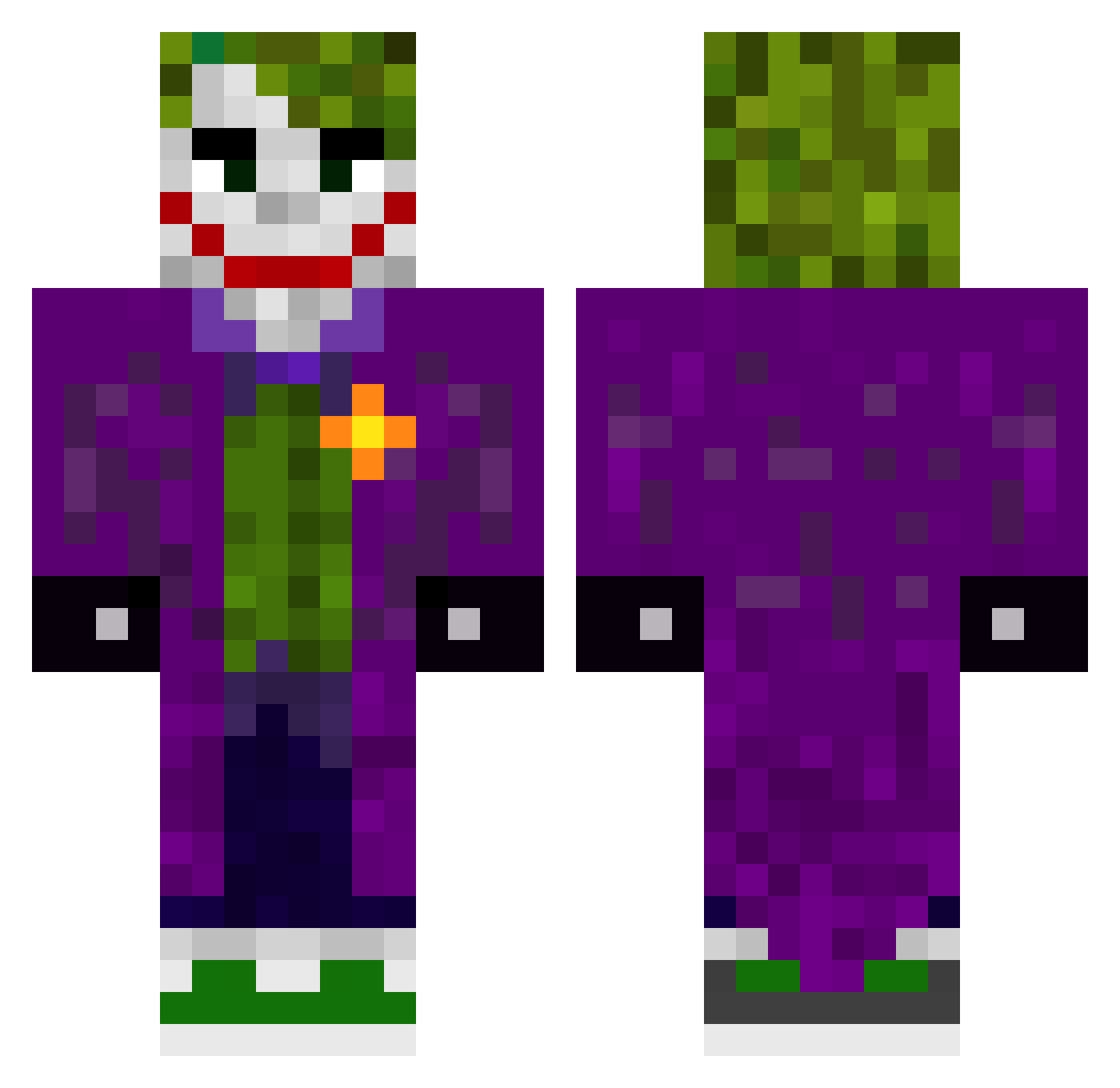
Current Minecraft skin of the player Revetron12, loaded from the official Mojang API. Rotate the 3D model with your mouse or finger, then download the skin as a PNG file and use it in Minecraft: Bedrock Edition or Java Edition for free. When Revetron12 changes their skin, this page updates automatically and the old skin stays in the history below.
Other players with this skin (567)
Revetron12 was the 413th player we have seen with this skin, first spotted on 19.10.2026. The same skin was seen on these players. Open a nickname to see their current skin and skin history.
 Zenkun1297 NajimMW3 Superboy0645 fab675 Laflaca13 joker290 L0rd_Sauron ybarthalo JORDZY23 GENJY26 Aliengames10 Tapok367 Glecker nickiiboi MetalChair441 KiryaPlay2009 JonasIstTrash FabianVanegas BhiLZA niknak08 trahtalker Dabeva joaogamer20 thatCardinal cheems_1616 uncle_justin CroJoker CyrusAkaSladey MADDER2075 Retro_Batz NeyKer23 3ll4z Parzival0913 cocispielt Reaper4Evar coronavirus29 iKinja AerialHD KingJoker4454 Artied123 skullking127 Kikoo21 Mordex3099 Lucash1881 The_J0k3r_ serversupport10 MoHaidera KrisDubbler NICKELBACKLUVR69 yarrakhasan3131 Lemnok_ Swifxd Pedrocamc WimpySteak_YT GamerJeff2610 Puffyyy tripie_titie naxomc20 J0KE_AIR Ethano2004
More The Joker Minecraft skins
How to install the Revetron12 skin
- Press the Download button above to save the skin as a PNG file.
- Minecraft: Bedrock Edition (PE): open the Dressing Room from the main menu (or tap your character → Edit Character), go to Classic Skins → Owned, press the + (new skin) button, choose the downloaded PNG and pick the Classic (Steve) model. Works on PC and mobile; consoles cannot import custom skins.
- Minecraft: Java Edition: open the Minecraft Launcher, go to the Skins tab, click New Skin, load the PNG, pick the Classic (Steve) model and press Save & Use. You can also upload it at minecraft.net → Profile → Change Skin.
The skin does not show up after import - what should I do?
Restart Minecraft and open the Dressing Room again - imported skins sometimes appear only after a restart. Also make sure you selected the imported skin and picked the Classic (Steve) model.
Which model should I choose, Classic or Slim?
This skin is designed for the Classic (Steve) model. If you pick the wrong model, the arms of the skin will look stretched or squeezed.
Is the skin of Revetron12 free to download?
Yes. Press Download, save the PNG file and use it in Minecraft: Bedrock Edition or Java Edition - no payment or registration needed. The skin also works on multiplayer servers and Realms.
More skins
Looking for more? Go back to all Minecraft skins and check the top skins of the week, month and all time, or find any player's skin by nickname.