
RMCunknown326 - Minecraft Skins & Skin History
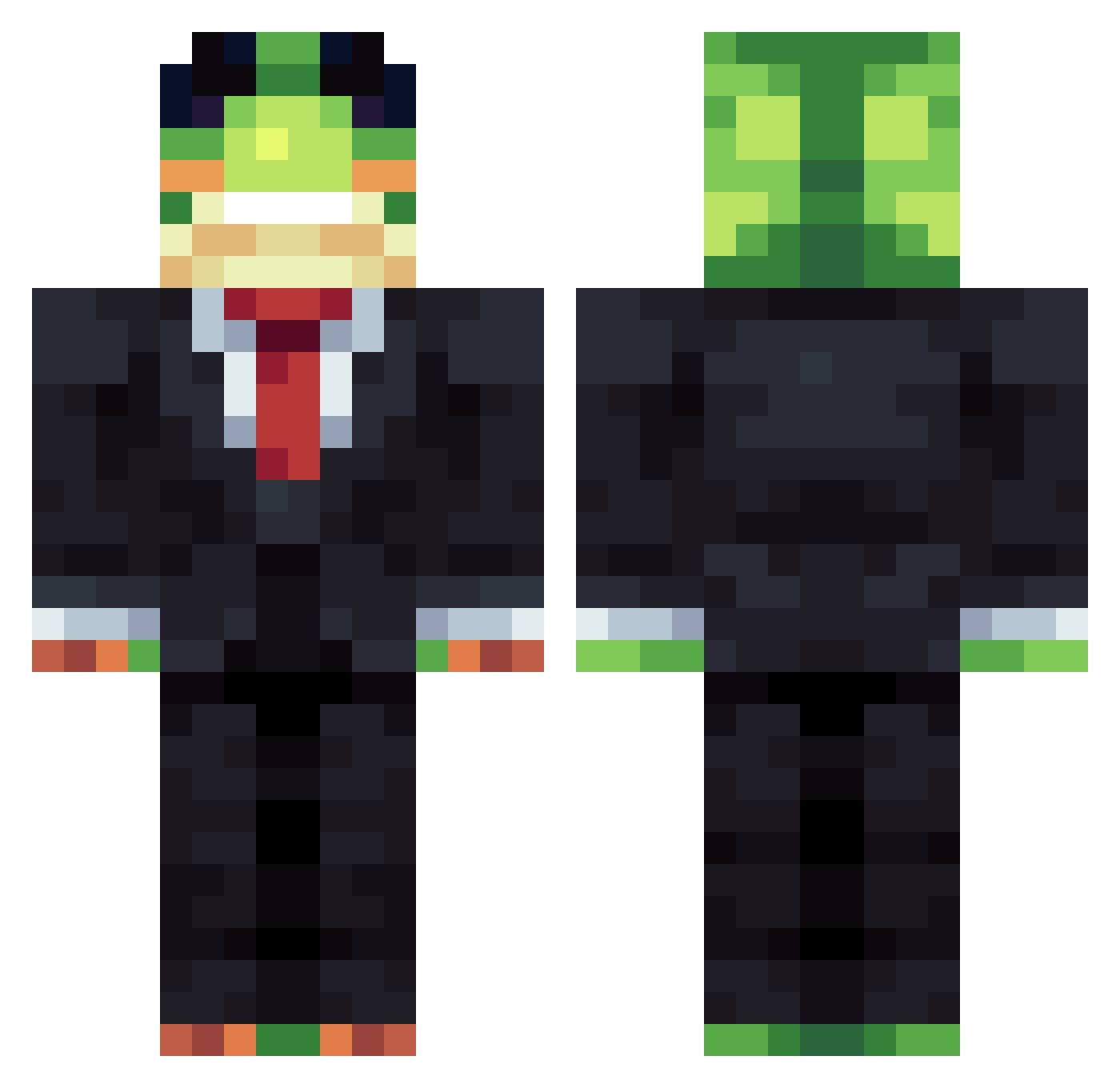
Current Minecraft skin of the player RMCunknown326, loaded from the official Mojang API. Rotate the 3D model with your mouse or finger, then download the skin as a PNG file and use it in Minecraft: Bedrock Edition or Java Edition for free. When RMCunknown326 changes their skin, this page updates automatically and the old skin stays in the history below.
Other players with this skin (1482)
RMCunknown326 was the 1231st player we have seen with this skin, first spotted on 25.10.2026. The same skin was seen on these players. Open a nickname to see their current skin and skin history.
 FroschllnX RizxCgh Potatismospaj APoliwater telhado007 KuteG2 TJ7_MC Kokoziom Maznarez PrimeApes Pancio0301 gm1313 Altrox1 Svefo NoahTheFatty soslan_v_sibir Kpro121 zboss7 ERMAC2013 Laromeo2 Nico_kiri XDragonAgeXKaige issuedhi JACKIBOI_22 RubberDuckTB DruynZ anderson096 Tank3d LargeBingus Ahpeal04 JeBoyGamert metryczny ian5656 xtldreams fr99y BratMSN ActiveGuy2011 rettuc_ Capy1412 tycho67 skyler878 LethalVortex2025 Konstantinpopel Bunnykins14 Sv2Core2rv Kasy twerknation43 PickleBeast_1 qyuiop Zimnaparuwa Mightyowl172 aysul 43847 refractxvii mithic1234 nixtmares Carlitos_l BAggTit Livvexx Cyelance
More Frog Minecraft skins
How to install the RMCunknown326 skin
- Press the Download button above to save the skin as a PNG file.
- Minecraft: Bedrock Edition (PE): open the Dressing Room from the main menu (or tap your character → Edit Character), go to Classic Skins → Owned, press the + (new skin) button, choose the downloaded PNG and pick the Classic (Steve) model. Works on PC and mobile; consoles cannot import custom skins.
- Minecraft: Java Edition: open the Minecraft Launcher, go to the Skins tab, click New Skin, load the PNG, pick the Classic (Steve) model and press Save & Use. You can also upload it at minecraft.net → Profile → Change Skin.
The skin does not show up after import - what should I do?
Restart Minecraft and open the Dressing Room again - imported skins sometimes appear only after a restart. Also make sure you selected the imported skin and picked the Classic (Steve) model.
Which model should I choose, Classic or Slim?
This skin is designed for the Classic (Steve) model. If you pick the wrong model, the arms of the skin will look stretched or squeezed.
Is the skin of RMCunknown326 free to download?
Yes. Press Download, save the PNG file and use it in Minecraft: Bedrock Edition or Java Edition - no payment or registration needed. The skin also works on multiplayer servers and Realms.
More skins
Looking for more? Go back to all Minecraft skins and check the top skins of the week, month and all time, or find any player's skin by nickname.