
R0BERT_R - Minecraft Skins & Skin History
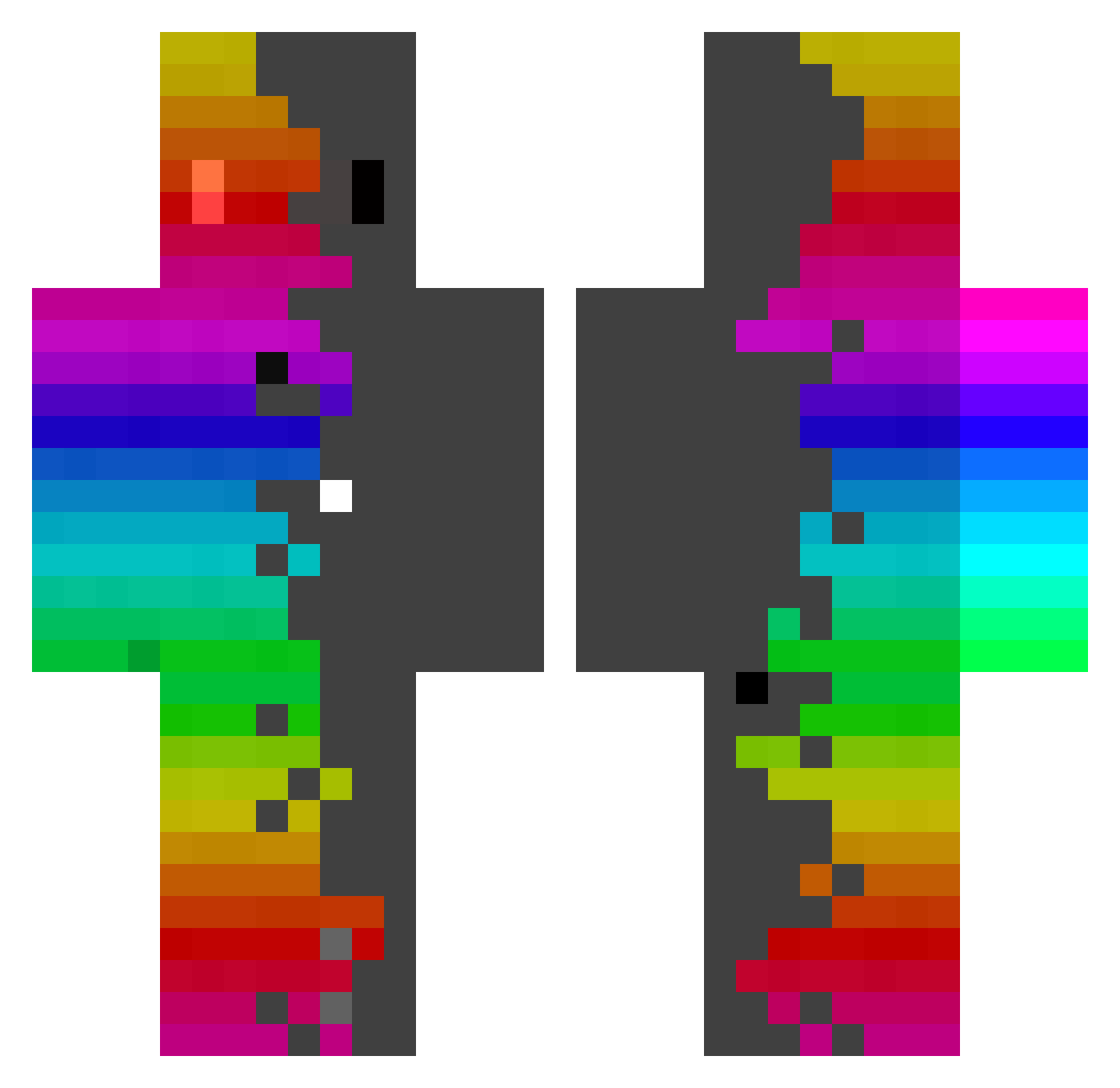
Current Minecraft skin of the player R0BERT_R, loaded from the official Mojang API. Rotate the 3D model with your mouse or finger, then download the skin as a PNG file and use it in Minecraft: Bedrock Edition or Java Edition for free. When R0BERT_R changes their skin, this page updates automatically and the old skin stays in the history below.
Other players with this skin (469)
R0BERT_R was the 356th player we have seen with this skin, first spotted on 20.10.2026. The same skin was seen on these players. Open a nickname to see their current skin and skin history.
 kendam9 ML_Games CitronSoneuze Madlogger25 milo7770 Julio_66 LunaStorm69 Danny_1122 Biribinha06 VitorMaximo SirTequila upmessias Fontxu aiueo675 Adam_Hraje Che_Marx dataB2 vitorianatalia Neversaurs appka MOUmou2110 SrPolage SpiegelJaguar31 Martinaflink mine_xplore EndingMicrobe91 TheIrishAll Ttvanu_11 leng619 retep1290 Renbo_Random CimBoy07 JAOXDXD whtmdqls ferdusanb malump Mellow_Craft ROASCH takataka0606 Joriistcool Oonurb IPBoy77 Yato25 XDAWIDX47 MeLazzy Spqcki Moinsn123 bokjk NoxStefan WinterOdysseus UnaskedPizza77 Duke_081 caualelek32 Daniele6606 joaqo_pirocud123 sky_jade Niawcha Jere_GG_ MikeRepdek BobbiMonsta
How to install the R0BERT_R skin
- Press the Download button above to save the skin as a PNG file.
- Minecraft: Bedrock Edition (PE): open the Dressing Room from the main menu (or tap your character → Edit Character), go to Classic Skins → Owned, press the + (new skin) button, choose the downloaded PNG and pick the Classic (Steve) model. Works on PC and mobile; consoles cannot import custom skins.
- Minecraft: Java Edition: open the Minecraft Launcher, go to the Skins tab, click New Skin, load the PNG, pick the Classic (Steve) model and press Save & Use. You can also upload it at minecraft.net → Profile → Change Skin.
The skin does not show up after import - what should I do?
Restart Minecraft and open the Dressing Room again - imported skins sometimes appear only after a restart. Also make sure you selected the imported skin and picked the Classic (Steve) model.
Which model should I choose, Classic or Slim?
This skin is designed for the Classic (Steve) model. If you pick the wrong model, the arms of the skin will look stretched or squeezed.
Is the skin of R0BERT_R free to download?
Yes. Press Download, save the PNG file and use it in Minecraft: Bedrock Edition or Java Edition - no payment or registration needed. The skin also works on multiplayer servers and Realms.
More skins
Looking for more? Go back to all Minecraft skins and check the top skins of the week, month and all time, or find any player's skin by nickname.