
Putzemann - Minecraft Skins & Skin History
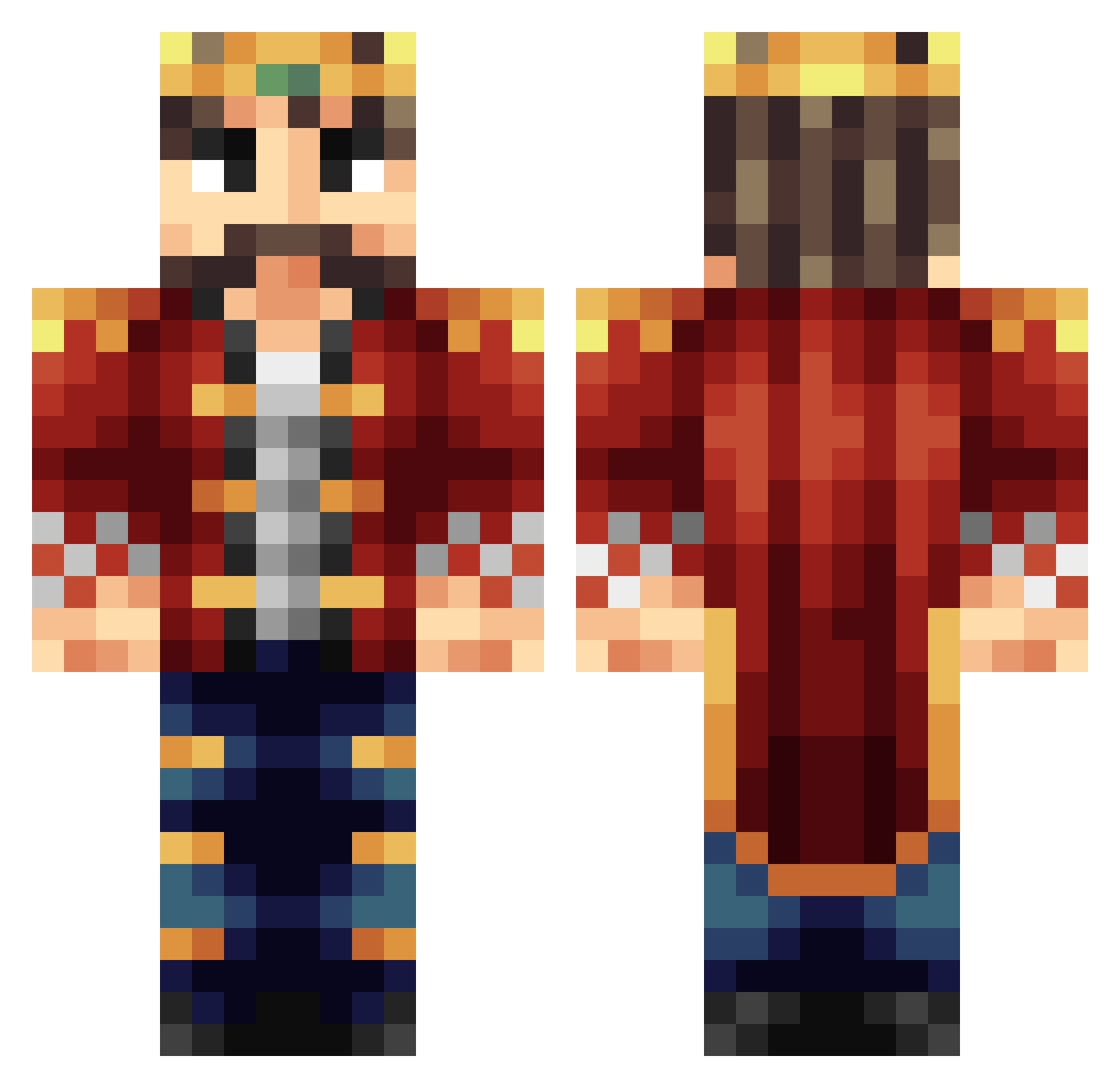
Current Minecraft skin of the player Putzemann, loaded from the official Mojang API. Rotate the 3D model with your mouse or finger, then download the skin as a PNG file and use it in Minecraft: Bedrock Edition or Java Edition for free. When Putzemann changes their skin, this page updates automatically and the old skin stays in the history below.
Other players with this skin (399)
Putzemann was the 287th player we have seen with this skin, first spotted on 16.10.2026. The same skin was seen on these players. Open a nickname to see their current skin and skin history.
 BrokenPath h0pe10 KingAemon Custi Branbash098 G_Gzeus RedW1tt VikingRobz IIonez niftyTNT Martimal melkebarten06 Drew070310 DrGlenn1998 DerHeiligeKaiser KingRetardous bwilli12 uKiidding BunnieLovesUber Pheonix_Wright1 ghost7gamer Typewriter KiNgFlO123 NoMaddog FrozenIce94 KingHubris m0rsti Snorlaxa Noahcm NovaKingYT Kinq Waxible KingranGZ PezTaG0N GetBlazzed KingBrianZz Cillia NeekinsonSanchez SoontirFel ChronosBrB sedvis Flotschi06 Saralar1234 RLSL King_Chase TFNWarrior LordKAlexander MatrixVirus FlorianVO11 Ufopiloot_01 typhoidjoker TheGarbageTruck CL17OP nalarakk DarkbloodIII sighlander Wiking20111 dsfinn WetJimmy69 Luke1435
More Streamer Minecraft skins
How to install the Putzemann skin
- Press the Download button above to save the skin as a PNG file.
- Minecraft: Bedrock Edition (PE): open the Dressing Room from the main menu (or tap your character → Edit Character), go to Classic Skins → Owned, press the + (new skin) button, choose the downloaded PNG and pick the Classic (Steve) model. Works on PC and mobile; consoles cannot import custom skins.
- Minecraft: Java Edition: open the Minecraft Launcher, go to the Skins tab, click New Skin, load the PNG, pick the Classic (Steve) model and press Save & Use. You can also upload it at minecraft.net → Profile → Change Skin.
The skin does not show up after import - what should I do?
Restart Minecraft and open the Dressing Room again - imported skins sometimes appear only after a restart. Also make sure you selected the imported skin and picked the Classic (Steve) model.
Which model should I choose, Classic or Slim?
This skin is designed for the Classic (Steve) model. If you pick the wrong model, the arms of the skin will look stretched or squeezed.
Is the skin of Putzemann free to download?
Yes. Press Download, save the PNG file and use it in Minecraft: Bedrock Edition or Java Edition - no payment or registration needed. The skin also works on multiplayer servers and Realms.
More skins
Looking for more? Go back to all Minecraft skins and check the top skins of the week, month and all time, or find any player's skin by nickname.