
Current Minecraft skin of the player PredatorMaster66, loaded from the official Mojang API. Rotate the 3D model with your mouse or finger, then download the skin as a PNG file and use it in Minecraft: Bedrock Edition or Java Edition for free. When PredatorMaster66 changes their skin, this page updates automatically and the old skin stays in the history below.
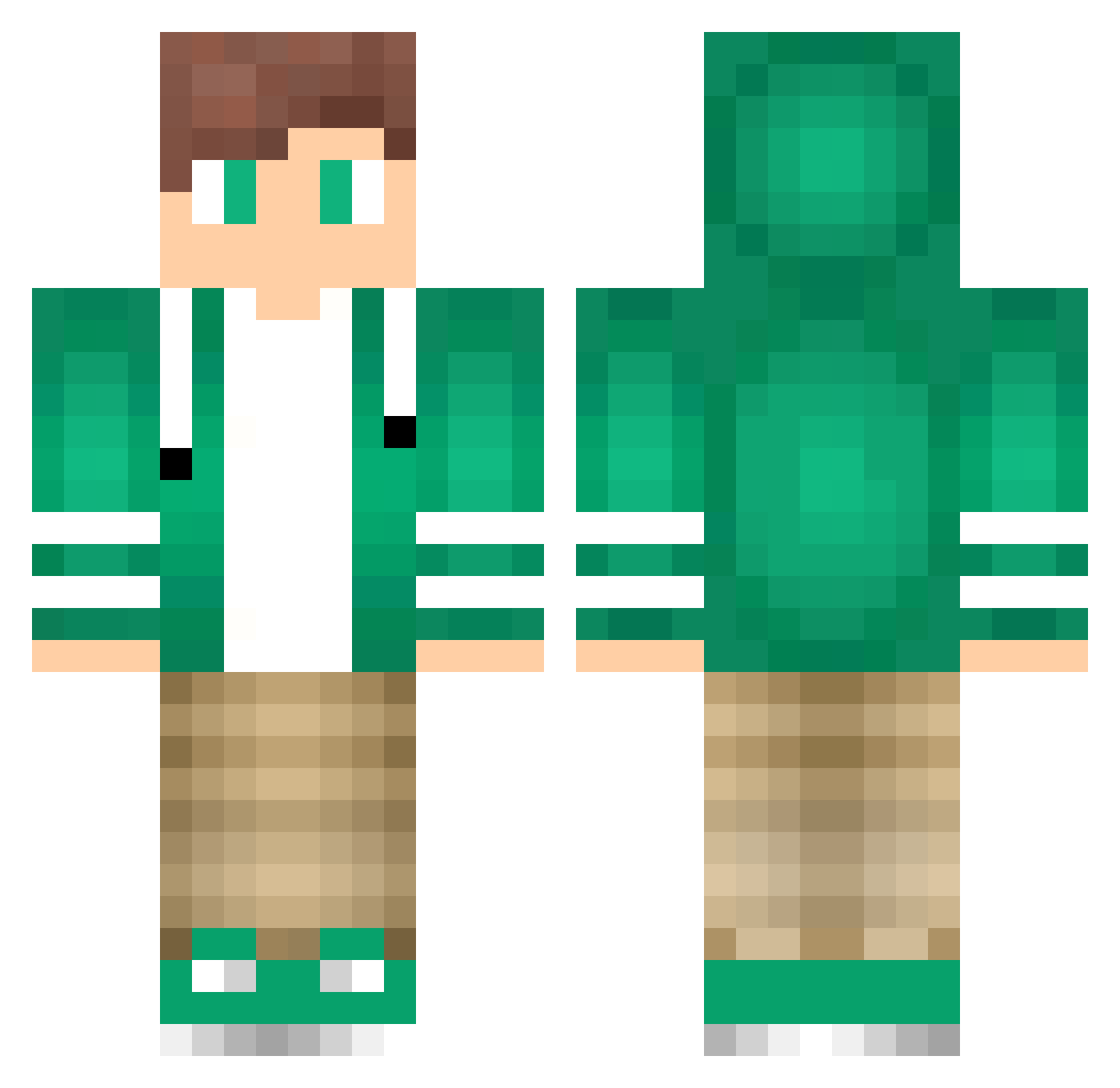
Other players with this skin (79)
The same skin was seen on these players. Open a nickname to see their current skin and skin history.
 Duti_CZ Kyle_PlayzMC 2JK Nyandreaslp Slokin9 IAMAI Darten1 Jadgar09 pelu02 JuanDirection LylondKomplete Jon10998 Furedi MrRelease kardoryn chrisquachy Alvin_M1 Hyper_Ice Phenom921 CaptainMnDR Augusthald 3clipsed jyrrty ZACHARYBOSS Ghost_Blacksmith hkem10 legendman sibs_23 ElliotWalter Spartagu lukasm1107 Yoplait_PvP _BigDave_ FATOEMANMP LPW Leevi666 tHe_GiPs REIMEY ninjamitsuki FuGiE03 JawsTheSloth satanicboy12 deadseeker15 Ahold HongKongNiggas dimond27 jay_erim OL1VERJ TheCreedsFinest kotosik12345 shintiar JulesRunner JanGamer_HD _TopicZ_ OcOb Ethn2007 sumiretyan DrawingKing BeerSpigot SlipperyGypsy
How to install the PredatorMaster66 skin
- Press the Download button above to save the skin as a PNG file.
- Minecraft: Bedrock Edition (PE): open the Dressing Room from the main menu (or tap your character → Edit Character), go to Classic Skins → Owned, press the + (new skin) button, choose the downloaded PNG and pick the Classic (Steve) model. Works on PC and mobile; consoles cannot import custom skins.
- Minecraft: Java Edition: open the Minecraft Launcher, go to the Skins tab, click New Skin, load the PNG, pick the Classic (Steve) model and press Save & Use. You can also upload it at minecraft.net → Profile → Change Skin.
The skin does not show up after import - what should I do?
Restart Minecraft and open the Dressing Room again - imported skins sometimes appear only after a restart. Also make sure you selected the imported skin and picked the Classic (Steve) model.
Which model should I choose, Classic or Slim?
This skin is designed for the Classic (Steve) model. If you pick the wrong model, the arms of the skin will look stretched or squeezed.
Is the skin of PredatorMaster66 free to download?
Yes. Press Download, save the PNG file and use it in Minecraft: Bedrock Edition or Java Edition - no payment or registration needed. The skin also works on multiplayer servers and Realms.
More skins
Looking for more? Go back to all Minecraft skins and check the top skins of the week, month and all time, or find any player's skin by nickname.