
PattyDaPorkchop - Minecraft Skins & Skin History
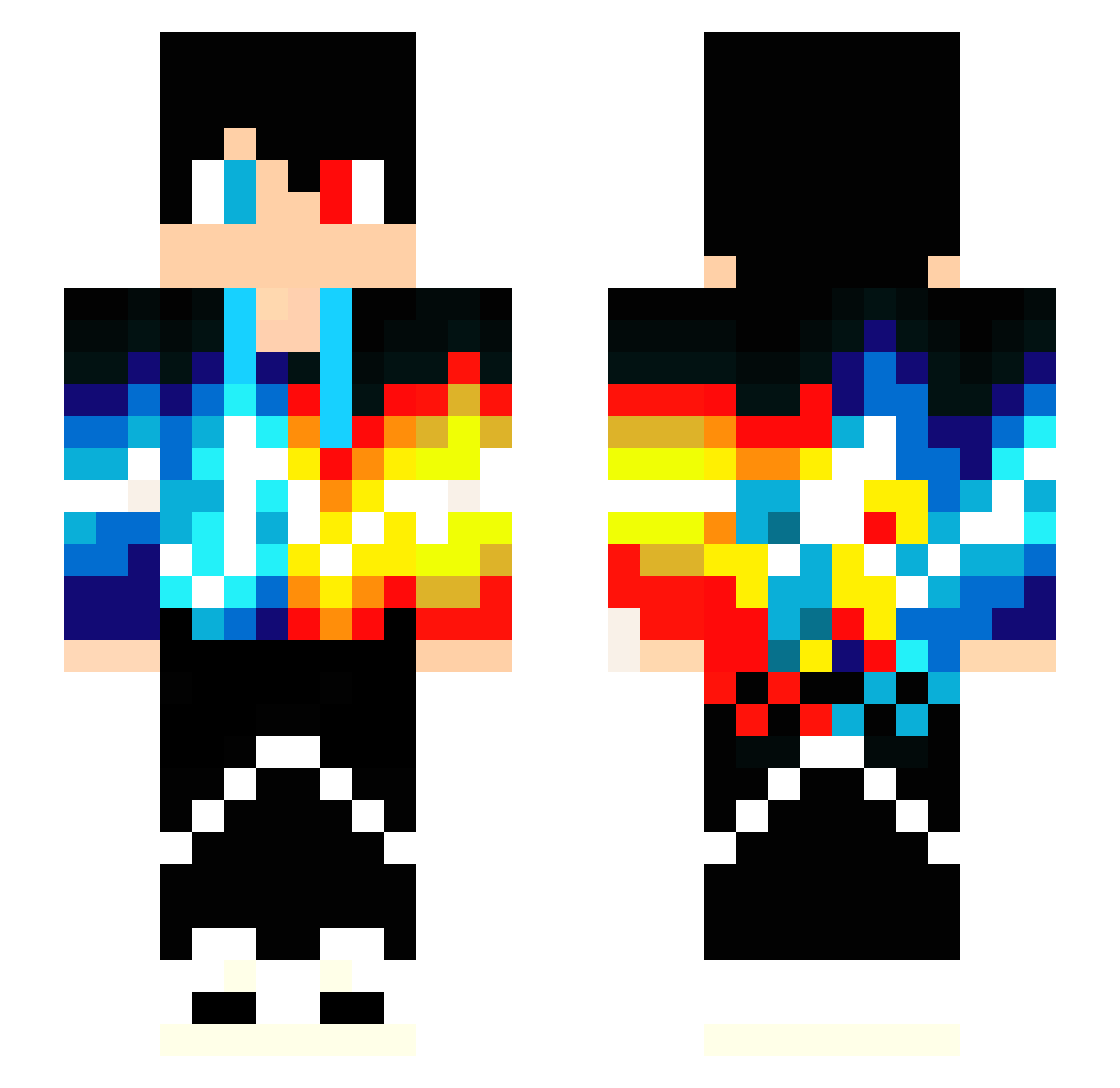
Current Minecraft skin of the player PattyDaPorkchop, loaded from the official Mojang API. Rotate the 3D model with your mouse or finger, then download the skin as a PNG file and use it in Minecraft: Bedrock Edition or Java Edition for free. When PattyDaPorkchop changes their skin, this page updates automatically and the old skin stays in the history below.
Other players with this skin (237)
PattyDaPorkchop was the 202nd player we have seen with this skin, first spotted on 30.10.2026. The same skin was seen on these players. Open a nickname to see their current skin and skin history.
 DaniielZx7 Jae67rt Montii9510 KingDaddy0 Loideavid Marvvvin keksboy12 ChristiaanNL WinstonWu FireManuel Blocklucker Skylight2k10 Tuanho alejomy LeoTheKing03 iballisticjonas FreshSlicedLime Vitekot JPedro4500 Kry2201 DrKrit scar12345 Mexiican NoahWaLee Kubex3232 JacobRonaldo2014 NathanChab CAPTAINSWAG554 Moonhawk88 Thecrafter438 Fiery_Boy SyVoltis TonmSena Denizmeltem Ch3fJay panzercat JonasHD12 Stevovoness PrEmAx Tarixx player654327 King_BenjaMC RayMaFresha tonedbow24 DWMbuild Awesome_Man101 XLPC Joey_white17 TheAngel333 Xenox_es Kai251 psychopolarbear david263z windfreek hsddhh Dragonslayer4321 Querencia XxSIL3N7xX Cyeoj NBAforlife0786
More Heterochromia Minecraft skins
See all 667 Heterochromia skins
How to install the PattyDaPorkchop skin
- Press the Download button above to save the skin as a PNG file.
- Minecraft: Bedrock Edition (PE): open the Dressing Room from the main menu (or tap your character → Edit Character), go to Classic Skins → Owned, press the + (new skin) button, choose the downloaded PNG and pick the Slim (Alex) model. Works on PC and mobile; consoles cannot import custom skins.
- Minecraft: Java Edition: open the Minecraft Launcher, go to the Skins tab, click New Skin, load the PNG, pick the Slim (Alex) model and press Save & Use. You can also upload it at minecraft.net → Profile → Change Skin.
The skin does not show up after import - what should I do?
Restart Minecraft and open the Dressing Room again - imported skins sometimes appear only after a restart. Also make sure you selected the imported skin and picked the Slim (Alex) model.
Which model should I choose, Classic or Slim?
This skin is designed for the Slim (Alex) model. If you pick the wrong model, the arms of the skin will look stretched or squeezed.
Is the skin of PattyDaPorkchop free to download?
Yes. Press Download, save the PNG file and use it in Minecraft: Bedrock Edition or Java Edition - no payment or registration needed. The skin also works on multiplayer servers and Realms.
More skins
Looking for more? Go back to all Minecraft skins and check the top skins of the week, month and all time, or find any player's skin by nickname.