
Paga_04 - Minecraft Skins & Skin History
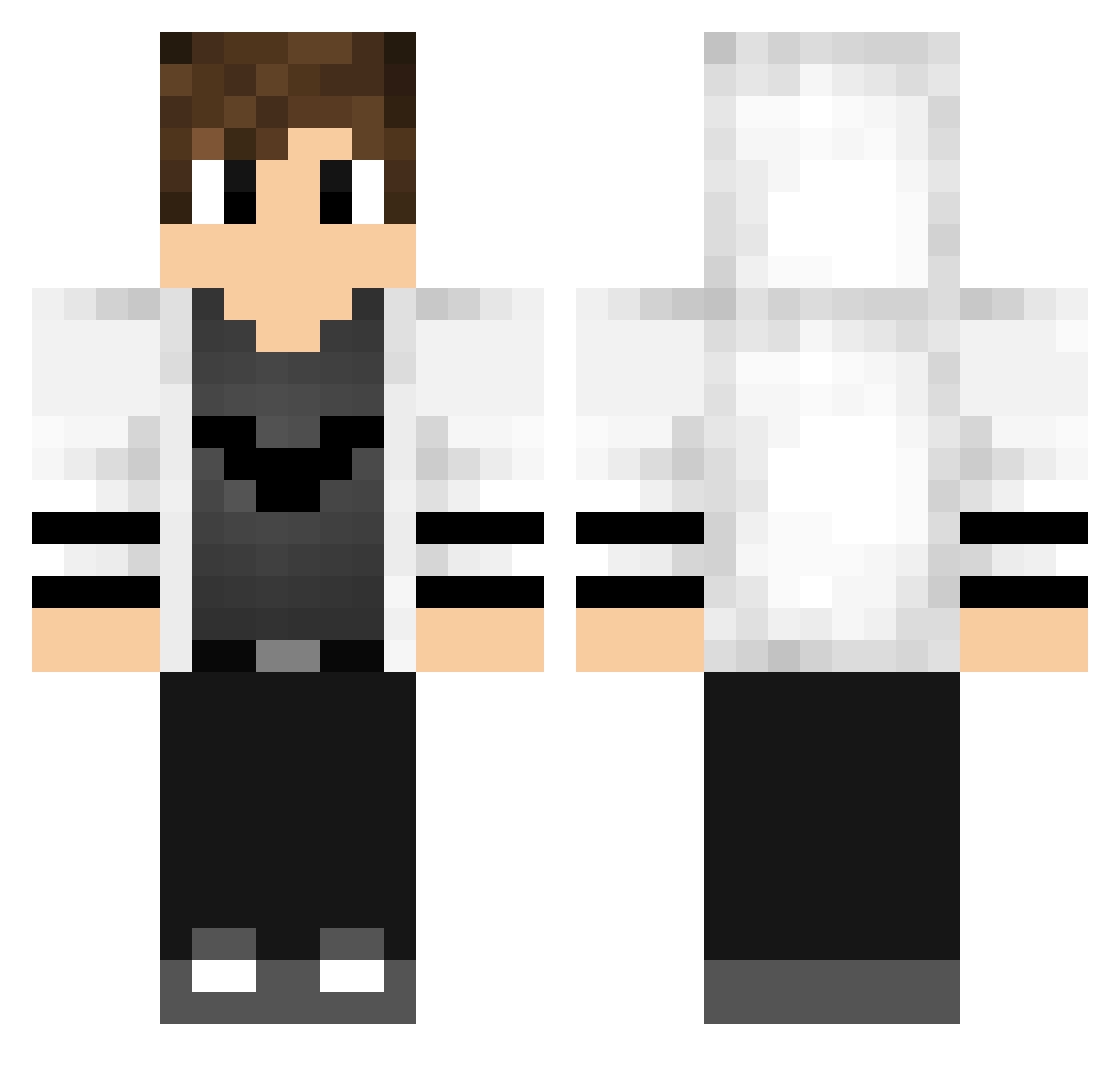
Current Minecraft skin of the player Paga_04, loaded from the official Mojang API. Rotate the 3D model with your mouse or finger, then download the skin as a PNG file and use it in Minecraft: Bedrock Edition or Java Edition for free. When Paga_04 changes their skin, this page updates automatically and the old skin stays in the history below.
Other players with this skin (194)
Paga_04 was the 177th player we have seen with this skin, first spotted on 01.11.2026. The same skin was seen on these players. Open a nickname to see their current skin and skin history.
 Ben45093 YSS_TN tatlikedicik OtavioGamer9 Welshy157 Revers69 xD1n0 JC_Liu LuckyPatrickBMC ITZ_JAUMBO GellertHUN15 CaioGamer_09123 Warr1oR MarkevichPlay ArdaGamer23 ben1907z Paqzz ixM4 Firat_ReyizYT PCGuia smileQAQ NinjaCemal Adrian050607 Mohamd_YT Timbo044 Straiky_ rafaell_25 Firemaster_Guy DandyChan LoLoZauM HooS_ JackTheNova SnowStorm232 SrUnnormal idXpvp Pauer9 Ruckier d0nTtoucH Mathieu_111 Crazyspot Math_crafteur Abdo_Roomy_ SubThology LBRiley ulaf2007 Piccoli89 hiroto1110 PheroxTV iKitz joaomlj Dark07_ NukaBB xXBossPorusXx fetspeeters Lytz526 Sebozinho ProGamerKaia Ecliipz_US LieblingsChrist Godtoaster
More Bat Symbol Minecraft skins
How to install the Paga_04 skin
- Press the Download button above to save the skin as a PNG file.
- Minecraft: Bedrock Edition (PE): open the Dressing Room from the main menu (or tap your character → Edit Character), go to Classic Skins → Owned, press the + (new skin) button, choose the downloaded PNG and pick the Classic (Steve) model. Works on PC and mobile; consoles cannot import custom skins.
- Minecraft: Java Edition: open the Minecraft Launcher, go to the Skins tab, click New Skin, load the PNG, pick the Classic (Steve) model and press Save & Use. You can also upload it at minecraft.net → Profile → Change Skin.
The skin does not show up after import - what should I do?
Restart Minecraft and open the Dressing Room again - imported skins sometimes appear only after a restart. Also make sure you selected the imported skin and picked the Classic (Steve) model.
Which model should I choose, Classic or Slim?
This skin is designed for the Classic (Steve) model. If you pick the wrong model, the arms of the skin will look stretched or squeezed.
Is the skin of Paga_04 free to download?
Yes. Press Download, save the PNG file and use it in Minecraft: Bedrock Edition or Java Edition - no payment or registration needed. The skin also works on multiplayer servers and Realms.
More skins
Looking for more? Go back to all Minecraft skins and check the top skins of the week, month and all time, or find any player's skin by nickname.