
PaddingtonBomber - Minecraft Skins & Skin History
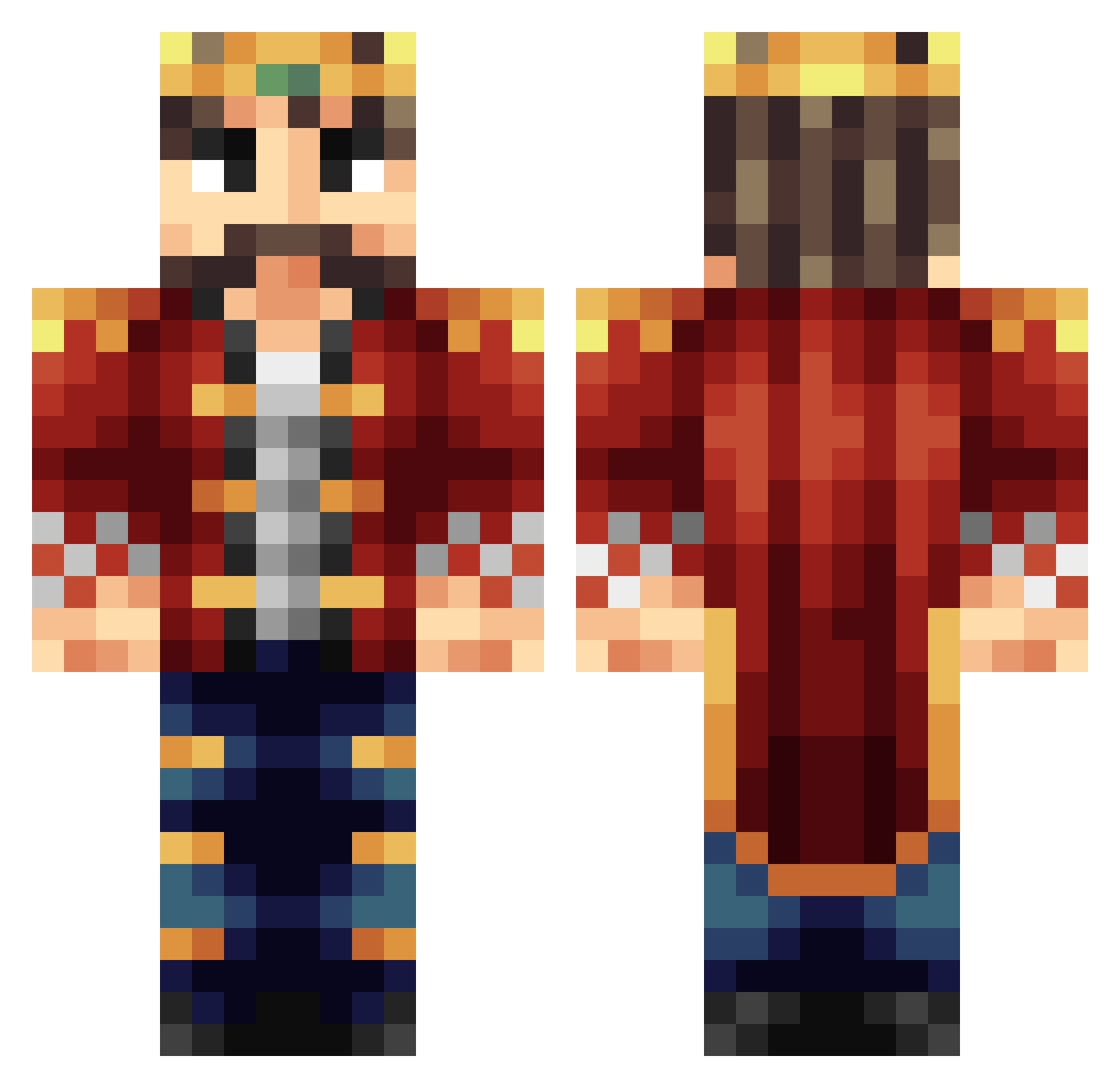
Current Minecraft skin of the player PaddingtonBomber, loaded from the official Mojang API. Rotate the 3D model with your mouse or finger, then download the skin as a PNG file and use it in Minecraft: Bedrock Edition or Java Edition for free. When PaddingtonBomber changes their skin, this page updates automatically and the old skin stays in the history below.
Other players with this skin (398)
PaddingtonBomber was the 333rd player we have seen with this skin, first spotted on 25.10.2026. The same skin was seen on these players. Open a nickname to see their current skin and skin history.
 trav_d VxCarnage TheKingOfShadows JeremyPrime TNTwithin12 mickj cayne2121 Alagorys Maarcel_ ZaGi_Dk KingJolie Jack_Bee02 chiff13 Joj_92_ Jasper_P Trachsel HighKingHarry muzzified911 Arcturus__ FEDYXP crazymax2011 Pebblero Canyucel MoistChunks ImNystrom Forlingon IanTheHird djduckman MyCone Bi11S0N Ve_Az DougyFresh99 Jarrah_ TDMZ Luke1435 Wiking20111 sighlander nalarakk Velerium Ufopiloot_01 MatrixVirus King_Chase TijnO tylersutto Saralar1234 sedvis Tuho Dylaniswrong roi96 JackWar KingBrianZz GetBlazzed BoleslawChrobry christianames PezTaG0N tim_engels KingranGZ MattaFlakka Kinq NovaKingYT
More Streamer Minecraft skins
How to install the PaddingtonBomber skin
- Press the Download button above to save the skin as a PNG file.
- Minecraft: Bedrock Edition (PE): open the Dressing Room from the main menu (or tap your character → Edit Character), go to Classic Skins → Owned, press the + (new skin) button, choose the downloaded PNG and pick the Classic (Steve) model. Works on PC and mobile; consoles cannot import custom skins.
- Minecraft: Java Edition: open the Minecraft Launcher, go to the Skins tab, click New Skin, load the PNG, pick the Classic (Steve) model and press Save & Use. You can also upload it at minecraft.net → Profile → Change Skin.
The skin does not show up after import - what should I do?
Restart Minecraft and open the Dressing Room again - imported skins sometimes appear only after a restart. Also make sure you selected the imported skin and picked the Classic (Steve) model.
Which model should I choose, Classic or Slim?
This skin is designed for the Classic (Steve) model. If you pick the wrong model, the arms of the skin will look stretched or squeezed.
Is the skin of PaddingtonBomber free to download?
Yes. Press Download, save the PNG file and use it in Minecraft: Bedrock Edition or Java Edition - no payment or registration needed. The skin also works on multiplayer servers and Realms.
More skins
Looking for more? Go back to all Minecraft skins and check the top skins of the week, month and all time, or find any player's skin by nickname.