
OlleMunken - Minecraft Skins & Skin History
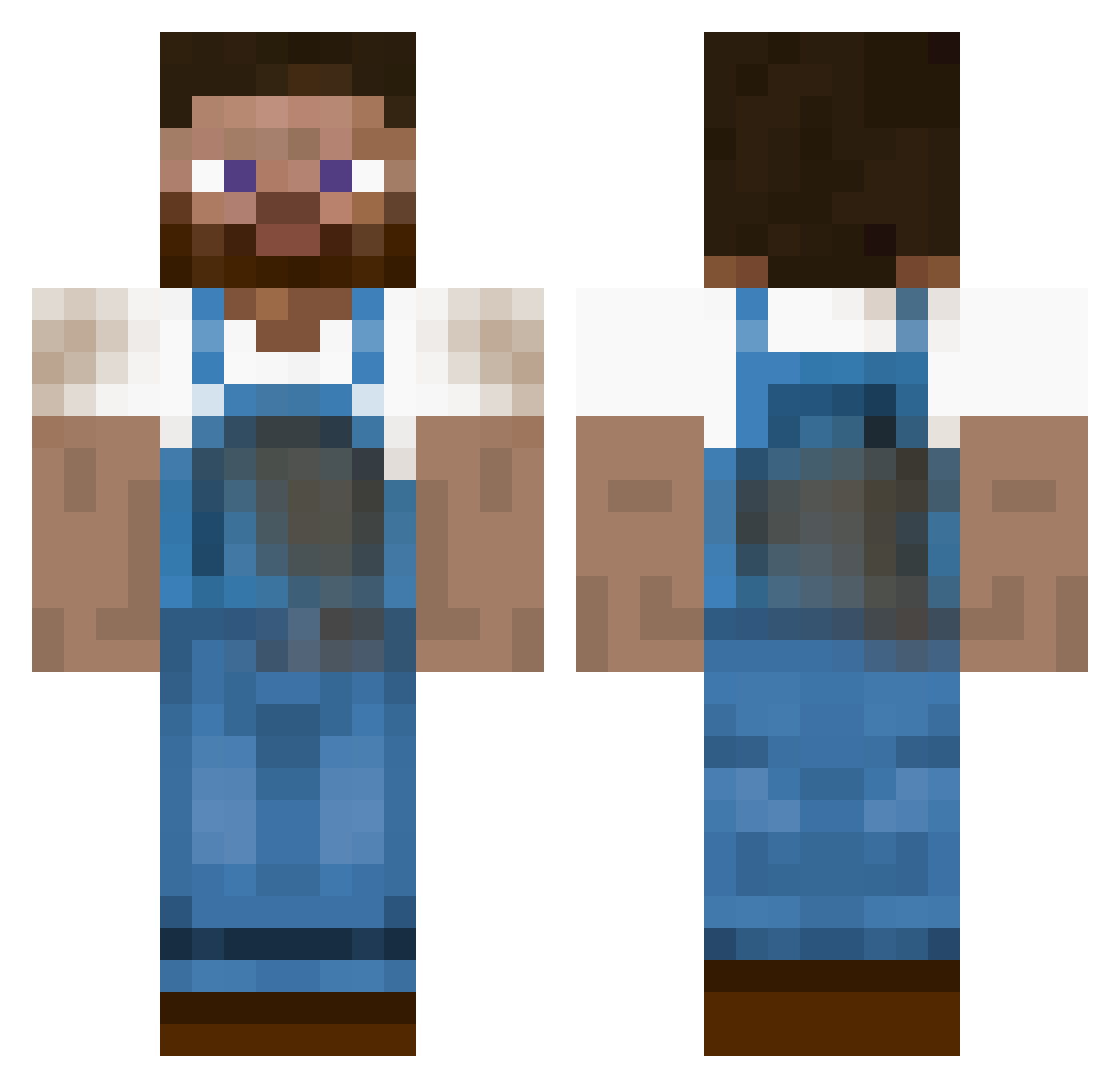
Current Minecraft skin of the player OlleMunken, loaded from the official Mojang API. Rotate the 3D model with your mouse or finger, then download the skin as a PNG file and use it in Minecraft: Bedrock Edition or Java Edition for free. When OlleMunken changes their skin, this page updates automatically and the old skin stays in the history below.
Other players with this skin (455)
OlleMunken was the 366th player we have seen with this skin, first spotted on 22.10.2026. The same skin was seen on these players. Open a nickname to see their current skin and skin history.
 Jannick23 Logisik Shardow banshee484 KasperMeyer5 Jensrehn08 NihiaType tiny2 tompa360 malino1 Alexv777 Sleepo68 Hybrid110 pureown8 Rocky1995 serah1228 mgp4eva Fendt_Niklas MiawLykk WoodPuncher761 I_Want_Crazy kessegk maxfara UziPro mathiasfi Tony0123456789 Mazzy1337 123456789bmx LOLLOL0 Danywave taskefyr GoldenPiggyBank ElliotAk Wilhem1257 Paullatuquette05 carebear1104 Liam_robot9 jens7568 XMen02 nancy69 feling2395 gunnymike00 Stubward skippo18 logan1998 thunderbug GiveUpTheFunk90 andrewkuo313 AtilaDerHunne 02monty Dielicious Toastmaskinen doxistar shunterb magnus100 Dentantje CrazyFarmer1409 Maejor FeldSallat iluvburgers
More Farmer Minecraft skins
How to install the OlleMunken skin
- Press the Download button above to save the skin as a PNG file.
- Minecraft: Bedrock Edition (PE): open the Dressing Room from the main menu (or tap your character → Edit Character), go to Classic Skins → Owned, press the + (new skin) button, choose the downloaded PNG and pick the Classic (Steve) model. Works on PC and mobile; consoles cannot import custom skins.
- Minecraft: Java Edition: open the Minecraft Launcher, go to the Skins tab, click New Skin, load the PNG, pick the Classic (Steve) model and press Save & Use. You can also upload it at minecraft.net → Profile → Change Skin.
The skin does not show up after import - what should I do?
Restart Minecraft and open the Dressing Room again - imported skins sometimes appear only after a restart. Also make sure you selected the imported skin and picked the Classic (Steve) model.
Which model should I choose, Classic or Slim?
This skin is designed for the Classic (Steve) model. If you pick the wrong model, the arms of the skin will look stretched or squeezed.
Is the skin of OlleMunken free to download?
Yes. Press Download, save the PNG file and use it in Minecraft: Bedrock Edition or Java Edition - no payment or registration needed. The skin also works on multiplayer servers and Realms.
More skins
Looking for more? Go back to all Minecraft skins and check the top skins of the week, month and all time, or find any player's skin by nickname.