
Nyam46 - Minecraft Skins & Skin History
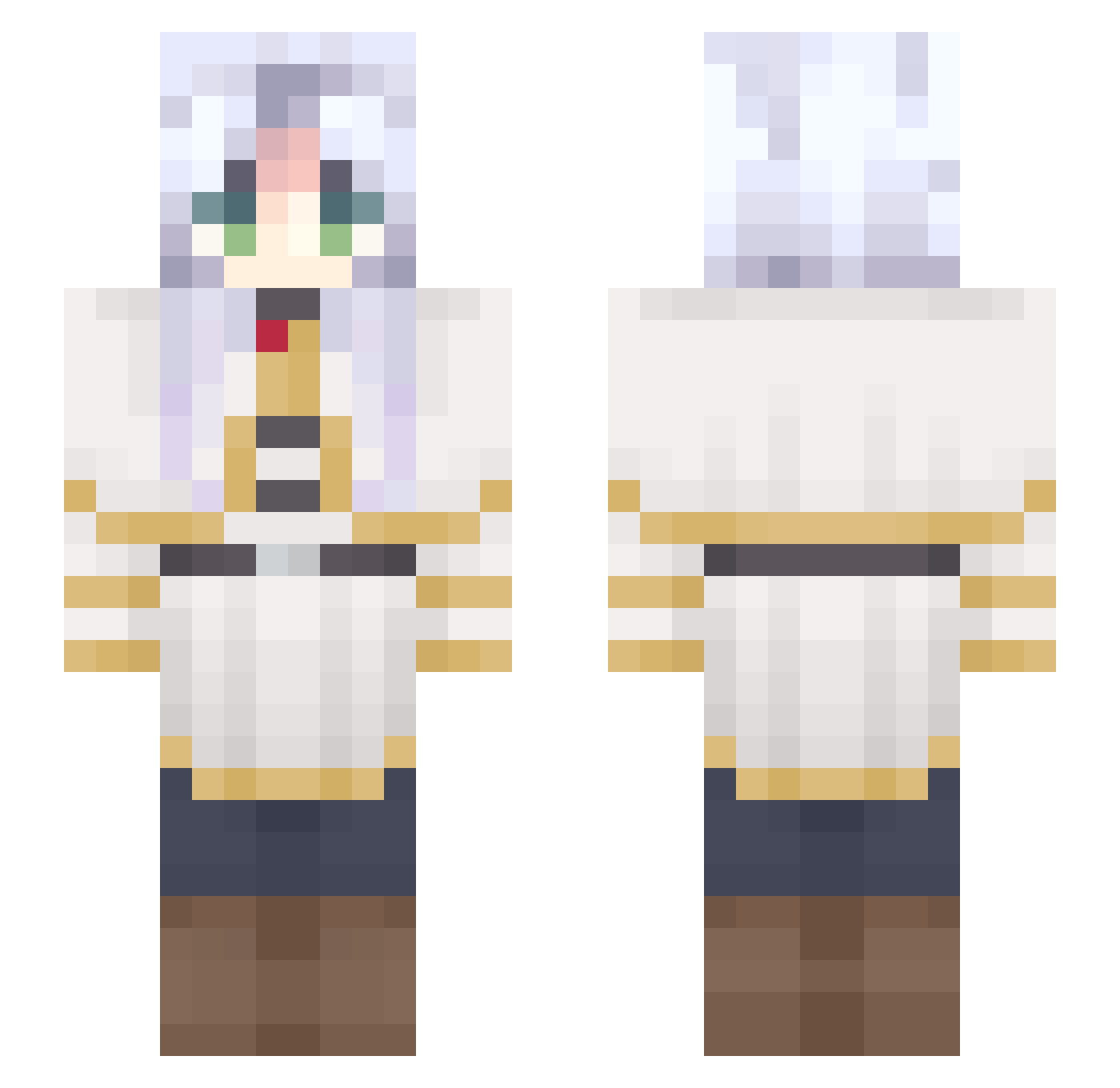
Current Minecraft skin of the player Nyam46, loaded from the official Mojang API. Rotate the 3D model with your mouse or finger, then download the skin as a PNG file and use it in Minecraft: Bedrock Edition or Java Edition for free. When Nyam46 changes their skin, this page updates automatically and the old skin stays in the history below.
Other players with this skin (689)
Nyam46 was the 614th player we have seen with this skin, first spotted on 27.10.2026. The same skin was seen on these players. Open a nickname to see their current skin and skin history.
 hardy_xixi Riiina06 cooolarmy hato096 nanicatto m1_n GYCDW kyouka24 FutureHarbor379 cain8668 odeehw LJUBI_ Paulol0602 Sassy_Sass ElBrado yinxiaoguo Rozjebus_ Nancea Barjay03 Ramzsssss ropzzz2 333strawb Chiya_c RuRua1 KyukonTsukii JucaFleming Ia84I RavenTheSin MipBRUH Knif3rism AyeSolace JJacobyy tasuku_marimo kimhyo296 MrDragoon87 Aroxwiled Crab6520 eggfruit Makinamiskin Trajano_best Kidzbop_ OhLammy BlackDeamon3155 Ojcia DebraD_ blossomlng0_0 Coldrak3r yu_mu233 pohun999 Camippy heyyua RURU_01_29 FTTJAY Reliantsnow40 Squising ProfSalleco styxials mangofuzetea xyz_191 Assenting
More Frieren Beyond Journeys End Minecraft skins
See all 132 Frieren Beyond Journeys End skins
How to install the Nyam46 skin
- Press the Download button above to save the skin as a PNG file.
- Minecraft: Bedrock Edition (PE): open the Dressing Room from the main menu (or tap your character → Edit Character), go to Classic Skins → Owned, press the + (new skin) button, choose the downloaded PNG and pick the Slim (Alex) model. Works on PC and mobile; consoles cannot import custom skins.
- Minecraft: Java Edition: open the Minecraft Launcher, go to the Skins tab, click New Skin, load the PNG, pick the Slim (Alex) model and press Save & Use. You can also upload it at minecraft.net → Profile → Change Skin.
The skin does not show up after import - what should I do?
Restart Minecraft and open the Dressing Room again - imported skins sometimes appear only after a restart. Also make sure you selected the imported skin and picked the Slim (Alex) model.
Which model should I choose, Classic or Slim?
This skin is designed for the Slim (Alex) model. If you pick the wrong model, the arms of the skin will look stretched or squeezed.
Is the skin of Nyam46 free to download?
Yes. Press Download, save the PNG file and use it in Minecraft: Bedrock Edition or Java Edition - no payment or registration needed. The skin also works on multiplayer servers and Realms.
More skins
Looking for more? Go back to all Minecraft skins and check the top skins of the week, month and all time, or find any player's skin by nickname.