
NovaPixelX - Minecraft Skins & Skin History
Current Minecraft skin of the player NovaPixelX, loaded from the official Mojang API. Rotate the 3D model with your mouse or finger, then download the skin as a PNG file and use it in Minecraft: Bedrock Edition or Java Edition for free. When NovaPixelX changes their skin, this page updates automatically and the old skin stays in the history below.
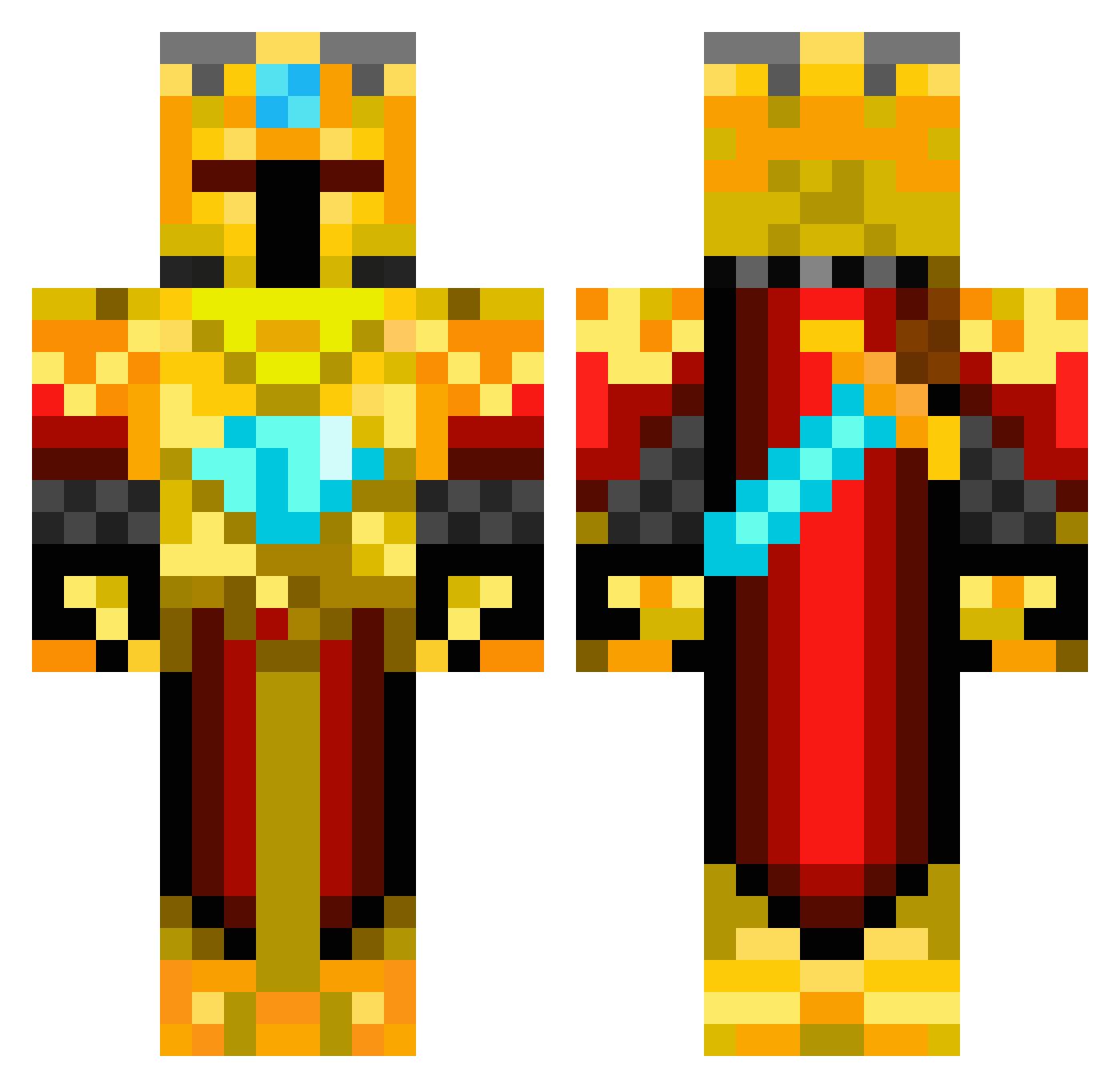
Other players with this skin (269)
NovaPixelX was the 245th player we have seen with this skin, first spotted on 29.10.2026. The same skin was seen on these players. Open a nickname to see their current skin and skin history.
 BambooPandatv Hetterlein EndrikLaD VUSE5 Torden1801 rykersun Vlad567 starfire_6000 Nekaon Nickumpooper LostLich23 SoManyCheatersss kubo0000 bozosplat u_cant_seeme FAQFadu TheScorpion9357 Sterminator_09 ThatGuy_Kyle nils84 Worox780_ DragonBlazed11 bulletshell RikkiJaxon gmsq147 tanktank131 CodeAlter God_In_Pvp BocianKoxu 2june6 KendoMC88 Rownies_friend SEABABY ratsmouth LightPladin spocony_kapec EmixPlayZ Lordthedark123 PanFeta SuperSanes Ncardinal46 DannyR99 Yabliko 32019Diamond Nutscha09 zombie_killer234 SneakyNinja87 HANRIVERI PGEkenKaneki AvengerSpirit xCr33p3rKn1ghTx JokingCart25414 VincThePlayer LightBrain GoldenMen75 Privat_Henni JAV13R MisClickt TimeLord08111519 Gryphus__
More Golden Armor Minecraft skins
See all 200 Golden Armor skins
How to install the NovaPixelX skin
- Press the Download button above to save the skin as a PNG file.
- Minecraft: Bedrock Edition (PE): open the Dressing Room from the main menu (or tap your character → Edit Character), go to Classic Skins → Owned, press the + (new skin) button, choose the downloaded PNG and pick the Classic (Steve) model. Works on PC and mobile; consoles cannot import custom skins.
- Minecraft: Java Edition: open the Minecraft Launcher, go to the Skins tab, click New Skin, load the PNG, pick the Classic (Steve) model and press Save & Use. You can also upload it at minecraft.net → Profile → Change Skin.
The skin does not show up after import - what should I do?
Restart Minecraft and open the Dressing Room again - imported skins sometimes appear only after a restart. Also make sure you selected the imported skin and picked the Classic (Steve) model.
Which model should I choose, Classic or Slim?
This skin is designed for the Classic (Steve) model. If you pick the wrong model, the arms of the skin will look stretched or squeezed.
Is the skin of NovaPixelX free to download?
Yes. Press Download, save the PNG file and use it in Minecraft: Bedrock Edition or Java Edition - no payment or registration needed. The skin also works on multiplayer servers and Realms.
More skins
Looking for more? Go back to all Minecraft skins and check the top skins of the week, month and all time, or find any player's skin by nickname.