
Not_GamerRobo - Minecraft Skins & Skin History
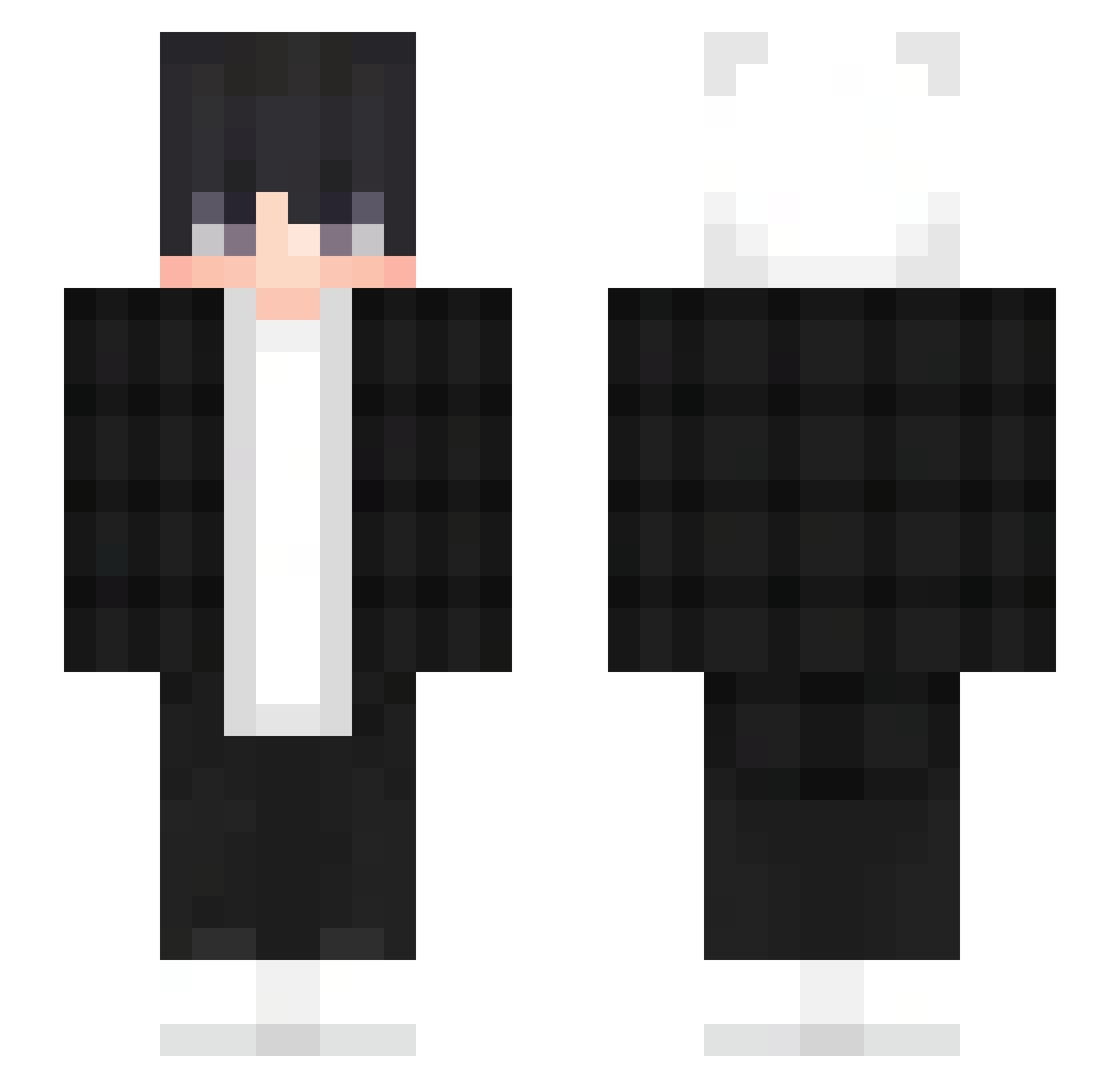
Current Minecraft skin of the player Not_GamerRobo, loaded from the official Mojang API. Rotate the 3D model with your mouse or finger, then download the skin as a PNG file and use it in Minecraft: Bedrock Edition or Java Edition for free. When Not_GamerRobo changes their skin, this page updates automatically and the old skin stays in the history below.
Other players with this skin (383)
Not_GamerRobo was the 315th player we have seen with this skin, first spotted on 21.10.2026. The same skin was seen on these players. Open a nickname to see their current skin and skin history.
 Kaito963 Joshuad123 DarioElpvo Skuisz2000 AOIOA22 EmberSpark925 ULTRAJUWON SRSYS1 dungeon_of_souls SnowingCake6265 lYerzy VesperBand18481 DragonStriker03 PreposingThunder tida1_wave_ TheShule FiloK3illers JETCODE2 AJS_K119 changyiguang deyorman123 submarin3r marioobm Sv20bPE88r9YESv2 AmAM7 CATJIE Matscuil Falling19 tenbielski sekiro213 Adanos_V KentaczeK FF1C May988 AEP62 unkhr CuzImTit4n Maurice_sre Mekezy Dead_BlackStars kyu_nyang Ansel__1 FunTimes20101 Shadowekk_ tybsy Metralha8 CyberCyprian LordFabian17 zqnnyy FaiscaWinchester seoki___ Naor14 kikichul nono1209 Hizekiel Oxykores MISAKILLER 2DGirlsHunter abmystery LitlePirate
How to install the Not_GamerRobo skin
- Press the Download button above to save the skin as a PNG file.
- Minecraft: Bedrock Edition (PE): open the Dressing Room from the main menu (or tap your character → Edit Character), go to Classic Skins → Owned, press the + (new skin) button, choose the downloaded PNG and pick the Slim (Alex) model. Works on PC and mobile; consoles cannot import custom skins.
- Minecraft: Java Edition: open the Minecraft Launcher, go to the Skins tab, click New Skin, load the PNG, pick the Slim (Alex) model and press Save & Use. You can also upload it at minecraft.net → Profile → Change Skin.
The skin does not show up after import - what should I do?
Restart Minecraft and open the Dressing Room again - imported skins sometimes appear only after a restart. Also make sure you selected the imported skin and picked the Slim (Alex) model.
Which model should I choose, Classic or Slim?
This skin is designed for the Slim (Alex) model. If you pick the wrong model, the arms of the skin will look stretched or squeezed.
Is the skin of Not_GamerRobo free to download?
Yes. Press Download, save the PNG file and use it in Minecraft: Bedrock Edition or Java Edition - no payment or registration needed. The skin also works on multiplayer servers and Realms.
More skins
Looking for more? Go back to all Minecraft skins and check the top skins of the week, month and all time, or find any player's skin by nickname.