
NlGHTMARE02 - Minecraft Skins & Skin History
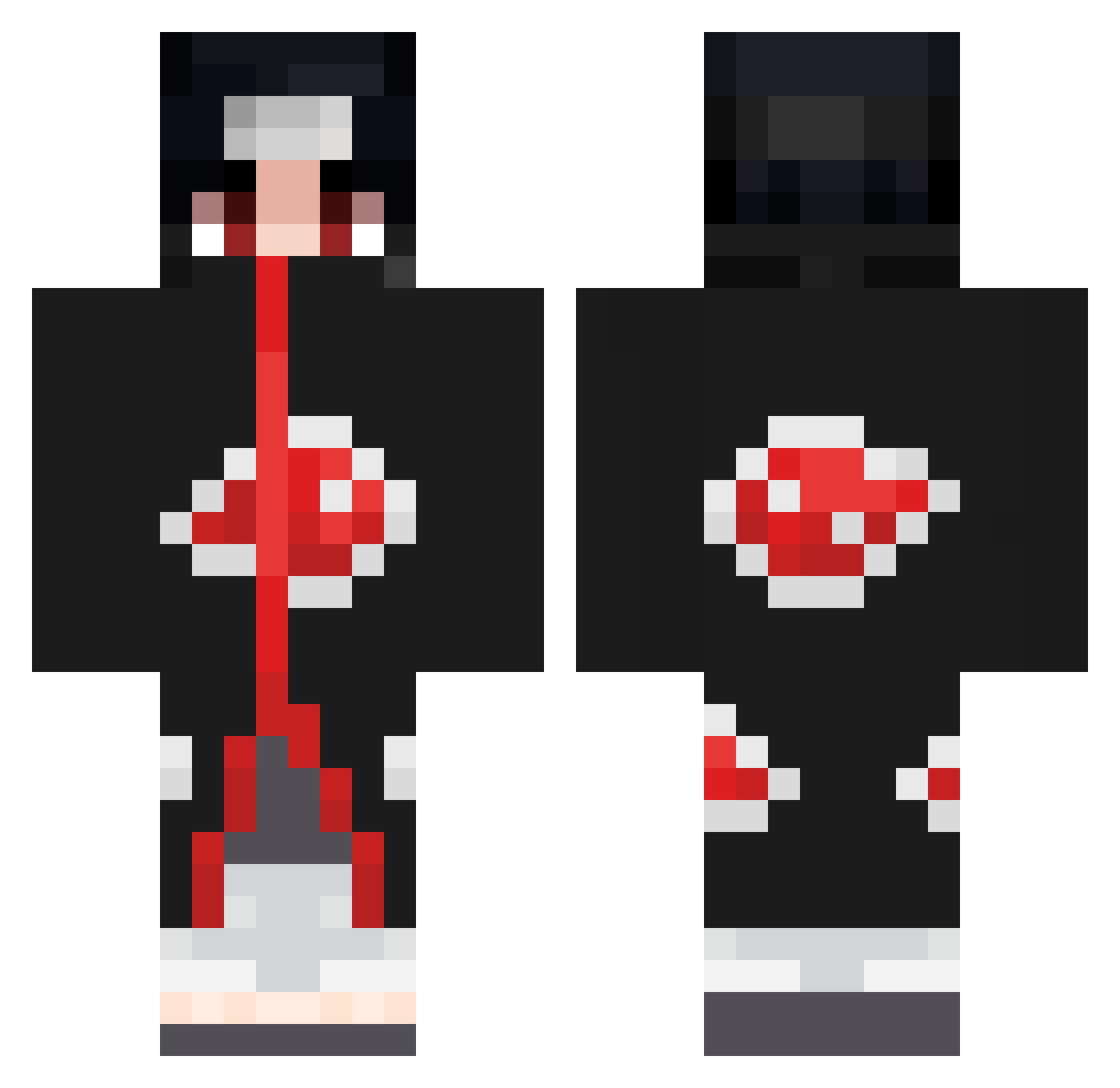
Current Minecraft skin of the player NlGHTMARE02, loaded from the official Mojang API. Rotate the 3D model with your mouse or finger, then download the skin as a PNG file and use it in Minecraft: Bedrock Edition or Java Edition for free. When NlGHTMARE02 changes their skin, this page updates automatically and the old skin stays in the history below.
Other players with this skin (858)
NlGHTMARE02 was the 840th player we have seen with this skin, first spotted on 08.11.2026. The same skin was seen on these players. Open a nickname to see their current skin and skin history.
 uchiha8303 MailableFoil81 Pikouzz38 Zerrn ChangChihChia Fredyxd KageDuHood Buody AzuKay_ GenoxK lOskar96 hatepa BabaYaga343 55axel relaxane NaksuZ HormoneMonstr MrSalamiGurke Neko_orheckno SMN_Black Tomicari raveESGui7nb Too_Godly TennysonV1_ Sushid0n French_Starman ChanTheHokage L1R0X BLazeroxe Seeka15 Soulmatexxx nixo999 BbRYANn2 Ganou_ Alkeepr ISlawy freezyqt Acevi26 EbatelMamok777 Lenaic_D8 BeauBoun Frost8264 the_Jecc ReallyDivine CREAMCHEESE09 NiksenMan Joki64 Qint01 javsxwk Caille_roti han_2y DrF1zz Jessssss02 ITACHI191 Supremejump srgoodII godofgenjutsu JavatoSkii Hyracore Genji_3
More Itachi Uchiha Minecraft skins
See all 371 Itachi Uchiha skins
How to install the NlGHTMARE02 skin
- Press the Download button above to save the skin as a PNG file.
- Minecraft: Bedrock Edition (PE): open the Dressing Room from the main menu (or tap your character → Edit Character), go to Classic Skins → Owned, press the + (new skin) button, choose the downloaded PNG and pick the Classic (Steve) model. Works on PC and mobile; consoles cannot import custom skins.
- Minecraft: Java Edition: open the Minecraft Launcher, go to the Skins tab, click New Skin, load the PNG, pick the Classic (Steve) model and press Save & Use. You can also upload it at minecraft.net → Profile → Change Skin.
The skin does not show up after import - what should I do?
Restart Minecraft and open the Dressing Room again - imported skins sometimes appear only after a restart. Also make sure you selected the imported skin and picked the Classic (Steve) model.
Which model should I choose, Classic or Slim?
This skin is designed for the Classic (Steve) model. If you pick the wrong model, the arms of the skin will look stretched or squeezed.
Is the skin of NlGHTMARE02 free to download?
Yes. Press Download, save the PNG file and use it in Minecraft: Bedrock Edition or Java Edition - no payment or registration needed. The skin also works on multiplayer servers and Realms.
More skins
Looking for more? Go back to all Minecraft skins and check the top skins of the week, month and all time, or find any player's skin by nickname.