
NewportPagnell - Minecraft Skins & Skin History
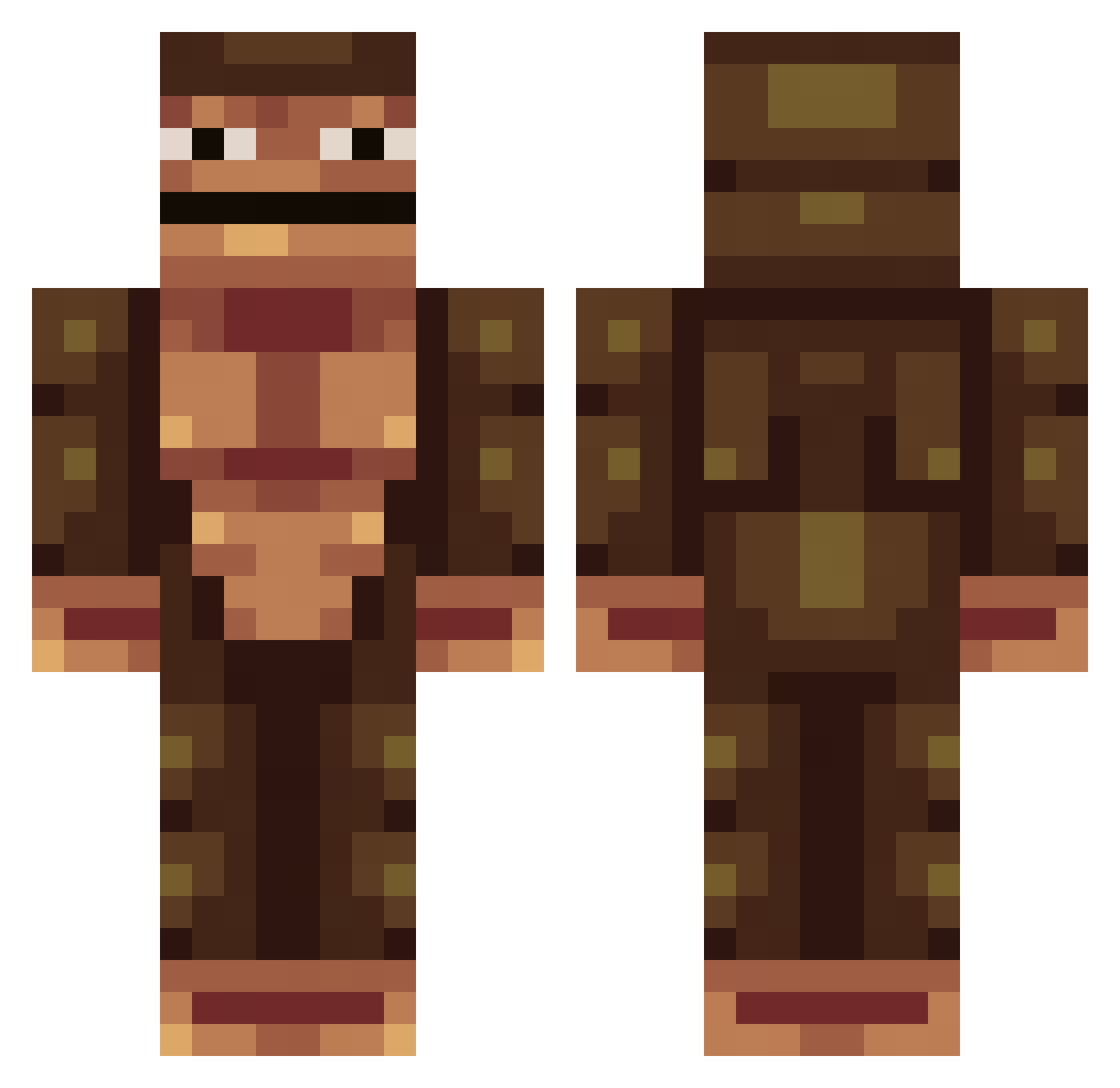
Current Minecraft skin of the player NewportPagnell, loaded from the official Mojang API. Rotate the 3D model with your mouse or finger, then download the skin as a PNG file and use it in Minecraft: Bedrock Edition or Java Edition for free. When NewportPagnell changes their skin, this page updates automatically and the old skin stays in the history below.
Other players with this skin (313)
NewportPagnell was the 232nd player we have seen with this skin, first spotted on 16.10.2026. The same skin was seen on these players. Open a nickname to see their current skin and skin history.
 BrazyBwabbit Lucalas OMWtoKMS paddicool SwagPanda69 yeetmoneky KneeGrowTraktor ProAfro bigdog97 EdgyStudent cccsparty Pedersen0507 HarambesWrath ElJewishMilkman iSnazzii Abb357 skyslice45 biggboyy SolLev Janous_ StealthMonkey1 NexGenXD Chaosglobe LUKE_71 origin_lake SnipHerGang supernice1 blugga_ you_ni wengle iKishan MaybeKorean KuskusThe69th Mapper_007 Aavdb04 _eggmayo BigBearBlue vanillacreeper KevinDG WilhelmS2007 Saftkalasemil kimhwanheeking coocaaine _Lord_Zedd_ Rocklee0 Devil2G KoenGraphics WoutDJMinecraft Scheld hml67a AseliosYT gabbe207 Morran007 katelynnn1 Akavie Crabby_Data woutjeey Mister_QSIL TCS550 TheMicroAnimals
More Colossal Titan Minecraft skins
See all 30 Colossal Titan skins
How to install the NewportPagnell skin
- Press the Download button above to save the skin as a PNG file.
- Minecraft: Bedrock Edition (PE): open the Dressing Room from the main menu (or tap your character → Edit Character), go to Classic Skins → Owned, press the + (new skin) button, choose the downloaded PNG and pick the Classic (Steve) model. Works on PC and mobile; consoles cannot import custom skins.
- Minecraft: Java Edition: open the Minecraft Launcher, go to the Skins tab, click New Skin, load the PNG, pick the Classic (Steve) model and press Save & Use. You can also upload it at minecraft.net → Profile → Change Skin.
The skin does not show up after import - what should I do?
Restart Minecraft and open the Dressing Room again - imported skins sometimes appear only after a restart. Also make sure you selected the imported skin and picked the Classic (Steve) model.
Which model should I choose, Classic or Slim?
This skin is designed for the Classic (Steve) model. If you pick the wrong model, the arms of the skin will look stretched or squeezed.
Is the skin of NewportPagnell free to download?
Yes. Press Download, save the PNG file and use it in Minecraft: Bedrock Edition or Java Edition - no payment or registration needed. The skin also works on multiplayer servers and Realms.
More skins
Looking for more? Go back to all Minecraft skins and check the top skins of the week, month and all time, or find any player's skin by nickname.