
Newdemon80 - Minecraft Skins & Skin History
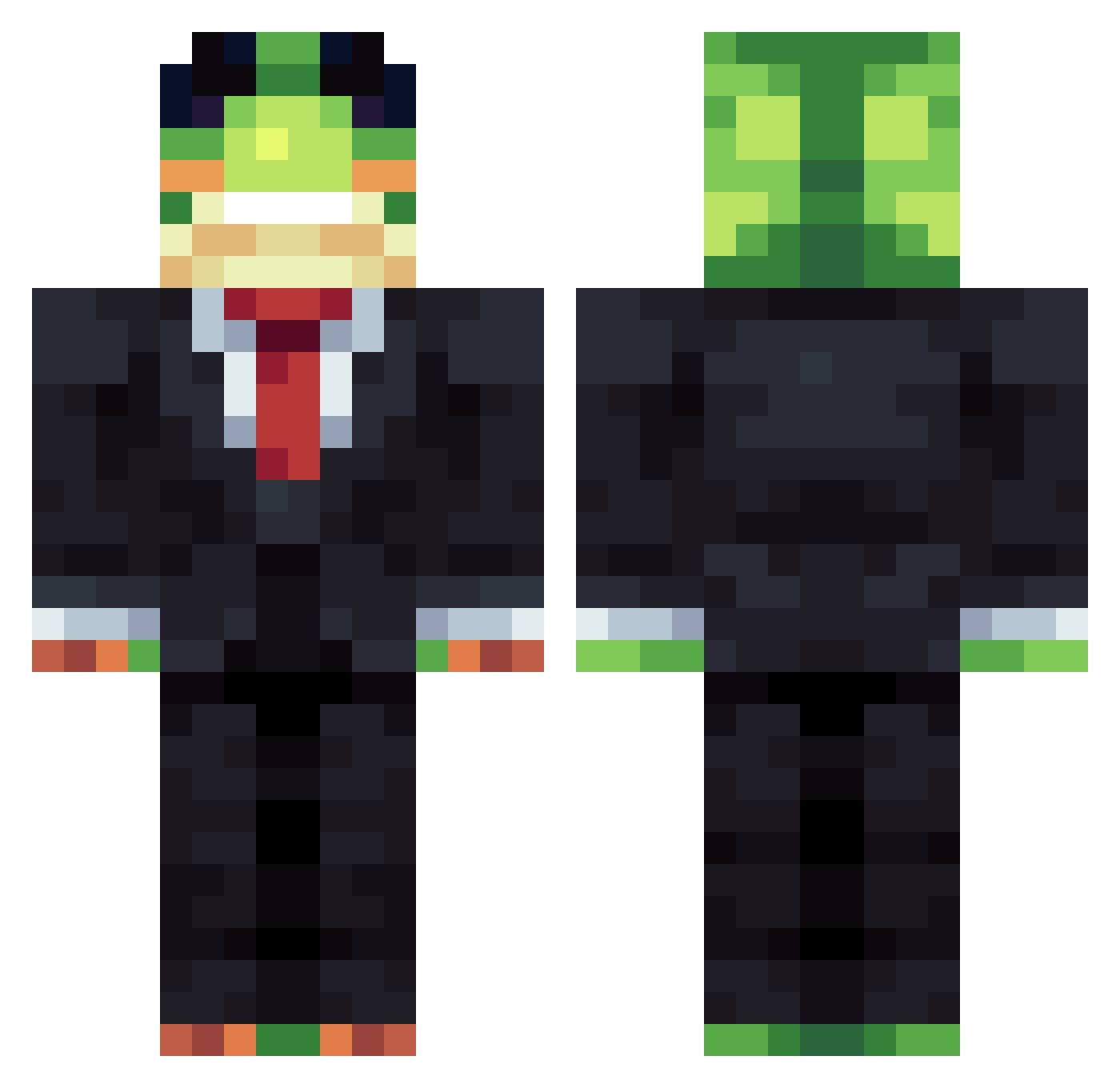
Current Minecraft skin of the player Newdemon80, loaded from the official Mojang API. Rotate the 3D model with your mouse or finger, then download the skin as a PNG file and use it in Minecraft: Bedrock Edition or Java Edition for free. When Newdemon80 changes their skin, this page updates automatically and the old skin stays in the history below.
Other players with this skin (1483)
Newdemon80 was the 1318th player we have seen with this skin, first spotted on 30.10.2026. The same skin was seen on these players. Open a nickname to see their current skin and skin history.
 Kokisum _ouTta_ComPtonZ_ EXG_EGE jaytheking12 PoggChamps paullol123 Alber2838 kovaps hotae12345 MMB122 aggebaggebagare boldstarfish111 vTwix24 Jenzym Aalpa itsbenjo123 6alint HexTrack timour77 TitoCalderon422 NuclearLuff skrilldragon79 OngleDongle SKIPPER69 ursavage Tippysmc shady8921 Phantom7R amcbeamer HoangNguyen8688 blast0425 ludek2098 LamaOfDrama Louis1100 FREEZYTHEGOAT Joseph2213 Acespace64 JUJU5321 Dragking90 Biggie6969 Cheese1336 RickyfilP legitden_skk AlexTheChomper1 Xyllle mke253 3z7rb_ SupaWrap Its_Flow27 swyftyMC Skoopy777 DrLege C0qu1nS Tobiisback Lor1ksss Sleepy2313 x_Julius_x LeaderRumble _Amelioration Dany15199
More Frog Minecraft skins
How to install the Newdemon80 skin
- Press the Download button above to save the skin as a PNG file.
- Minecraft: Bedrock Edition (PE): open the Dressing Room from the main menu (or tap your character → Edit Character), go to Classic Skins → Owned, press the + (new skin) button, choose the downloaded PNG and pick the Classic (Steve) model. Works on PC and mobile; consoles cannot import custom skins.
- Minecraft: Java Edition: open the Minecraft Launcher, go to the Skins tab, click New Skin, load the PNG, pick the Classic (Steve) model and press Save & Use. You can also upload it at minecraft.net → Profile → Change Skin.
The skin does not show up after import - what should I do?
Restart Minecraft and open the Dressing Room again - imported skins sometimes appear only after a restart. Also make sure you selected the imported skin and picked the Classic (Steve) model.
Which model should I choose, Classic or Slim?
This skin is designed for the Classic (Steve) model. If you pick the wrong model, the arms of the skin will look stretched or squeezed.
Is the skin of Newdemon80 free to download?
Yes. Press Download, save the PNG file and use it in Minecraft: Bedrock Edition or Java Edition - no payment or registration needed. The skin also works on multiplayer servers and Realms.
More skins
Looking for more? Go back to all Minecraft skins and check the top skins of the week, month and all time, or find any player's skin by nickname.