
Nerduh - Minecraft Skins & Skin History
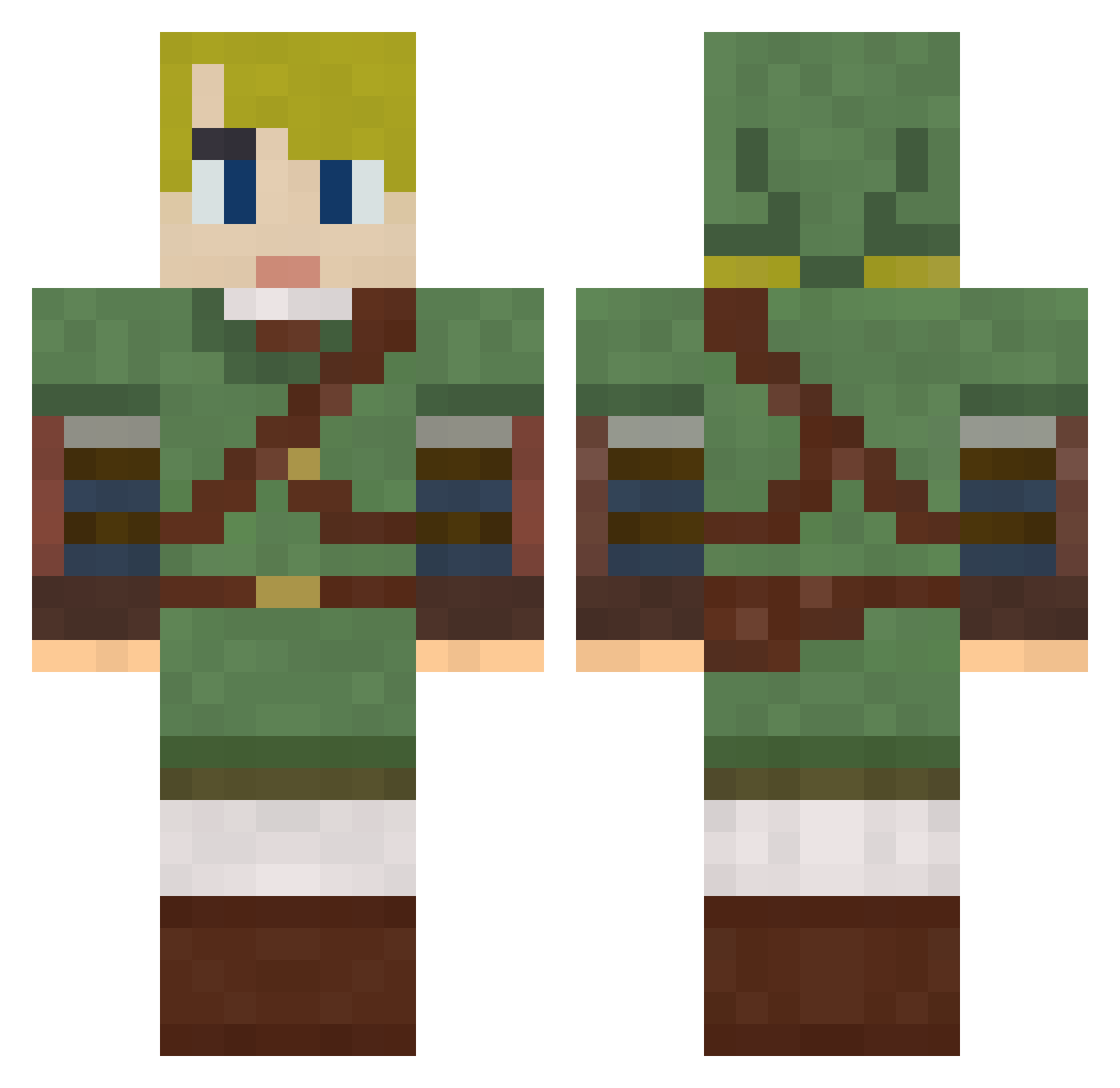
Current Minecraft skin of the player Nerduh, loaded from the official Mojang API. Rotate the 3D model with your mouse or finger, then download the skin as a PNG file and use it in Minecraft: Bedrock Edition or Java Edition for free. When Nerduh changes their skin, this page updates automatically and the old skin stays in the history below.
Other players with this skin (790)
Nerduh was the 641st player we have seen with this skin, first spotted on 20.10.2026. The same skin was seen on these players. Open a nickname to see their current skin and skin history.
 Benedict115 ericwierenga Datcheese Elkins12 jonte9900 ShrimpFriedBrice Pwwtp3 khouchens Kraul Reproach123 Brociden183 Rincewand Rtiko BeaRKush GraphiiiX89 dqniel_ Mattjw1978 HoodieeMob YoYoBromo FactoryLP_ FatherofCajun Neylus Fluffyzealot Phenidate kratos344 ninjasmurf559 quartercrunch Lugi513 Accalanatha Cornman365 Krardak Imacowtipper SassyComrade Jeremylegobelin CaptainNL25 StarvingGandhi Aragorn88 cjm264 MrSweetness11 dvanclev Greyroots thaneyboyy JO0K3RZ Holstgeo pearlypie10 HarryOnPC kgw4787 Pokomi LuminousStarfall Hyunai leckon hondaracer54 Christophe_LDB RoseBread zombeefrack922 reaper22022 OkyakuSan rossgordon1 kylekooren Weapon_X831
More Zelda Minecraft skins
How to install the Nerduh skin
- Press the Download button above to save the skin as a PNG file.
- Minecraft: Bedrock Edition (PE): open the Dressing Room from the main menu (or tap your character → Edit Character), go to Classic Skins → Owned, press the + (new skin) button, choose the downloaded PNG and pick the Classic (Steve) model. Works on PC and mobile; consoles cannot import custom skins.
- Minecraft: Java Edition: open the Minecraft Launcher, go to the Skins tab, click New Skin, load the PNG, pick the Classic (Steve) model and press Save & Use. You can also upload it at minecraft.net → Profile → Change Skin.
The skin does not show up after import - what should I do?
Restart Minecraft and open the Dressing Room again - imported skins sometimes appear only after a restart. Also make sure you selected the imported skin and picked the Classic (Steve) model.
Which model should I choose, Classic or Slim?
This skin is designed for the Classic (Steve) model. If you pick the wrong model, the arms of the skin will look stretched or squeezed.
Is the skin of Nerduh free to download?
Yes. Press Download, save the PNG file and use it in Minecraft: Bedrock Edition or Java Edition - no payment or registration needed. The skin also works on multiplayer servers and Realms.
More skins
Looking for more? Go back to all Minecraft skins and check the top skins of the week, month and all time, or find any player's skin by nickname.