
NeilBeth - Minecraft Skins & Skin History
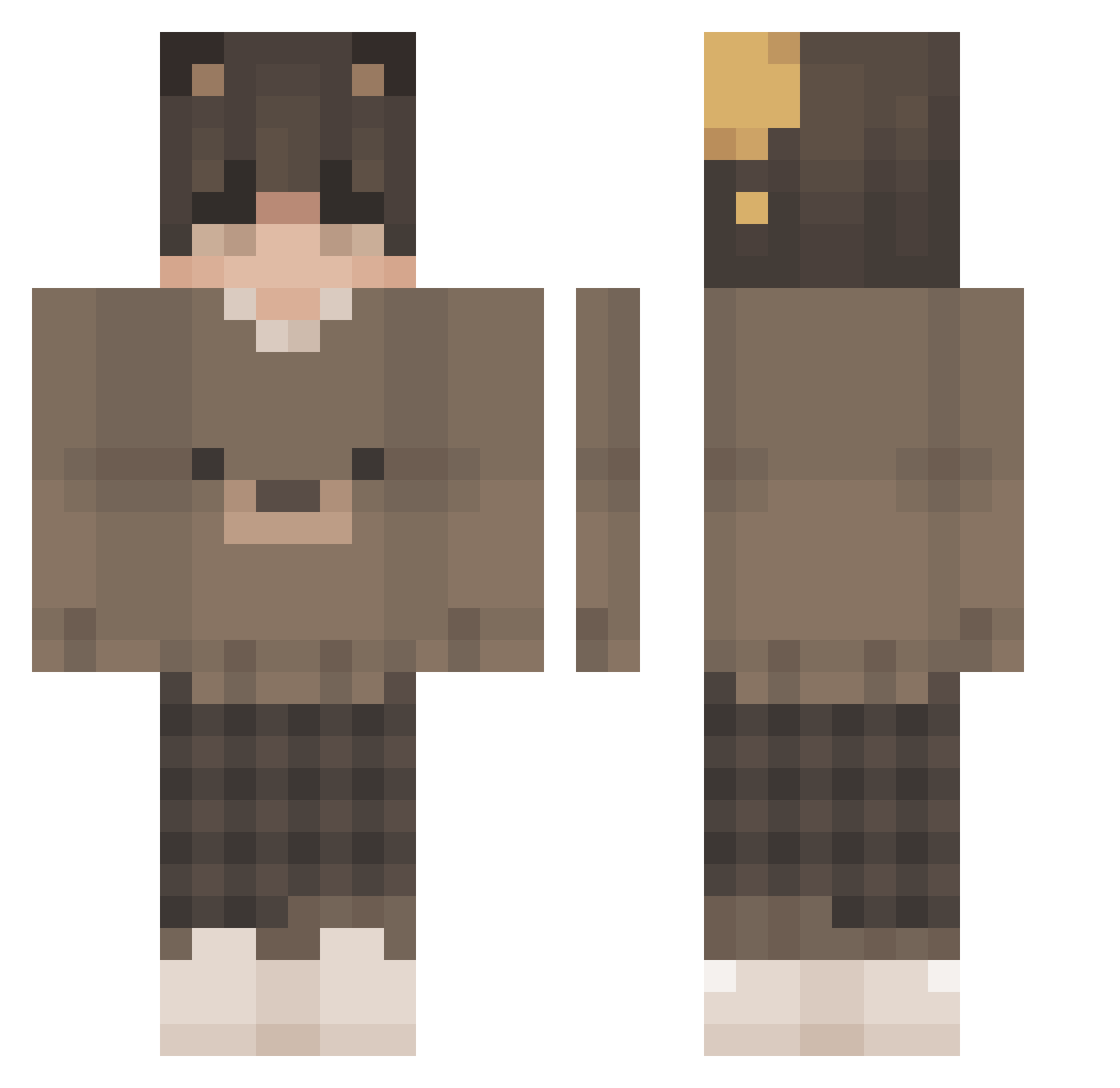
Current Minecraft skin of the player NeilBeth, loaded from the official Mojang API. Rotate the 3D model with your mouse or finger, then download the skin as a PNG file and use it in Minecraft: Bedrock Edition or Java Edition for free. When NeilBeth changes their skin, this page updates automatically and the old skin stays in the history below.
Other players with this skin (215)
NeilBeth was the 163rd player we have seen with this skin, first spotted on 18.10.2026. The same skin was seen on these players. Open a nickname to see their current skin and skin history.
 peekha Kauiyy __Thai__ Malahidael_Ignus kukinoPVP lilyasny kristofer2 limonchips galaxyboy110 Thew_04 unlethargical LilMario05 TREVOR_PAZZ0 Krytexs Badzinn_ jackfr0st_ 1Shinks1 W1nterEquinox cinnamon_boy101 NyxPaws llilack Foodu HeyLightzy salvatofabo22 ItzGuzinPvP__ SnowySB Saturnnani Vennyy ItzSunkkj Swizzyv Anxasaurous GoldGrizzly Katryk9 mango0422 Ghostie26 Frosty_Skyys Damssy_ mathew_G Capizinfofin Fuerza_06 faifek DuSchmock724 goblinarmy1 Chaoshppy MtnDew006 VividHazee Mronkine Theuzindosenai TheBoss_2012 blackpro_pvp777 madbutstillvibin DracheneiSpiel little_bamboo LietuvasKotlete Pheiral codeation1 ShenBilliams xKingXIsMex Gamjaa_ WeebTaco
More Bear Ears Minecraft skins
How to install the NeilBeth skin
- Press the Download button above to save the skin as a PNG file.
- Minecraft: Bedrock Edition (PE): open the Dressing Room from the main menu (or tap your character → Edit Character), go to Classic Skins → Owned, press the + (new skin) button, choose the downloaded PNG and pick the Classic (Steve) model. Works on PC and mobile; consoles cannot import custom skins.
- Minecraft: Java Edition: open the Minecraft Launcher, go to the Skins tab, click New Skin, load the PNG, pick the Classic (Steve) model and press Save & Use. You can also upload it at minecraft.net → Profile → Change Skin.
The skin does not show up after import - what should I do?
Restart Minecraft and open the Dressing Room again - imported skins sometimes appear only after a restart. Also make sure you selected the imported skin and picked the Classic (Steve) model.
Which model should I choose, Classic or Slim?
This skin is designed for the Classic (Steve) model. If you pick the wrong model, the arms of the skin will look stretched or squeezed.
Is the skin of NeilBeth free to download?
Yes. Press Download, save the PNG file and use it in Minecraft: Bedrock Edition or Java Edition - no payment or registration needed. The skin also works on multiplayer servers and Realms.
More skins
Looking for more? Go back to all Minecraft skins and check the top skins of the week, month and all time, or find any player's skin by nickname.