
NIA_02 - Minecraft Skins & Skin History
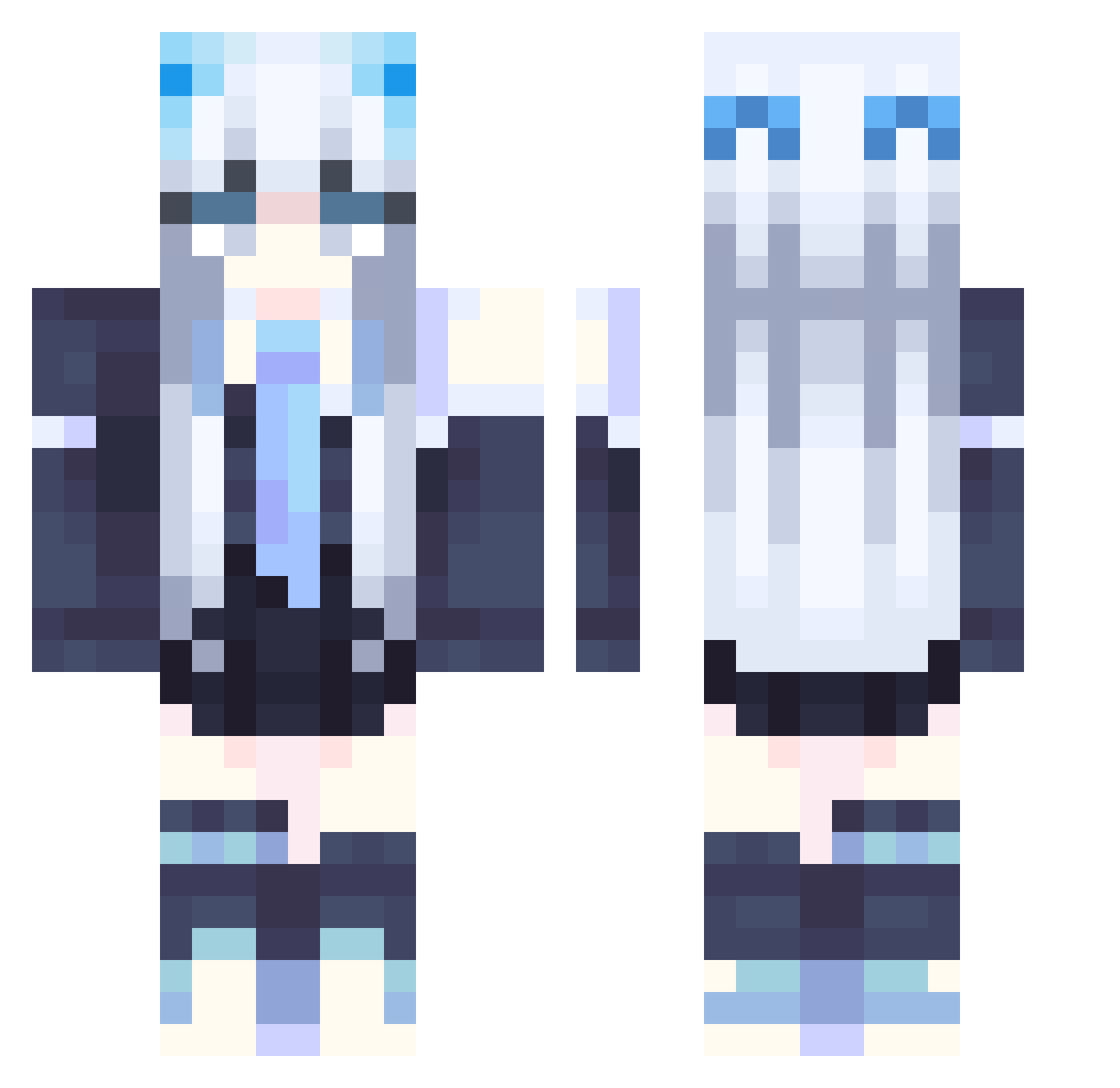
Current Minecraft skin of the player NIA_02, loaded from the official Mojang API. Rotate the 3D model with your mouse or finger, then download the skin as a PNG file and use it in Minecraft: Bedrock Edition or Java Edition for free. When NIA_02 changes their skin, this page updates automatically and the old skin stays in the history below.
Other players with this skin (358)
NIA_02 was the 320th player we have seen with this skin, first spotted on 31.10.2026. The same skin was seen on these players. Open a nickname to see their current skin and skin history.
 Fungfung520 QAQ_SIRI Fitknow Mrs_Izumi Umi_Nanase G0TH_M0MMY_LEX ZonateLeo hatalidollenme37 ZHuanYY Moomarie_ Diablox311 Mutsuki_Rei Elegy007 erissya masiroll KC_Buffalo Xeqtt Emusing CarteThyia_Tyh Adhrea Bloodykushin Tom_F4 lunamois Surface333 shirlyn1104 Alpha_WL exfinity_ ryanoyg Revelaciones InvolvedJoker21 isOaky MAJECZKA2308 DD_Tim_ dutchsem123 DJNPeezy Cho_yo15 MiraiHellsing MiracleZx momo091718 legdermj neawen darchfamia LauraIceBerg Carrier2747 Delfynis Necromicon chihiro_love Water_1801 LIQUID1CEEE rooftop9680 Serial_Nuzi HJKIE Eternal_Frozen LiaM109 Yuki_Hime melonmeon Sun_Cc Lily974 LightLy_0 Todestorte
More School Uniform Minecraft skins
See all 7166 School Uniform skins
How to install the NIA_02 skin
- Press the Download button above to save the skin as a PNG file.
- Minecraft: Bedrock Edition (PE): open the Dressing Room from the main menu (or tap your character → Edit Character), go to Classic Skins → Owned, press the + (new skin) button, choose the downloaded PNG and pick the Classic (Steve) model. Works on PC and mobile; consoles cannot import custom skins.
- Minecraft: Java Edition: open the Minecraft Launcher, go to the Skins tab, click New Skin, load the PNG, pick the Classic (Steve) model and press Save & Use. You can also upload it at minecraft.net → Profile → Change Skin.
The skin does not show up after import - what should I do?
Restart Minecraft and open the Dressing Room again - imported skins sometimes appear only after a restart. Also make sure you selected the imported skin and picked the Classic (Steve) model.
Which model should I choose, Classic or Slim?
This skin is designed for the Classic (Steve) model. If you pick the wrong model, the arms of the skin will look stretched or squeezed.
Is the skin of NIA_02 free to download?
Yes. Press Download, save the PNG file and use it in Minecraft: Bedrock Edition or Java Edition - no payment or registration needed. The skin also works on multiplayer servers and Realms.
More skins
Looking for more? Go back to all Minecraft skins and check the top skins of the week, month and all time, or find any player's skin by nickname.