
MuxiaoYun - Minecraft Skins & Skin History
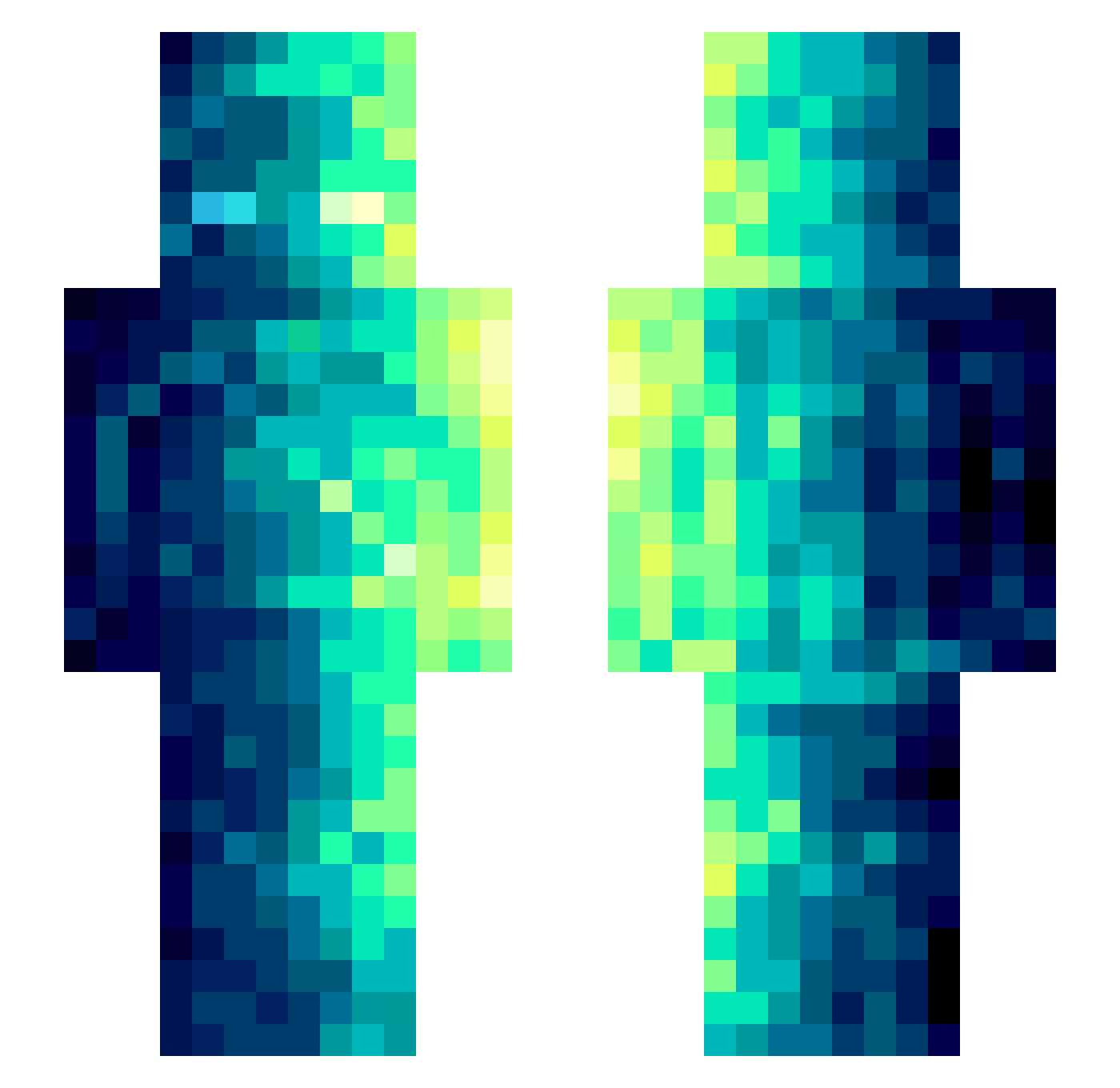
Current Minecraft skin of the player MuxiaoYun, loaded from the official Mojang API. Rotate the 3D model with your mouse or finger, then download the skin as a PNG file and use it in Minecraft: Bedrock Edition or Java Edition for free. When MuxiaoYun changes their skin, this page updates automatically and the old skin stays in the history below.
Other players with this skin (489)
MuxiaoYun was the 370th player we have seen with this skin, first spotted on 17.10.2026. The same skin was seen on these players. Open a nickname to see their current skin and skin history.
 shazthechamp NormalJohn23 TheBossHmz _MackuZ_ XPkan shouhu21 ArnoDorian1 HUAI3 laoXk Shuibushi AMINGZI luyher DDU_Ma LittleTHOR402 ZCN0407 Astral_Assassin Jinfinity357 BludiGame Rose_blanche18 pempemgug Ikalistar ferger1903 Everybodyknows Raksha_Z Cabbe00 emorelos07 S1L3nTer tekafishV2 ninjamastergabe chrysalice_ askljfh Moince Bobylowman1 ZERIPA Qfata Sexxes tybuty123 sc_kmn Saintpaulias Astoricals Simyvon ReflexEra ihavenomain mradan KorzakL Bedwarsblue_YT DaddyThickems lql2 XYQB YamahaKurt Zedgami 12KRISTY_NISHA12 churroooooooo bauti5 Zerrathu shirambo Ghidorahhh sheeshkroete02 Electru Million_Are
How to install the MuxiaoYun skin
- Press the Download button above to save the skin as a PNG file.
- Minecraft: Bedrock Edition (PE): open the Dressing Room from the main menu (or tap your character → Edit Character), go to Classic Skins → Owned, press the + (new skin) button, choose the downloaded PNG and pick the Slim (Alex) model. Works on PC and mobile; consoles cannot import custom skins.
- Minecraft: Java Edition: open the Minecraft Launcher, go to the Skins tab, click New Skin, load the PNG, pick the Slim (Alex) model and press Save & Use. You can also upload it at minecraft.net → Profile → Change Skin.
The skin does not show up after import - what should I do?
Restart Minecraft and open the Dressing Room again - imported skins sometimes appear only after a restart. Also make sure you selected the imported skin and picked the Slim (Alex) model.
Which model should I choose, Classic or Slim?
This skin is designed for the Slim (Alex) model. If you pick the wrong model, the arms of the skin will look stretched or squeezed.
Is the skin of MuxiaoYun free to download?
Yes. Press Download, save the PNG file and use it in Minecraft: Bedrock Edition or Java Edition - no payment or registration needed. The skin also works on multiplayer servers and Realms.
More skins
Looking for more? Go back to all Minecraft skins and check the top skins of the week, month and all time, or find any player's skin by nickname.