
MushyBoi27 - Minecraft Skins & Skin History
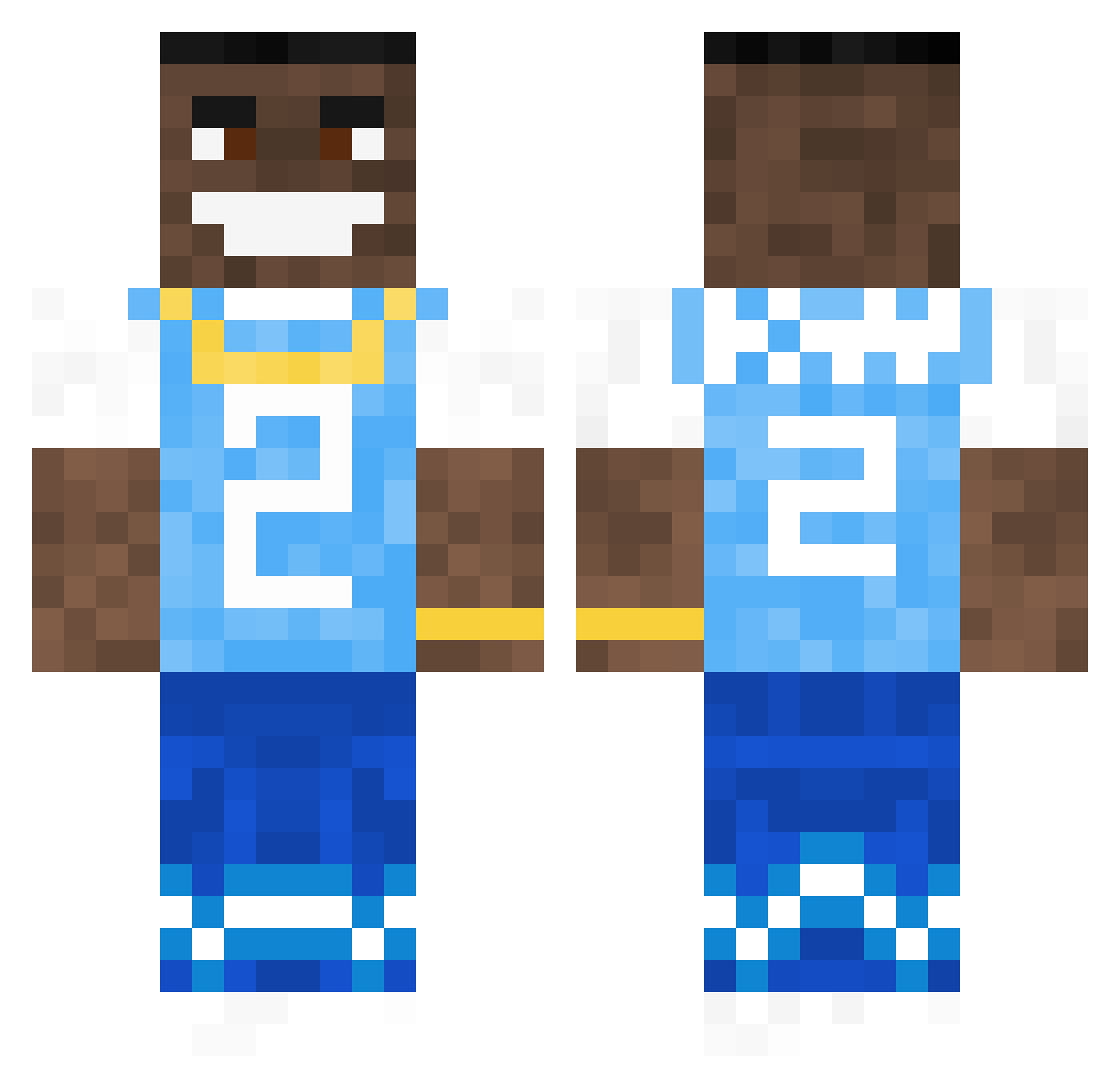
Current Minecraft skin of the player MushyBoi27, loaded from the official Mojang API. Rotate the 3D model with your mouse or finger, then download the skin as a PNG file and use it in Minecraft: Bedrock Edition or Java Edition for free. When MushyBoi27 changes their skin, this page updates automatically and the old skin stays in the history below.
Other players with this skin (792)
MushyBoi27 was the 699th player we have seen with this skin, first spotted on 29.10.2026. The same skin was seen on these players. Open a nickname to see their current skin and skin history.
 Merkums Mioist MrDrill33 JAMALLolajideBT tyleerlang Horny_Lake_Snake Lucas_the_goat69 s6ven AyoDaPizzaHere VZN_Sackball BigSchmeat lennart5k estherkimchi justiniscrackeda LiLAfgan69 Stausholms DaBlix m1dn1ght03 AbsoluteKiller GalaxyShadow23 z3usi eljuevestepago Shaddidly haydendasey monkymonki Chigen_ CouchMuncher BakeddPvP jazzyhappyman Zillow123 irobert1576 Arunimo UnweptScarf7169 Edisonplayz Schlatt_Tato Laughinmonky31 willgardinho Genos431 Louisp29 Biberner HokageScratch elvosque TheTrueSteakMC ForcedCashew673 WilmaDicFit69 CdotTheDemon RAiNisTaken Kkiingyy SeenoShotta Azzxro BR0K3NHILL Flightsburner_ Ale_1104 AlfredTheKung Magamacreeper WildestHound15 tonytones CANVIVE DaGenuineDaBaby joejoe264
More Dababy Minecraft skins
How to install the MushyBoi27 skin
- Press the Download button above to save the skin as a PNG file.
- Minecraft: Bedrock Edition (PE): open the Dressing Room from the main menu (or tap your character → Edit Character), go to Classic Skins → Owned, press the + (new skin) button, choose the downloaded PNG and pick the Classic (Steve) model. Works on PC and mobile; consoles cannot import custom skins.
- Minecraft: Java Edition: open the Minecraft Launcher, go to the Skins tab, click New Skin, load the PNG, pick the Classic (Steve) model and press Save & Use. You can also upload it at minecraft.net → Profile → Change Skin.
The skin does not show up after import - what should I do?
Restart Minecraft and open the Dressing Room again - imported skins sometimes appear only after a restart. Also make sure you selected the imported skin and picked the Classic (Steve) model.
Which model should I choose, Classic or Slim?
This skin is designed for the Classic (Steve) model. If you pick the wrong model, the arms of the skin will look stretched or squeezed.
Is the skin of MushyBoi27 free to download?
Yes. Press Download, save the PNG file and use it in Minecraft: Bedrock Edition or Java Edition - no payment or registration needed. The skin also works on multiplayer servers and Realms.
More skins
Looking for more? Go back to all Minecraft skins and check the top skins of the week, month and all time, or find any player's skin by nickname.