
MsU14 - Minecraft Skins & Skin History
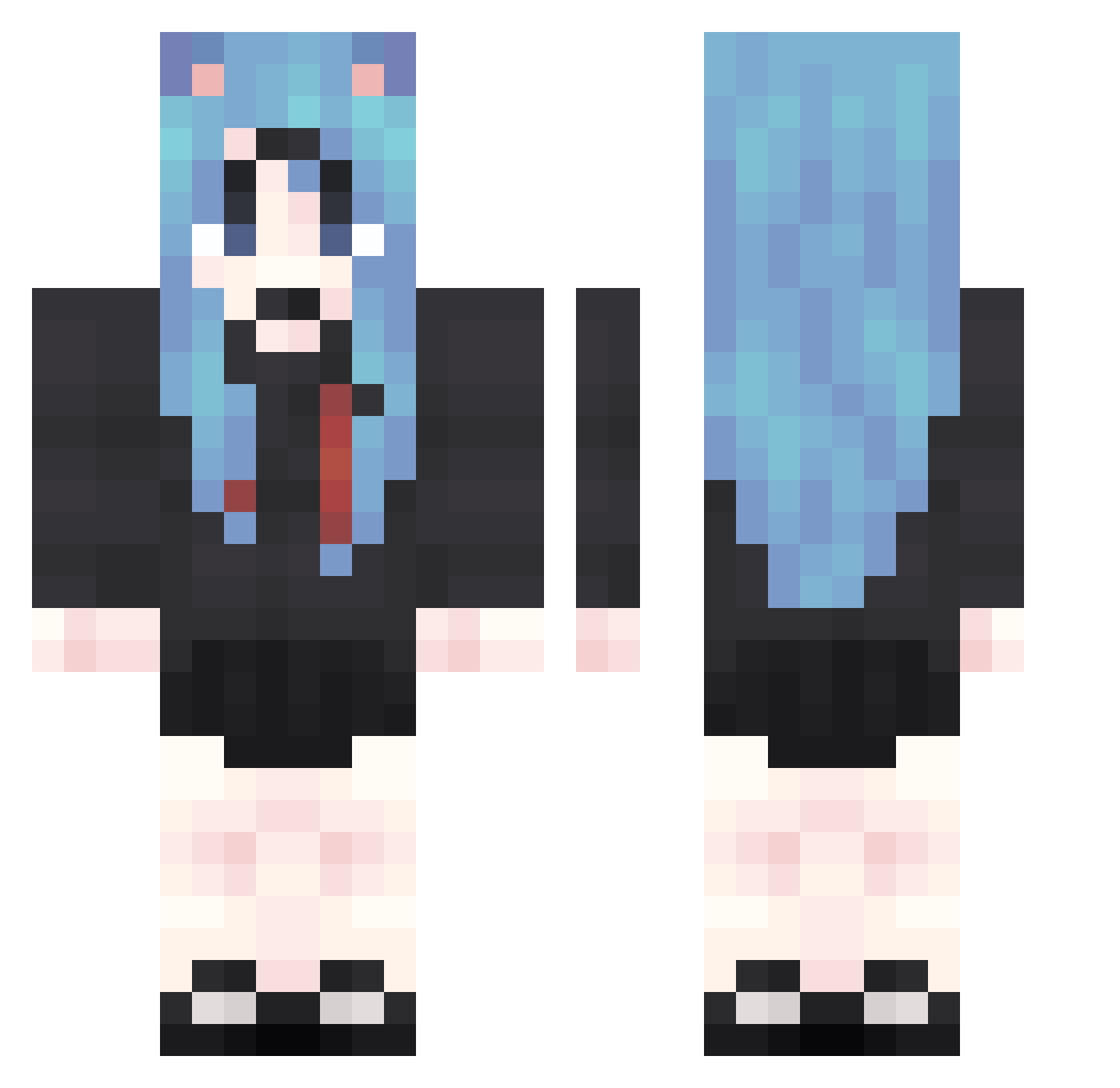
Current Minecraft skin of the player MsU14, loaded from the official Mojang API. Rotate the 3D model with your mouse or finger, then download the skin as a PNG file and use it in Minecraft: Bedrock Edition or Java Edition for free. When MsU14 changes their skin, this page updates automatically and the old skin stays in the history below.
Other players with this skin (1874)
MsU14 was the 1820th player we have seen with this skin, first spotted on 07.11.2026. The same skin was seen on these players. Open a nickname to see their current skin and skin history.
 mDS820 gBS527 NSJ28 deh1 eAA652 dVV270 uYF66 RUJ964 NMU640 coC751 DcS780 Xrg301 epm587 suE911 KJr265 sCJ967 SHb646 ATa103 hYl358 lTU266 GYw115 Thom727sue80 bbv311 nne995 idT64 BCu608 hll587 Jer691 UgR205 jLx921 EsN387 utV730 JNk342 aGz86 RoY277 sTO603 osa210 PLR368 bhH729 CBd500 pMN498 RfJ199 VJd898 DeU908 YoX380 sNZ278 OaZ822 ohf178 XlE860 gPe496 uhG653 GUs797 TpE459 oCc257 SzE217 BlF673 cEW694 aVP439 rYi540 gLr927
More School Uniform Minecraft skins
See all 7162 School Uniform skins
How to install the MsU14 skin
- Press the Download button above to save the skin as a PNG file.
- Minecraft: Bedrock Edition (PE): open the Dressing Room from the main menu (or tap your character → Edit Character), go to Classic Skins → Owned, press the + (new skin) button, choose the downloaded PNG and pick the Classic (Steve) model. Works on PC and mobile; consoles cannot import custom skins.
- Minecraft: Java Edition: open the Minecraft Launcher, go to the Skins tab, click New Skin, load the PNG, pick the Classic (Steve) model and press Save & Use. You can also upload it at minecraft.net → Profile → Change Skin.
The skin does not show up after import - what should I do?
Restart Minecraft and open the Dressing Room again - imported skins sometimes appear only after a restart. Also make sure you selected the imported skin and picked the Classic (Steve) model.
Which model should I choose, Classic or Slim?
This skin is designed for the Classic (Steve) model. If you pick the wrong model, the arms of the skin will look stretched or squeezed.
Is the skin of MsU14 free to download?
Yes. Press Download, save the PNG file and use it in Minecraft: Bedrock Edition or Java Edition - no payment or registration needed. The skin also works on multiplayer servers and Realms.
More skins
Looking for more? Go back to all Minecraft skins and check the top skins of the week, month and all time, or find any player's skin by nickname.