
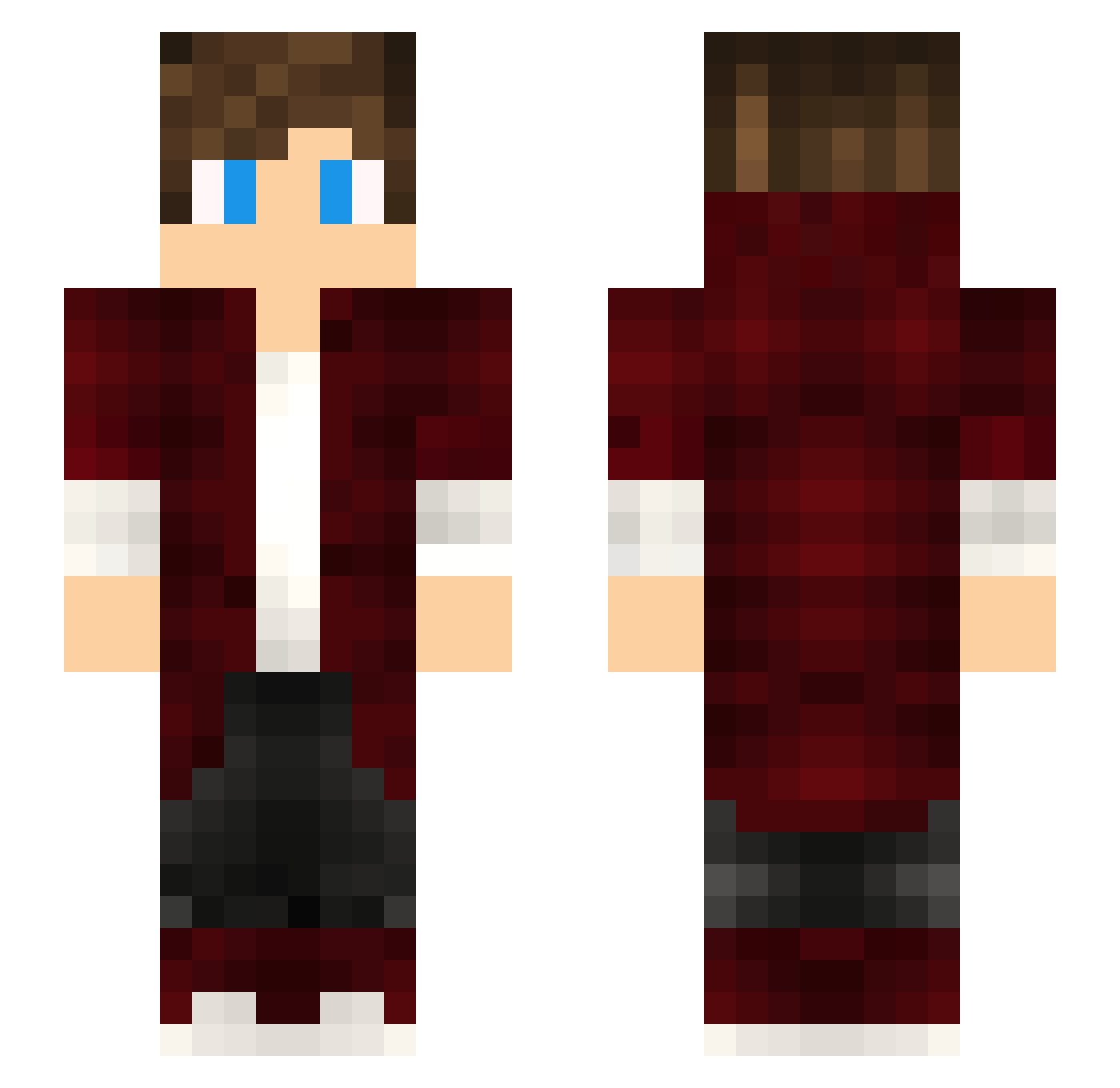
Current Minecraft skin of the player Mrmisusa, loaded from the official Mojang API. Rotate the 3D model with your mouse or finger, then download the skin as a PNG file and use it in Minecraft: Bedrock Edition or Java Edition for free. When Mrmisusa changes their skin, this page updates automatically and the old skin stays in the history below.
Other players with this skin (89)
The same skin was seen on these players. Open a nickname to see their current skin and skin history.
 Galanthus_3000 ymngvn the_last_sight xXCRIATUSXx JudgeJudysCat Jagermeister4 DarkFlo58 NazaruCz Rhymez_VN Nazar101101 MetalWeed golemleriseviyom chifcopra_Legend Koichii MIGGRANT mohit215 SlimsyFoots DOBRYK EmrahKhan ogamaluga fiatlks FelipeLoquendoXD Habluta Octaaa KDigital meatball13 cossackgundi LillHomie kiyo2034 Joakim92a Arkenyxx Decimus97 Its_Lassie Relo2005 Nefertim mistich Kadep06 namfromfin 6DIRK9 Leg3ndaryHeroJG FUMI0007 Einzelheinz ManMadeNoise Immmortal KorkusuzGamer KaraKral44 Nozomi3298 CyberLine II_TDPLAYZ HyperSel Maxxxxxxxxxxx Melvin04 Someguyperson SpyZzor MooseStorm MC__Dan DutchViizion RexGamer8383 benjamin_122 Astreoi
How to install the Mrmisusa skin
- Press the Download button above to save the skin as a PNG file.
- Minecraft: Bedrock Edition (PE): open the Dressing Room from the main menu (or tap your character → Edit Character), go to Classic Skins → Owned, press the + (new skin) button, choose the downloaded PNG and pick the Slim (Alex) model. Works on PC and mobile; consoles cannot import custom skins.
- Minecraft: Java Edition: open the Minecraft Launcher, go to the Skins tab, click New Skin, load the PNG, pick the Slim (Alex) model and press Save & Use. You can also upload it at minecraft.net → Profile → Change Skin.
The skin does not show up after import - what should I do?
Restart Minecraft and open the Dressing Room again - imported skins sometimes appear only after a restart. Also make sure you selected the imported skin and picked the Slim (Alex) model.
Which model should I choose, Classic or Slim?
This skin is designed for the Slim (Alex) model. If you pick the wrong model, the arms of the skin will look stretched or squeezed.
Is the skin of Mrmisusa free to download?
Yes. Press Download, save the PNG file and use it in Minecraft: Bedrock Edition or Java Edition - no payment or registration needed. The skin also works on multiplayer servers and Realms.
More skins
Looking for more? Go back to all Minecraft skins and check the top skins of the week, month and all time, or find any player's skin by nickname.