
MotoMoto222 - Minecraft Skins & Skin History
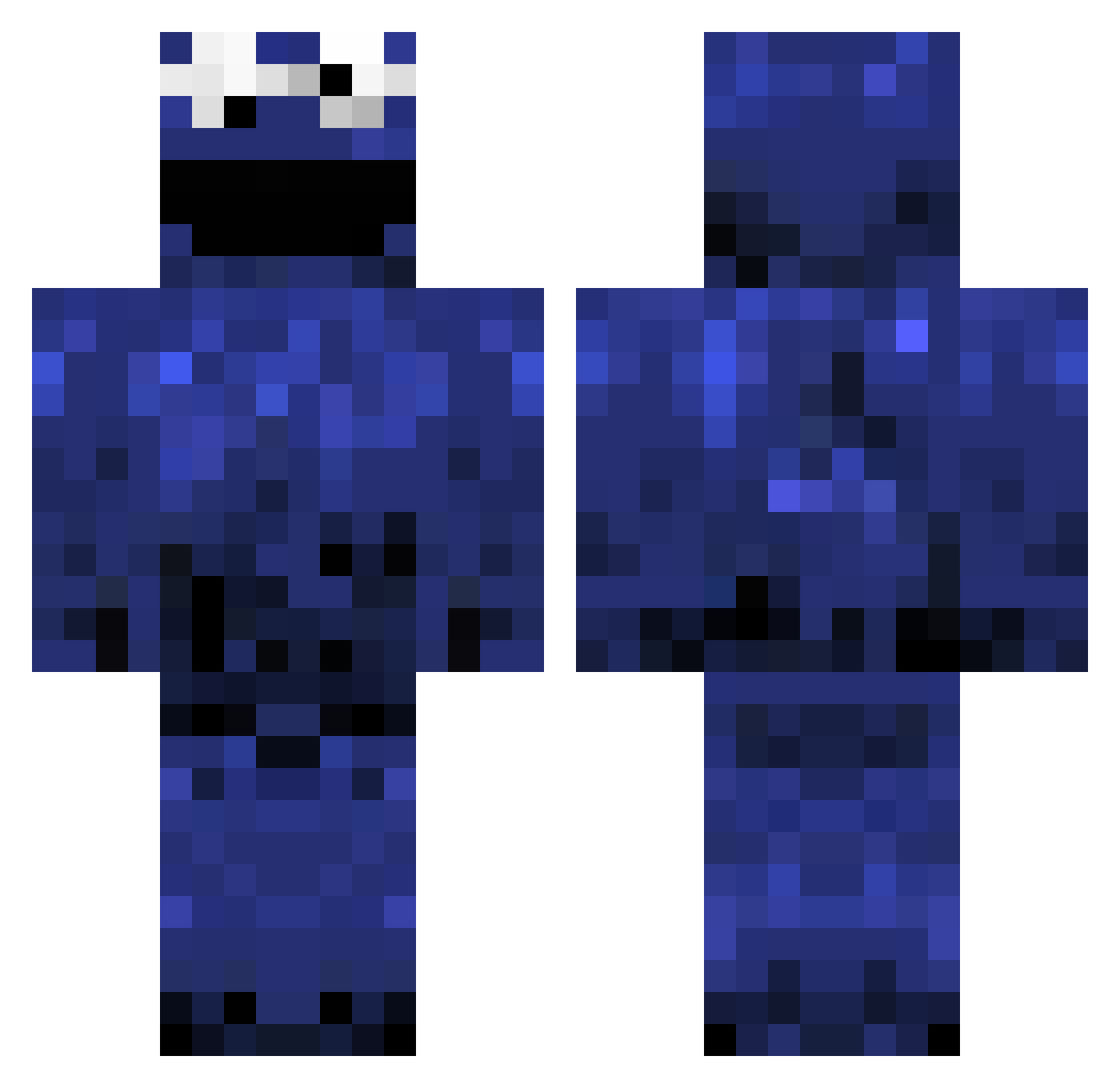
Current Minecraft skin of the player MotoMoto222, loaded from the official Mojang API. Rotate the 3D model with your mouse or finger, then download the skin as a PNG file and use it in Minecraft: Bedrock Edition or Java Edition for free. When MotoMoto222 changes their skin, this page updates automatically and the old skin stays in the history below.
Other players with this skin (1241)
MotoMoto222 was the 1107th player we have seen with this skin, first spotted on 30.10.2026. The same skin was seen on these players. Open a nickname to see their current skin and skin history.
 spacemonkey356 Jascha1998 crazymellon SamOver OpTveld JosephEtv PHIMOSIS misterhrv tacomess 3cookie3monster3 Tamarawite DivineCorn abemark2 brozy_boys_3 superbproduct jmpixels asairic natethegreat0415 SentientMalice KFC_Prophet gingerbread231 xSenior RibMunch Stxxr Davebreeg Mack1334 Jackboylan Regennn TorchWaterGaming Cakemunro XxdogeboosxX oSimplyo Mihawk78 bkwrm09 xXjUiC3bOXx JustJoshin19 SKewl ArrowToTehKnee _tarek applejacks67 SaloDar1337 Bismarck_Mexiko Maritzka AladarioIII wheresmycooky1 Ne3ks wishkiller859 keksinat0r kuremaika Jaspdot drumm3rboy96 zaxx5 olaxfa Quaznal monomouth CookieHigh5 l0ubr4 KokaCola donkeycraft01 SS_Baller
More Cookie Monster Minecraft skins
See all 299 Cookie Monster skins
How to install the MotoMoto222 skin
- Press the Download button above to save the skin as a PNG file.
- Minecraft: Bedrock Edition (PE): open the Dressing Room from the main menu (or tap your character → Edit Character), go to Classic Skins → Owned, press the + (new skin) button, choose the downloaded PNG and pick the Classic (Steve) model. Works on PC and mobile; consoles cannot import custom skins.
- Minecraft: Java Edition: open the Minecraft Launcher, go to the Skins tab, click New Skin, load the PNG, pick the Classic (Steve) model and press Save & Use. You can also upload it at minecraft.net → Profile → Change Skin.
The skin does not show up after import - what should I do?
Restart Minecraft and open the Dressing Room again - imported skins sometimes appear only after a restart. Also make sure you selected the imported skin and picked the Classic (Steve) model.
Which model should I choose, Classic or Slim?
This skin is designed for the Classic (Steve) model. If you pick the wrong model, the arms of the skin will look stretched or squeezed.
Is the skin of MotoMoto222 free to download?
Yes. Press Download, save the PNG file and use it in Minecraft: Bedrock Edition or Java Edition - no payment or registration needed. The skin also works on multiplayer servers and Realms.
More skins
Looking for more? Go back to all Minecraft skins and check the top skins of the week, month and all time, or find any player's skin by nickname.