
MilkySenpai - Minecraft Skins & Skin History
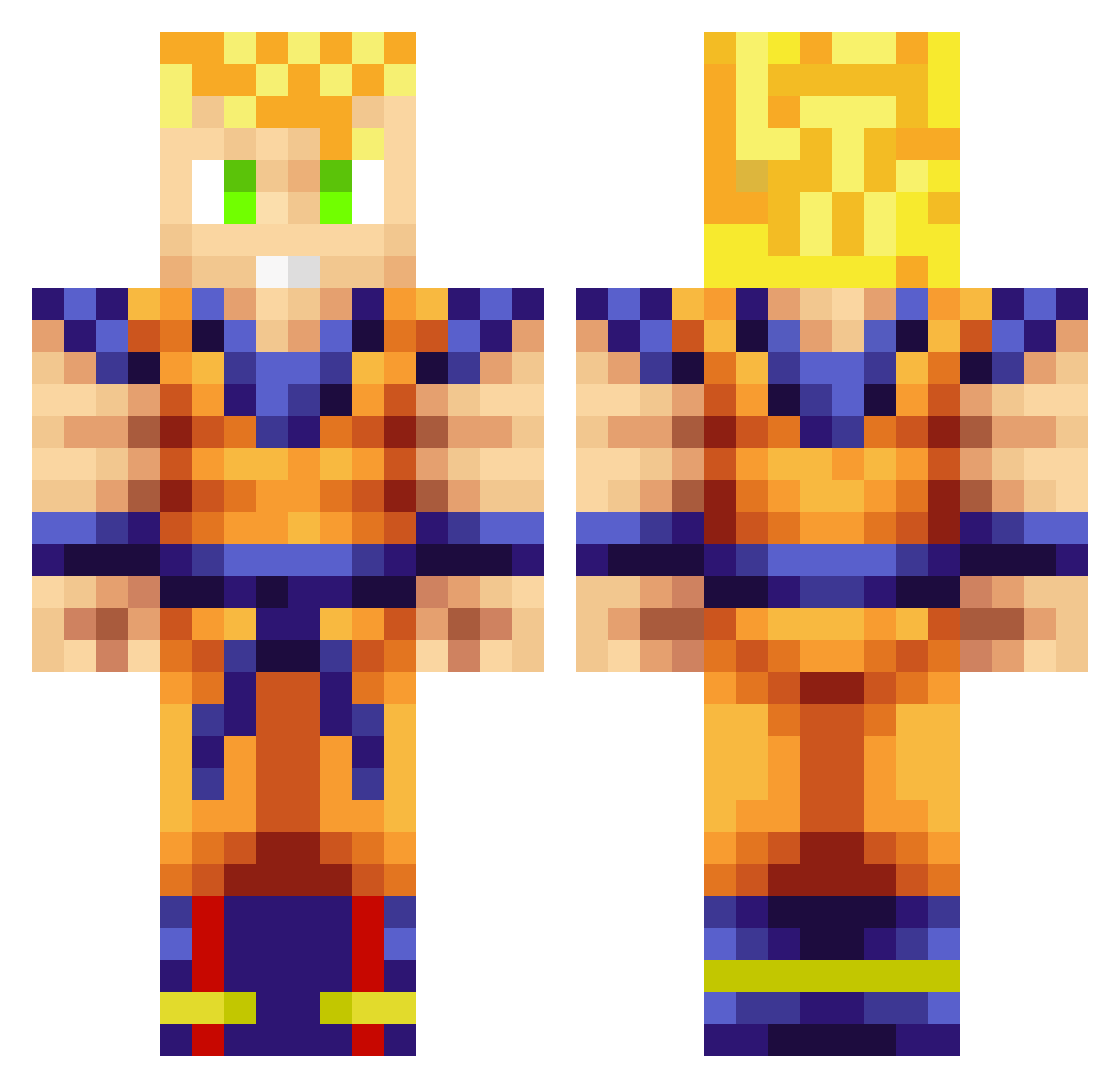
Current Minecraft skin of the player MilkySenpai, loaded from the official Mojang API. Rotate the 3D model with your mouse or finger, then download the skin as a PNG file and use it in Minecraft: Bedrock Edition or Java Edition for free. When MilkySenpai changes their skin, this page updates automatically and the old skin stays in the history below.
Other players with this skin (927)
MilkySenpai was the 777th player we have seen with this skin, first spotted on 23.10.2026. The same skin was seen on these players. Open a nickname to see their current skin and skin history.
 gaines222 LaSmallPerson Kemalisti Skinny_Jelly Yinyanyong danybarbe CBSonicMeteor nsarva1 davidwilko95 XAM27 Rominus72 PishPoshJosh Feuerkopf123 MojoHobo9911 Slavik1613 littleshit12 captainsengoku COMPULSORY Chrisphenom NLxSmokey OmegaNiko0409 BMax77 DavidDoinWork batllegaming I2emiixX walterbarnes SuperMonkeyRay tankviolence KGBlitz SevakC Work_Blows Jlillyy b0rnc0nfused90 XXblackcake goku3905 OfficerNasty17 TheOzone11 Jiro_khey Layzay1 FerrolhoGames Kos501 AlDiablo dragustinovis0 ProBierS NeKiix3 Nukdem icasperkill Brownie_Kristy eDaterErin Kre8_Havoc scamina manarko MacBookSmasher thornyp MegaBoyMFG TrueMO0 47SON_GOKU47 Deathklausi no_hay_dolor Lunat20
More Goku Minecraft skins
How to install the MilkySenpai skin
- Press the Download button above to save the skin as a PNG file.
- Minecraft: Bedrock Edition (PE): open the Dressing Room from the main menu (or tap your character → Edit Character), go to Classic Skins → Owned, press the + (new skin) button, choose the downloaded PNG and pick the Classic (Steve) model. Works on PC and mobile; consoles cannot import custom skins.
- Minecraft: Java Edition: open the Minecraft Launcher, go to the Skins tab, click New Skin, load the PNG, pick the Classic (Steve) model and press Save & Use. You can also upload it at minecraft.net → Profile → Change Skin.
The skin does not show up after import - what should I do?
Restart Minecraft and open the Dressing Room again - imported skins sometimes appear only after a restart. Also make sure you selected the imported skin and picked the Classic (Steve) model.
Which model should I choose, Classic or Slim?
This skin is designed for the Classic (Steve) model. If you pick the wrong model, the arms of the skin will look stretched or squeezed.
Is the skin of MilkySenpai free to download?
Yes. Press Download, save the PNG file and use it in Minecraft: Bedrock Edition or Java Edition - no payment or registration needed. The skin also works on multiplayer servers and Realms.
More skins
Looking for more? Go back to all Minecraft skins and check the top skins of the week, month and all time, or find any player's skin by nickname.