
Miku_Ageru - Minecraft Skins & Skin History
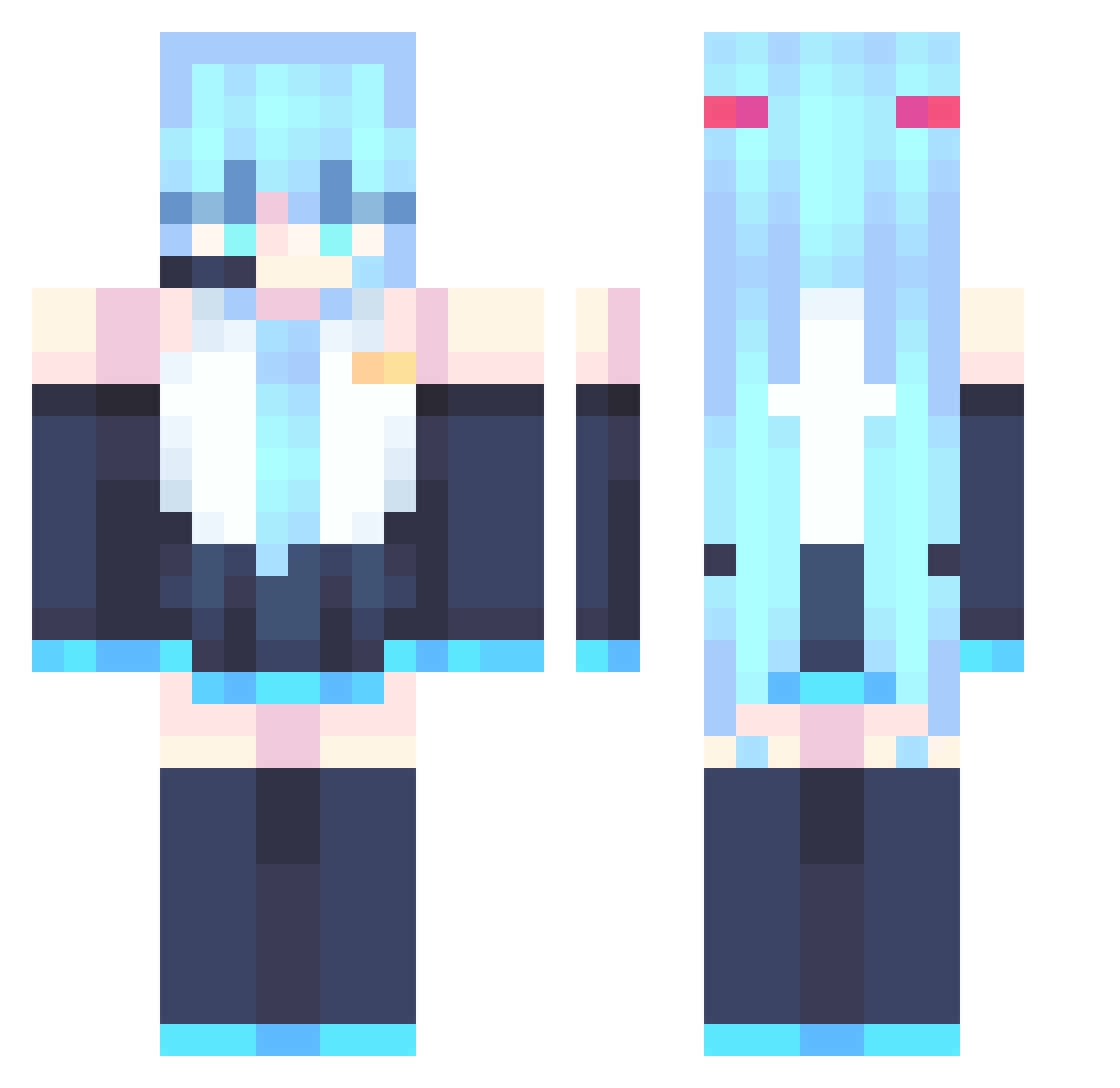
Current Minecraft skin of the player Miku_Ageru, loaded from the official Mojang API. Rotate the 3D model with your mouse or finger, then download the skin as a PNG file and use it in Minecraft: Bedrock Edition or Java Edition for free. When Miku_Ageru changes their skin, this page updates automatically and the old skin stays in the history below.
Other players with this skin (866)
Miku_Ageru was the 781st player we have seen with this skin, first spotted on 26.10.2026. The same skin was seen on these players. Open a nickname to see their current skin and skin history.
 20Roma06 Benzuo_ kralazrail P4ndaB3ar 1petals dioneemilarka SixSendy67 itssummxr xue152 C3ntip3d3_YT IcyIceIDS StaySerene joker199911 yihua0114 christovale Penquuu Mnersquid oldwars Lulu2424 dibaj L5P1 YaBoiWind kalias159 Atomickill3r605 SurgicalOZ neneeeeeeeeee DOLLRENO _KW424 9upi1qwet GUDAYAO Paltasnm greenarch10 kolokola Helpme9977 cff159 hui911 adoon15 dountsyummyyo Deborah198 Draco7777005 huangseshandian2 QILIU_ misty_cloudss Gorey_exe Lou1111111 22222222111 wuby2 LittleSmeeBuzz catamiau Erogehero Niggara baoziiiiii OzzyOzwald The_1_In_Blue mep0tat0 nikkaaaaa mastake TG_Glizzy DarkMang0 dogwitdabudda
More Hatsune Miku Minecraft skins
See all 894 Hatsune Miku skins
How to install the Miku_Ageru skin
- Press the Download button above to save the skin as a PNG file.
- Minecraft: Bedrock Edition (PE): open the Dressing Room from the main menu (or tap your character → Edit Character), go to Classic Skins → Owned, press the + (new skin) button, choose the downloaded PNG and pick the Classic (Steve) model. Works on PC and mobile; consoles cannot import custom skins.
- Minecraft: Java Edition: open the Minecraft Launcher, go to the Skins tab, click New Skin, load the PNG, pick the Classic (Steve) model and press Save & Use. You can also upload it at minecraft.net → Profile → Change Skin.
The skin does not show up after import - what should I do?
Restart Minecraft and open the Dressing Room again - imported skins sometimes appear only after a restart. Also make sure you selected the imported skin and picked the Classic (Steve) model.
Which model should I choose, Classic or Slim?
This skin is designed for the Classic (Steve) model. If you pick the wrong model, the arms of the skin will look stretched or squeezed.
Is the skin of Miku_Ageru free to download?
Yes. Press Download, save the PNG file and use it in Minecraft: Bedrock Edition or Java Edition - no payment or registration needed. The skin also works on multiplayer servers and Realms.
More skins
Looking for more? Go back to all Minecraft skins and check the top skins of the week, month and all time, or find any player's skin by nickname.