
Maximarche - Minecraft Skins & Skin History
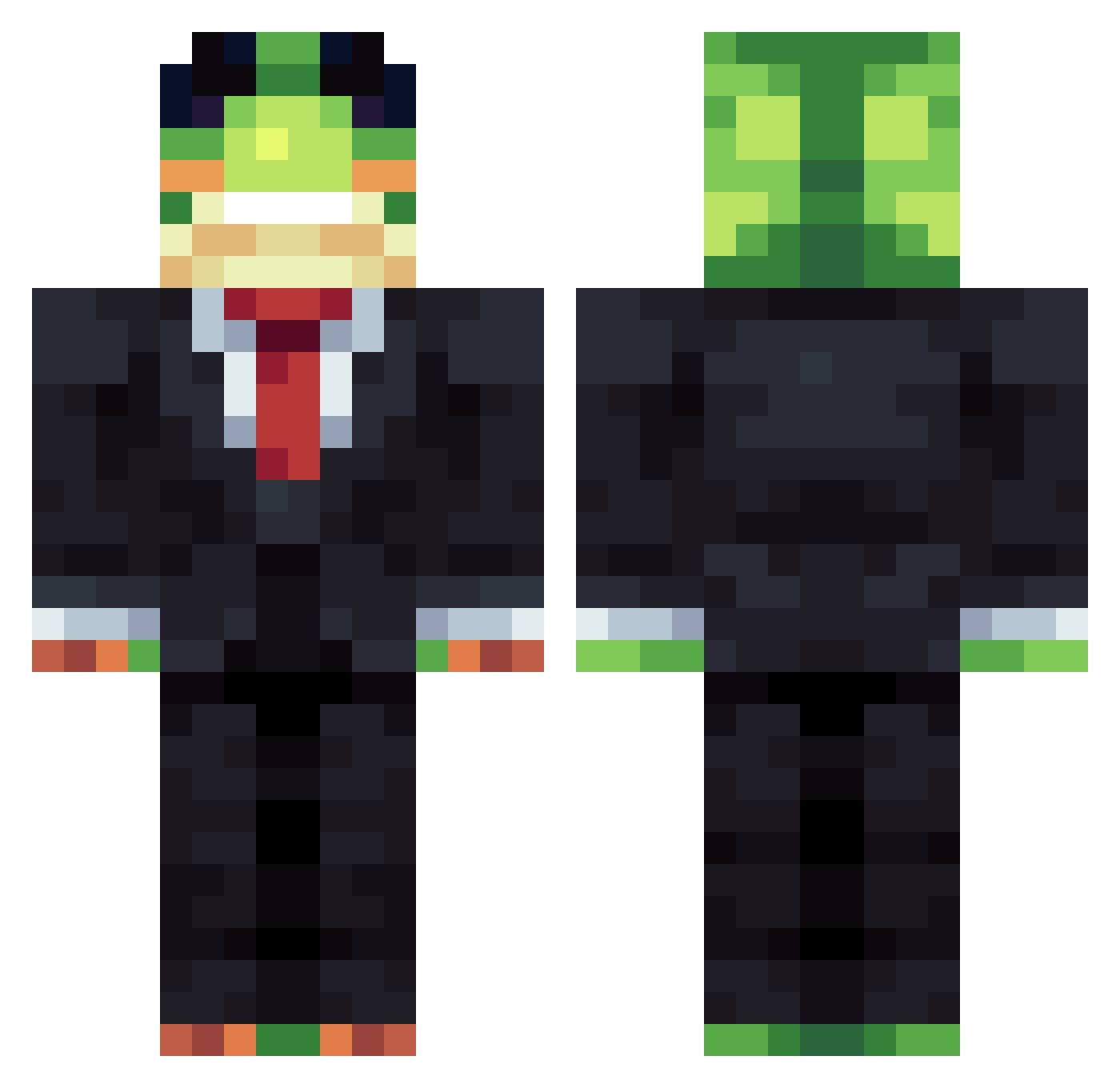
Current Minecraft skin of the player Maximarche, loaded from the official Mojang API. Rotate the 3D model with your mouse or finger, then download the skin as a PNG file and use it in Minecraft: Bedrock Edition or Java Edition for free. When Maximarche changes their skin, this page updates automatically and the old skin stays in the history below.
Other players with this skin (1482)
Maximarche was the 1353rd player we have seen with this skin, first spotted on 02.11.2026. The same skin was seen on these players. Open a nickname to see their current skin and skin history.
 Marsmixel Hyper740 PIPIMEN shaun152 _D7V Frankiie293 Octo_2209 shterevww1 LandLand_387 Herbman42 monkey20093 buzzard73 bigweels Dockho ben1100 AleeFz PeyDay2000 sug_madicccccccc Luckyluca0706 harvey123465 Sir_Luciel y1a luiszada CoffeeIsCringe Tylexo Skoopy777 itsnatlosers ItsJexx swyftyMC SupaWrap 3z7rb_ Xyllle legitden_skk Frankymiau robe1014 RickyfilP Acespace64 MansPans15 ludek2098 FERDINANDEZ ArkinGoose RafaLuGG HoangNguyen8688 Flafa___ J1lrem NutellaBrotJ OngleDongle TitoCalderon422 timour77 HexTrack lokydu109 6alint Slogoman_2010 Jenzym Diesellax m1efl lolfolf7349 yMCp LekSi3151 aggebaggebagare
More Frog Minecraft skins
How to install the Maximarche skin
- Press the Download button above to save the skin as a PNG file.
- Minecraft: Bedrock Edition (PE): open the Dressing Room from the main menu (or tap your character → Edit Character), go to Classic Skins → Owned, press the + (new skin) button, choose the downloaded PNG and pick the Classic (Steve) model. Works on PC and mobile; consoles cannot import custom skins.
- Minecraft: Java Edition: open the Minecraft Launcher, go to the Skins tab, click New Skin, load the PNG, pick the Classic (Steve) model and press Save & Use. You can also upload it at minecraft.net → Profile → Change Skin.
The skin does not show up after import - what should I do?
Restart Minecraft and open the Dressing Room again - imported skins sometimes appear only after a restart. Also make sure you selected the imported skin and picked the Classic (Steve) model.
Which model should I choose, Classic or Slim?
This skin is designed for the Classic (Steve) model. If you pick the wrong model, the arms of the skin will look stretched or squeezed.
Is the skin of Maximarche free to download?
Yes. Press Download, save the PNG file and use it in Minecraft: Bedrock Edition or Java Edition - no payment or registration needed. The skin also works on multiplayer servers and Realms.
More skins
Looking for more? Go back to all Minecraft skins and check the top skins of the week, month and all time, or find any player's skin by nickname.