
Matraquinha - Minecraft Skins & Skin History
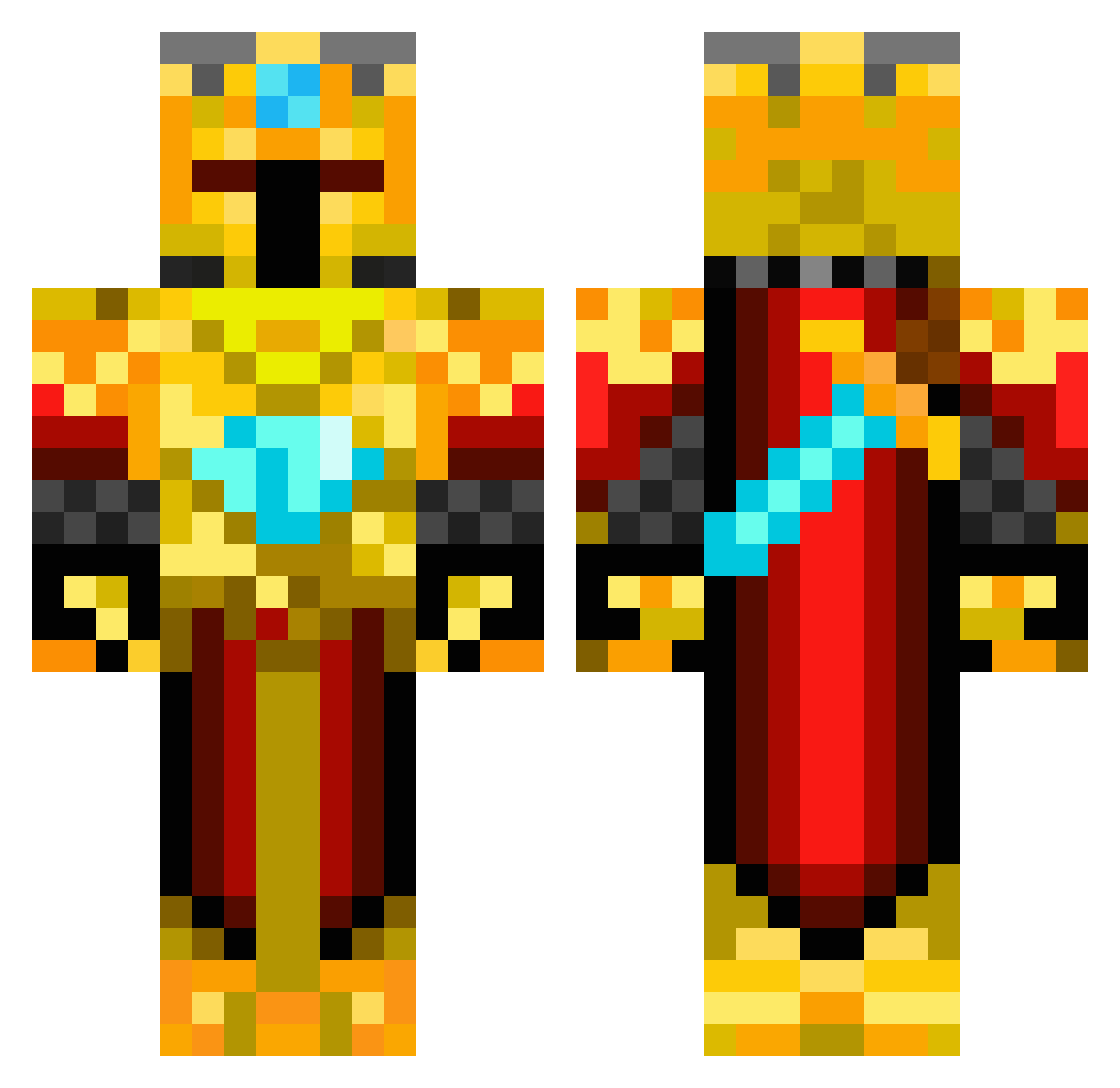
Current Minecraft skin of the player Matraquinha, loaded from the official Mojang API. Rotate the 3D model with your mouse or finger, then download the skin as a PNG file and use it in Minecraft: Bedrock Edition or Java Edition for free. When Matraquinha changes their skin, this page updates automatically and the old skin stays in the history below.
Other players with this skin (217)
Matraquinha was the 184th player we have seen with this skin, first spotted on 27.10.2026. The same skin was seen on these players. Open a nickname to see their current skin and skin history.
 MLG_Archie BlackBlock7 ninjaz97 dobby788 barkboy5 martruta Tetris_King RedRooster2595 skaaxe TriAchilles Bobby_2212 MrHouse93 scottiek49341 vegsko Bongo_King aaron12391 Ascher3409 JohnnyBobzz thedarksoul43 1nonlyC EdenR99 minerk40 GuitarPlayer09 katiebeast01 JESTERJAXON Armornaut52 Davicraft007 theflame33 B4rda Zairoff terror5848 CrafterMaster726 amoranthony BlockKingSettsuo ducrocqs guardianguy26 GoldenTerror10 Qc_Ang3Lz Arcade_Z IDFWY Fikks elite__blaze Eepen JacobUnrated NPK10 kjempe_raa N00b_Gamer AdamasDominus LachieSB TemiTife Josh_Baseball Skieguy5 KidFrag bubba_scrimp23 just4funLP ShadedTrow kitkitkito FabbennC3 olieyers chendaerae
More Golden Armor Minecraft skins
See all 200 Golden Armor skins
How to install the Matraquinha skin
- Press the Download button above to save the skin as a PNG file.
- Minecraft: Bedrock Edition (PE): open the Dressing Room from the main menu (or tap your character → Edit Character), go to Classic Skins → Owned, press the + (new skin) button, choose the downloaded PNG and pick the Classic (Steve) model. Works on PC and mobile; consoles cannot import custom skins.
- Minecraft: Java Edition: open the Minecraft Launcher, go to the Skins tab, click New Skin, load the PNG, pick the Classic (Steve) model and press Save & Use. You can also upload it at minecraft.net → Profile → Change Skin.
The skin does not show up after import - what should I do?
Restart Minecraft and open the Dressing Room again - imported skins sometimes appear only after a restart. Also make sure you selected the imported skin and picked the Classic (Steve) model.
Which model should I choose, Classic or Slim?
This skin is designed for the Classic (Steve) model. If you pick the wrong model, the arms of the skin will look stretched or squeezed.
Is the skin of Matraquinha free to download?
Yes. Press Download, save the PNG file and use it in Minecraft: Bedrock Edition or Java Edition - no payment or registration needed. The skin also works on multiplayer servers and Realms.
More skins
Looking for more? Go back to all Minecraft skins and check the top skins of the week, month and all time, or find any player's skin by nickname.