
Mathiastilsted - Minecraft Skins & Skin History
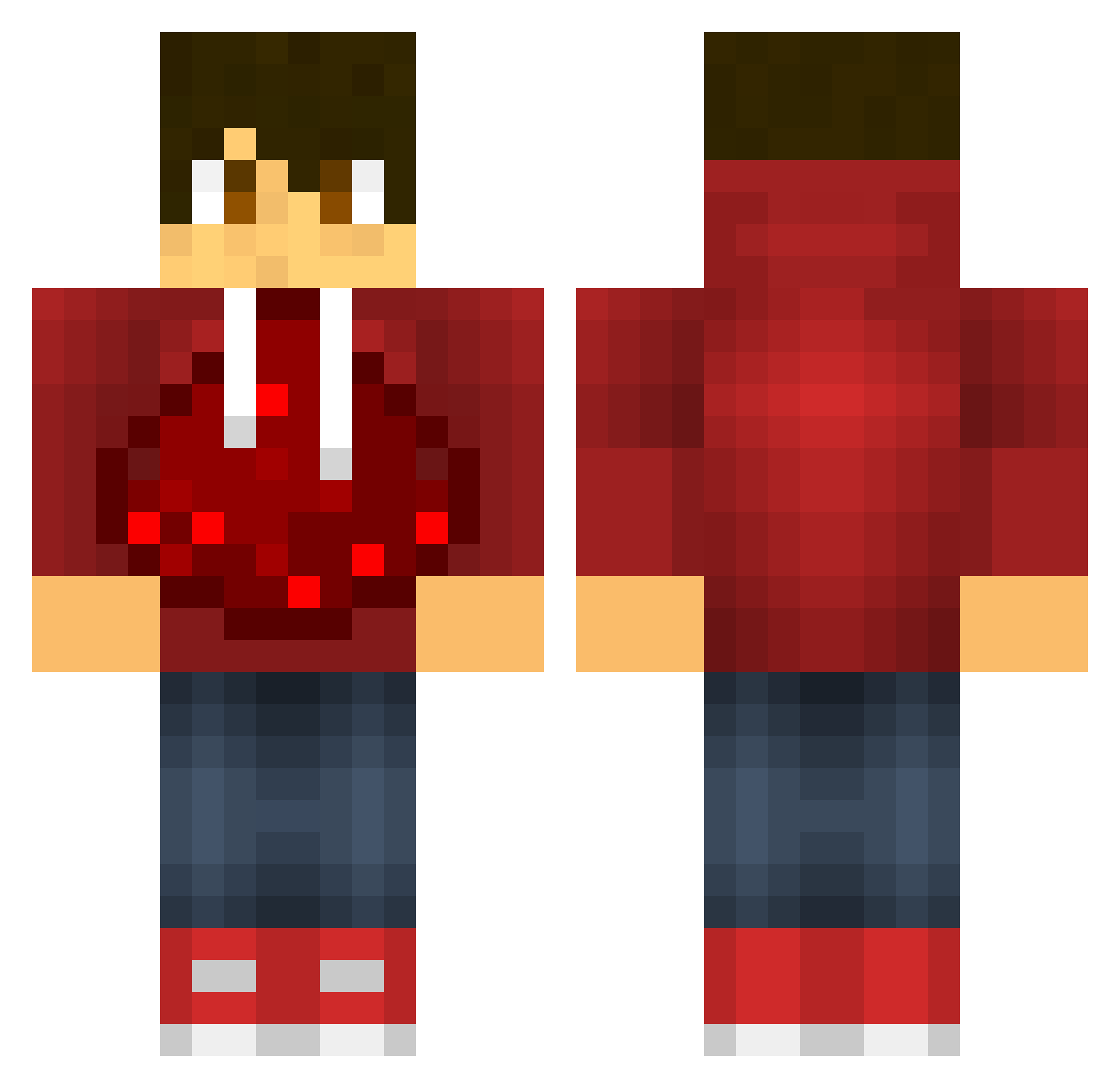
Current Minecraft skin of the player Mathiastilsted, loaded from the official Mojang API. Rotate the 3D model with your mouse or finger, then download the skin as a PNG file and use it in Minecraft: Bedrock Edition or Java Edition for free. When Mathiastilsted changes their skin, this page updates automatically and the old skin stays in the history below.
Other players with this skin (601)
Mathiastilsted was the 487th player we have seen with this skin, first spotted on 20.10.2026. The same skin was seen on these players. Open a nickname to see their current skin and skin history.
 chr0509 TheCoolcrafter11 arvan04 Zimbot911 GloveUnit SuperFlyMolo M16_DeathReaper Throbs Hawk_attack Lemo359 phpisfun drizzy9753 HyperDom9000 SquidBoy05 sjmonte1 Waterfallnine Lc_crepper AlexKao laurits2006 ShadowAussie69 Skyguy506 isaiah_benjamin Ablar Wildwolf75 JakeMerxs TheOneVooby bradmunch DiamondBrodie Skaliph MikeHunt2343 jjaacckk1212 jabee02 MineBenCrafter Ch1kan Tralfazz BrunoxBurn claadam 1Simon154 badolato newport01 memoo19 theocool1000 Taschentoaster Alex_Loves_You Bigdan51 Huya_VKing kanon8 dragonskull6179 cals81 AssassinMasterDS coolkingdom4 jacobajenkins AreoMech14 Armaxodias TheDonger27 occors MariusTK jonnysoras JoyBlu wilber09
More Redstone Minecraft skins
How to install the Mathiastilsted skin
- Press the Download button above to save the skin as a PNG file.
- Minecraft: Bedrock Edition (PE): open the Dressing Room from the main menu (or tap your character → Edit Character), go to Classic Skins → Owned, press the + (new skin) button, choose the downloaded PNG and pick the Classic (Steve) model. Works on PC and mobile; consoles cannot import custom skins.
- Minecraft: Java Edition: open the Minecraft Launcher, go to the Skins tab, click New Skin, load the PNG, pick the Classic (Steve) model and press Save & Use. You can also upload it at minecraft.net → Profile → Change Skin.
The skin does not show up after import - what should I do?
Restart Minecraft and open the Dressing Room again - imported skins sometimes appear only after a restart. Also make sure you selected the imported skin and picked the Classic (Steve) model.
Which model should I choose, Classic or Slim?
This skin is designed for the Classic (Steve) model. If you pick the wrong model, the arms of the skin will look stretched or squeezed.
Is the skin of Mathiastilsted free to download?
Yes. Press Download, save the PNG file and use it in Minecraft: Bedrock Edition or Java Edition - no payment or registration needed. The skin also works on multiplayer servers and Realms.
More skins
Looking for more? Go back to all Minecraft skins and check the top skins of the week, month and all time, or find any player's skin by nickname.