
Mak1206 - Minecraft Skins & Skin History
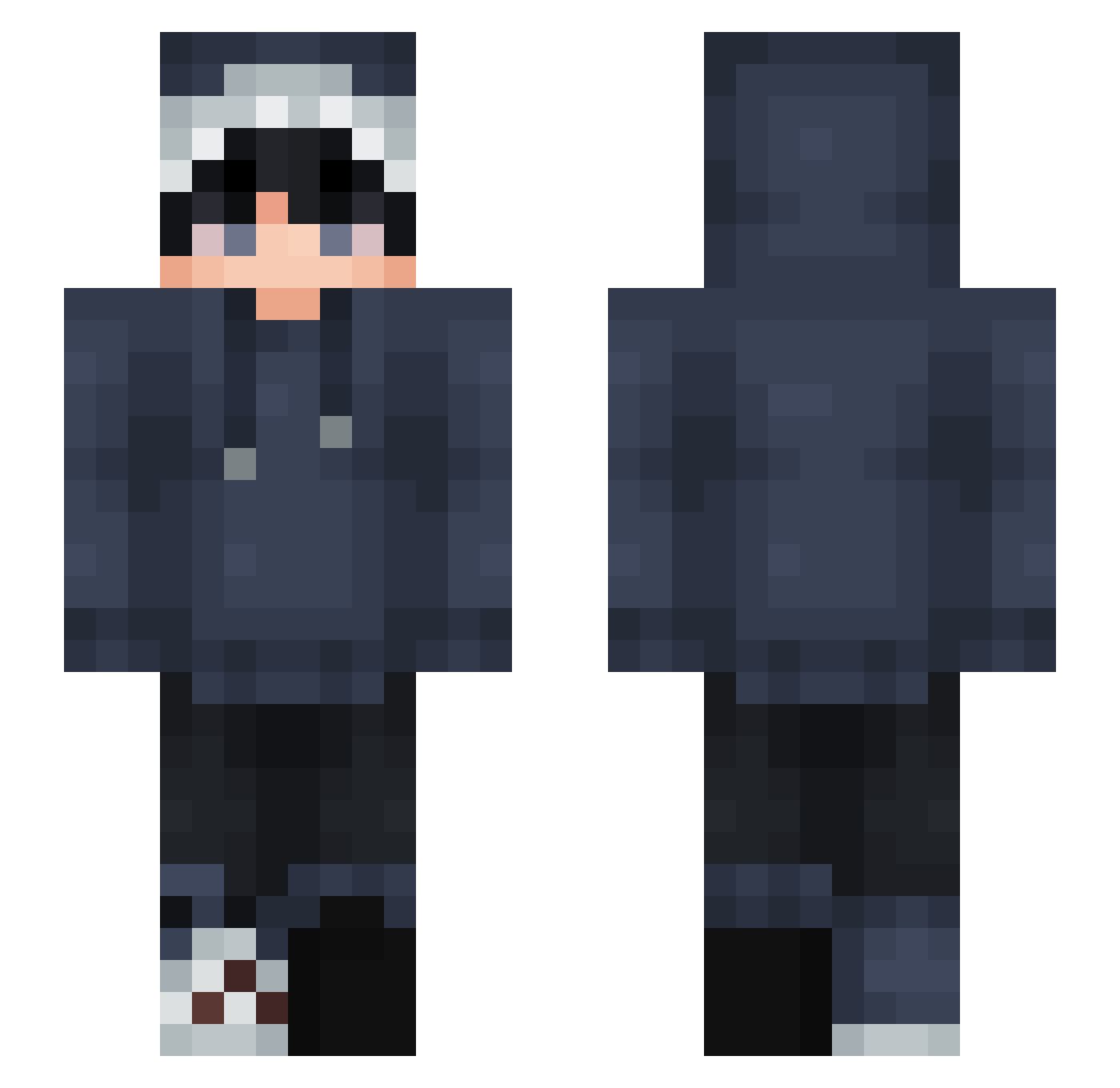
Current Minecraft skin of the player Mak1206, loaded from the official Mojang API. Rotate the 3D model with your mouse or finger, then download the skin as a PNG file and use it in Minecraft: Bedrock Edition or Java Edition for free. When Mak1206 changes their skin, this page updates automatically and the old skin stays in the history below.
Other players with this skin (875)
Mak1206 was the 713th player we have seen with this skin, first spotted on 22.10.2026. The same skin was seen on these players. Open a nickname to see their current skin and skin history.
 JustPlainNick Roupie86 Symx356 ssaa_Gaming Synt4x_Error ItzJ0nny89 HgIstar Mashira0126 Implosion1121 Iam13 Dd_09 Byakrin LukasJede123456 Lntano7 SmalRay Yredan Kevinaien Chani_ya Azuren_2 LuvViewer GitBit Olzoin xlific MedicatedSprite Peigi2k AyyanAhmedPRO Maxshark Dragonveils NZHO2778 bbalencii Hsuya01 MadeyeJeg iZhansk DepressedNick MeDo_PX ycc8181 macnzeed kerrex21 Apoll0God r3nren LYCCYL2006 ItzHiya mira0123 malomalik Wooooolly ItsTheBestM8 Cleanwaterer King_Games_1 Samuspider100 Lenrue ElmersGlue1995 Pistris_ redfishyt Chen0619 nanou62500 Mercyssh Emre7449 Toa1644 DragonBoy2208 oreonz_
How to install the Mak1206 skin
- Press the Download button above to save the skin as a PNG file.
- Minecraft: Bedrock Edition (PE): open the Dressing Room from the main menu (or tap your character → Edit Character), go to Classic Skins → Owned, press the + (new skin) button, choose the downloaded PNG and pick the Slim (Alex) model. Works on PC and mobile; consoles cannot import custom skins.
- Minecraft: Java Edition: open the Minecraft Launcher, go to the Skins tab, click New Skin, load the PNG, pick the Slim (Alex) model and press Save & Use. You can also upload it at minecraft.net → Profile → Change Skin.
The skin does not show up after import - what should I do?
Restart Minecraft and open the Dressing Room again - imported skins sometimes appear only after a restart. Also make sure you selected the imported skin and picked the Slim (Alex) model.
Which model should I choose, Classic or Slim?
This skin is designed for the Slim (Alex) model. If you pick the wrong model, the arms of the skin will look stretched or squeezed.
Is the skin of Mak1206 free to download?
Yes. Press Download, save the PNG file and use it in Minecraft: Bedrock Edition or Java Edition - no payment or registration needed. The skin also works on multiplayer servers and Realms.
More skins
Looking for more? Go back to all Minecraft skins and check the top skins of the week, month and all time, or find any player's skin by nickname.