
Maicao18 - Minecraft Skins & Skin History
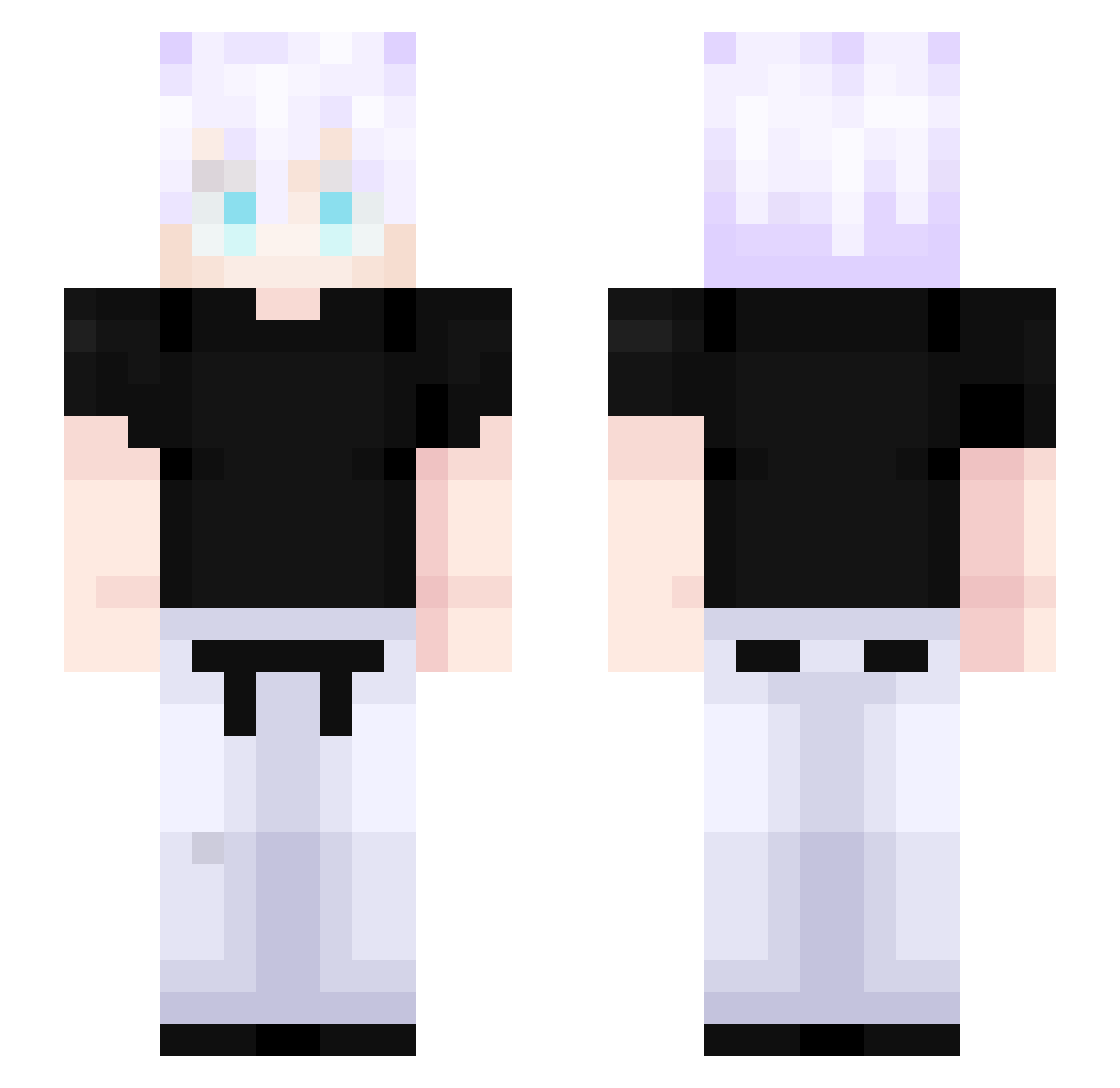
Current Minecraft skin of the player Maicao18, loaded from the official Mojang API. Rotate the 3D model with your mouse or finger, then download the skin as a PNG file and use it in Minecraft: Bedrock Edition or Java Edition for free. When Maicao18 changes their skin, this page updates automatically and the old skin stays in the history below.
Other players with this skin (541)
Maicao18 was the 536th player we have seen with this skin, first spotted on 08.11.2026. The same skin was seen on these players. Open a nickname to see their current skin and skin history.
 iWaffle88 KitsuneXll ARTECHIESYT Saba84 ripuur HonoredOne_ TheKarbon zumuede Dwaema_ padonok_fashion MONARCASOMBRIOZL turkeyboi11 Ethween3 Honored_0ne_ MMs_mishiko nearsz Dolphineater74 Kanyes1stGrammy kitami1202 H8jkr L55MH AizenSousuke1608 SoyTOTO Masaki_nami steamxz Israsaurio Aceez12 caionrs WhyYouSoBad9 k1ta1337 lelinsane RyanYue abrar64 Vladi_Zarth amdmch xoyhio RainDrop_15 MINATO77 Leonel39 Secretlake slime43210 NOTReaperXR jadiyt The_Negotiator__ Fabi0009 Soul23UwU WordlyTooth608 Ryomen_Rafa kaykialves ianzinnz thearmykiller DerEndux initaki LimitsYouTube Iam_Kyoto projeanpi Yamykase Papitas69 LuSai213 Riickkk
More Satoru Gojo Minecraft skins
See all 1407 Satoru Gojo skins
How to install the Maicao18 skin
- Press the Download button above to save the skin as a PNG file.
- Minecraft: Bedrock Edition (PE): open the Dressing Room from the main menu (or tap your character → Edit Character), go to Classic Skins → Owned, press the + (new skin) button, choose the downloaded PNG and pick the Slim (Alex) model. Works on PC and mobile; consoles cannot import custom skins.
- Minecraft: Java Edition: open the Minecraft Launcher, go to the Skins tab, click New Skin, load the PNG, pick the Slim (Alex) model and press Save & Use. You can also upload it at minecraft.net → Profile → Change Skin.
The skin does not show up after import - what should I do?
Restart Minecraft and open the Dressing Room again - imported skins sometimes appear only after a restart. Also make sure you selected the imported skin and picked the Slim (Alex) model.
Which model should I choose, Classic or Slim?
This skin is designed for the Slim (Alex) model. If you pick the wrong model, the arms of the skin will look stretched or squeezed.
Is the skin of Maicao18 free to download?
Yes. Press Download, save the PNG file and use it in Minecraft: Bedrock Edition or Java Edition - no payment or registration needed. The skin also works on multiplayer servers and Realms.
More skins
Looking for more? Go back to all Minecraft skins and check the top skins of the week, month and all time, or find any player's skin by nickname.