
MaG920 - Minecraft Skins & Skin History
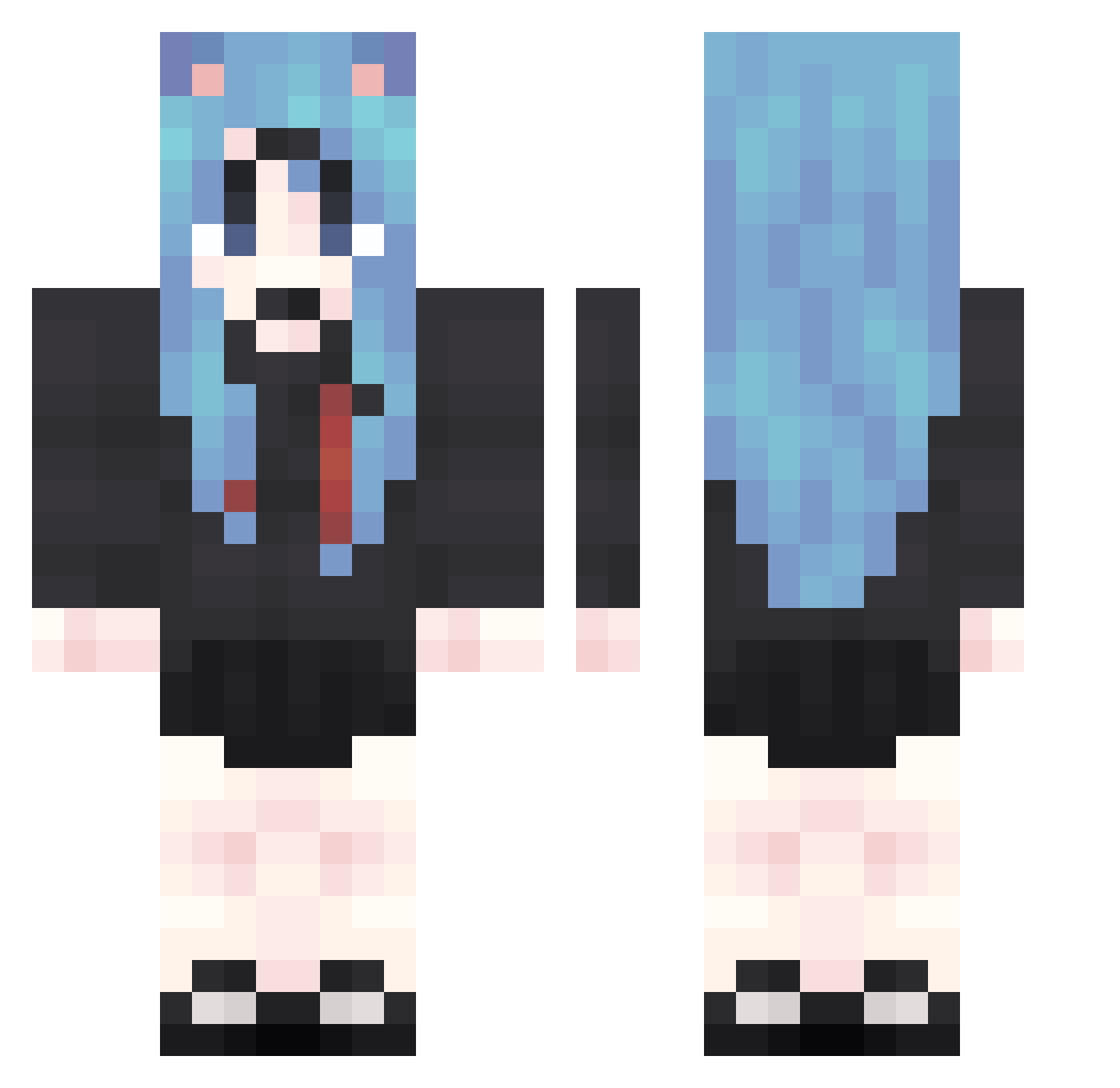
Current Minecraft skin of the player MaG920, loaded from the official Mojang API. Rotate the 3D model with your mouse or finger, then download the skin as a PNG file and use it in Minecraft: Bedrock Edition or Java Edition for free. When MaG920 changes their skin, this page updates automatically and the old skin stays in the history below.
Other players with this skin (1874)
MaG920 was the 1780th player we have seen with this skin, first spotted on 05.11.2026. The same skin was seen on these players. Open a nickname to see their current skin and skin history.
 UBS606 qPn352 JnU626 huB794 NNm855 wDe624 PbF572 Ezr122 pBo134 tYX182 cNv4 Tcm194 pbu737 yuS468 xlz968 XXa984 lve72 KoR627 GqF509 SCA953 OHa922 kWR713 IcN175 IPg486 YKZ736 fNC786 QZy693 DSR311 cQI553 kwC279 aay142 fdL971 tee41 SPi38 aVP439 BlF673 Xje242 oCc257 TpE459 Rur281 bMP798 Zsh831 GUs797 dmj783 kMv209 OaZ822 HYd957 hye602 YoX380 FfM565 VJd898 RfJ199 pMN498 bhH729 sTO603 vYs784 aGz86 MOw787 utV730 PWh86
More School Uniform Minecraft skins
See all 7162 School Uniform skins
How to install the MaG920 skin
- Press the Download button above to save the skin as a PNG file.
- Minecraft: Bedrock Edition (PE): open the Dressing Room from the main menu (or tap your character → Edit Character), go to Classic Skins → Owned, press the + (new skin) button, choose the downloaded PNG and pick the Classic (Steve) model. Works on PC and mobile; consoles cannot import custom skins.
- Minecraft: Java Edition: open the Minecraft Launcher, go to the Skins tab, click New Skin, load the PNG, pick the Classic (Steve) model and press Save & Use. You can also upload it at minecraft.net → Profile → Change Skin.
The skin does not show up after import - what should I do?
Restart Minecraft and open the Dressing Room again - imported skins sometimes appear only after a restart. Also make sure you selected the imported skin and picked the Classic (Steve) model.
Which model should I choose, Classic or Slim?
This skin is designed for the Classic (Steve) model. If you pick the wrong model, the arms of the skin will look stretched or squeezed.
Is the skin of MaG920 free to download?
Yes. Press Download, save the PNG file and use it in Minecraft: Bedrock Edition or Java Edition - no payment or registration needed. The skin also works on multiplayer servers and Realms.
More skins
Looking for more? Go back to all Minecraft skins and check the top skins of the week, month and all time, or find any player's skin by nickname.