
LukasLopeez - Minecraft Skins & Skin History
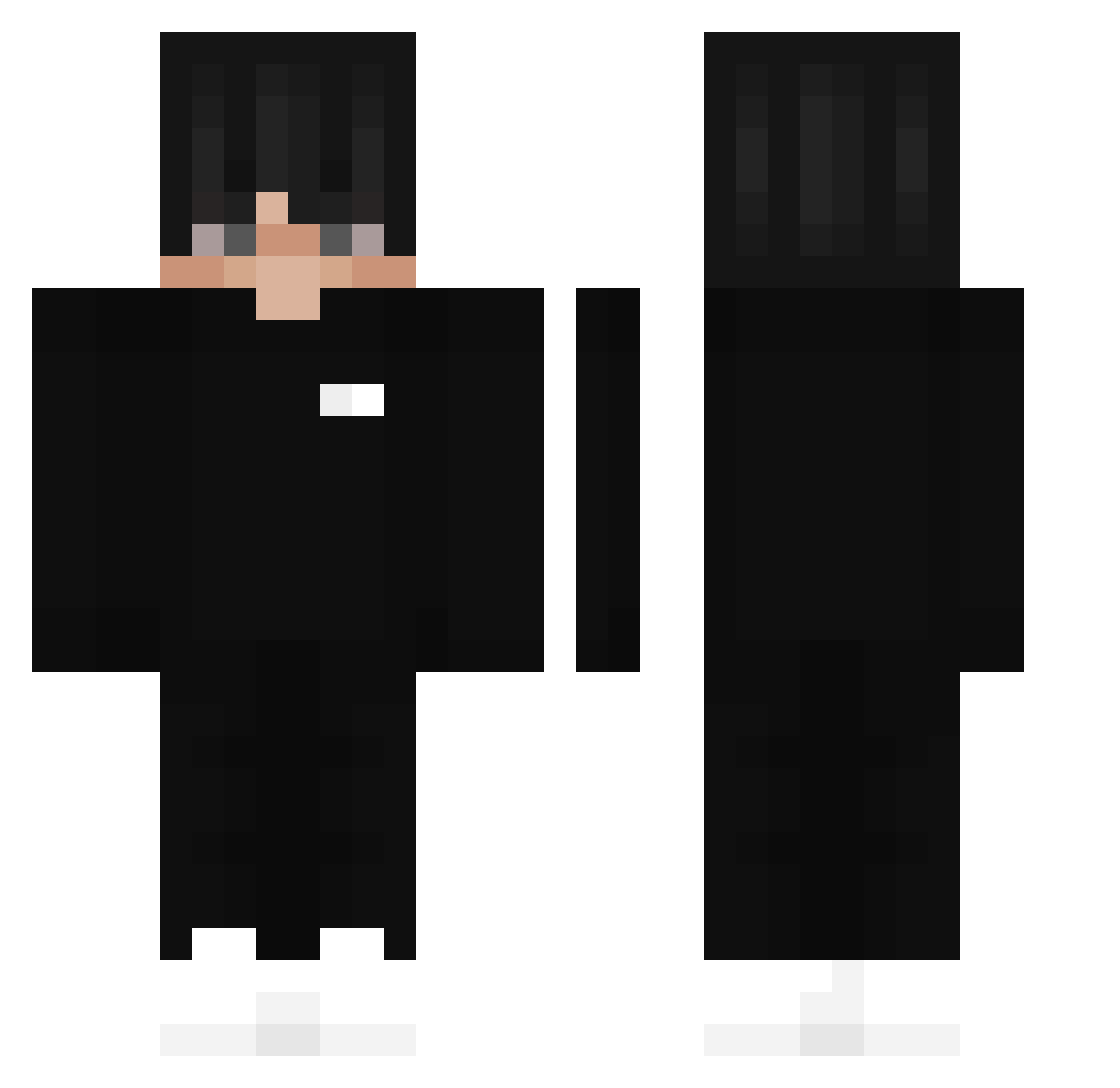
Current Minecraft skin of the player LukasLopeez, loaded from the official Mojang API. Rotate the 3D model with your mouse or finger, then download the skin as a PNG file and use it in Minecraft: Bedrock Edition or Java Edition for free. When LukasLopeez changes their skin, this page updates automatically and the old skin stays in the history below.
Other players with this skin (263)
LukasLopeez was the 203rd player we have seen with this skin, first spotted on 19.10.2026. The same skin was seen on these players. Open a nickname to see their current skin and skin history.
 OthmanM Fa8ci anordinarykid Cathz999 Bacontronkoala MrChiilz kkrychakk Arekkusurozario voltekk 9angell_ xiaoyue_cai ChrisStoe ZeroBBQ yassinefish Nico_276 Soul1971 Capta1nBlu3 Bernxyz Yuki0ni Foxieyur CzachoTron skadbstjr Khelly got_Erin MrLouis37 ILUDG Rejczela GaryGolden vincenthhj ChuletaXD DjimmXD Refte TornadoZaid ItzKuibkos Heroisnotsmart frosty_loves_you durpydan27 Pangos Zooooommm 5fgv hpargonop RETICKSTER buddyboy8967 maicolgame_ BielZX01 fkk14 YKAANS DreaMll Nicoosth _Limitninja_ Classicjackson JARRRNO Rabouga Danni222 tamascristian L3caa KUBUS772 Antonio478 Davu15 MarnatorTM
More Streetwear Minecraft skins
How to install the LukasLopeez skin
- Press the Download button above to save the skin as a PNG file.
- Minecraft: Bedrock Edition (PE): open the Dressing Room from the main menu (or tap your character → Edit Character), go to Classic Skins → Owned, press the + (new skin) button, choose the downloaded PNG and pick the Classic (Steve) model. Works on PC and mobile; consoles cannot import custom skins.
- Minecraft: Java Edition: open the Minecraft Launcher, go to the Skins tab, click New Skin, load the PNG, pick the Classic (Steve) model and press Save & Use. You can also upload it at minecraft.net → Profile → Change Skin.
The skin does not show up after import - what should I do?
Restart Minecraft and open the Dressing Room again - imported skins sometimes appear only after a restart. Also make sure you selected the imported skin and picked the Classic (Steve) model.
Which model should I choose, Classic or Slim?
This skin is designed for the Classic (Steve) model. If you pick the wrong model, the arms of the skin will look stretched or squeezed.
Is the skin of LukasLopeez free to download?
Yes. Press Download, save the PNG file and use it in Minecraft: Bedrock Edition or Java Edition - no payment or registration needed. The skin also works on multiplayer servers and Realms.
More skins
Looking for more? Go back to all Minecraft skins and check the top skins of the week, month and all time, or find any player's skin by nickname.