
LittlestPyro - Minecraft Skins & Skin History
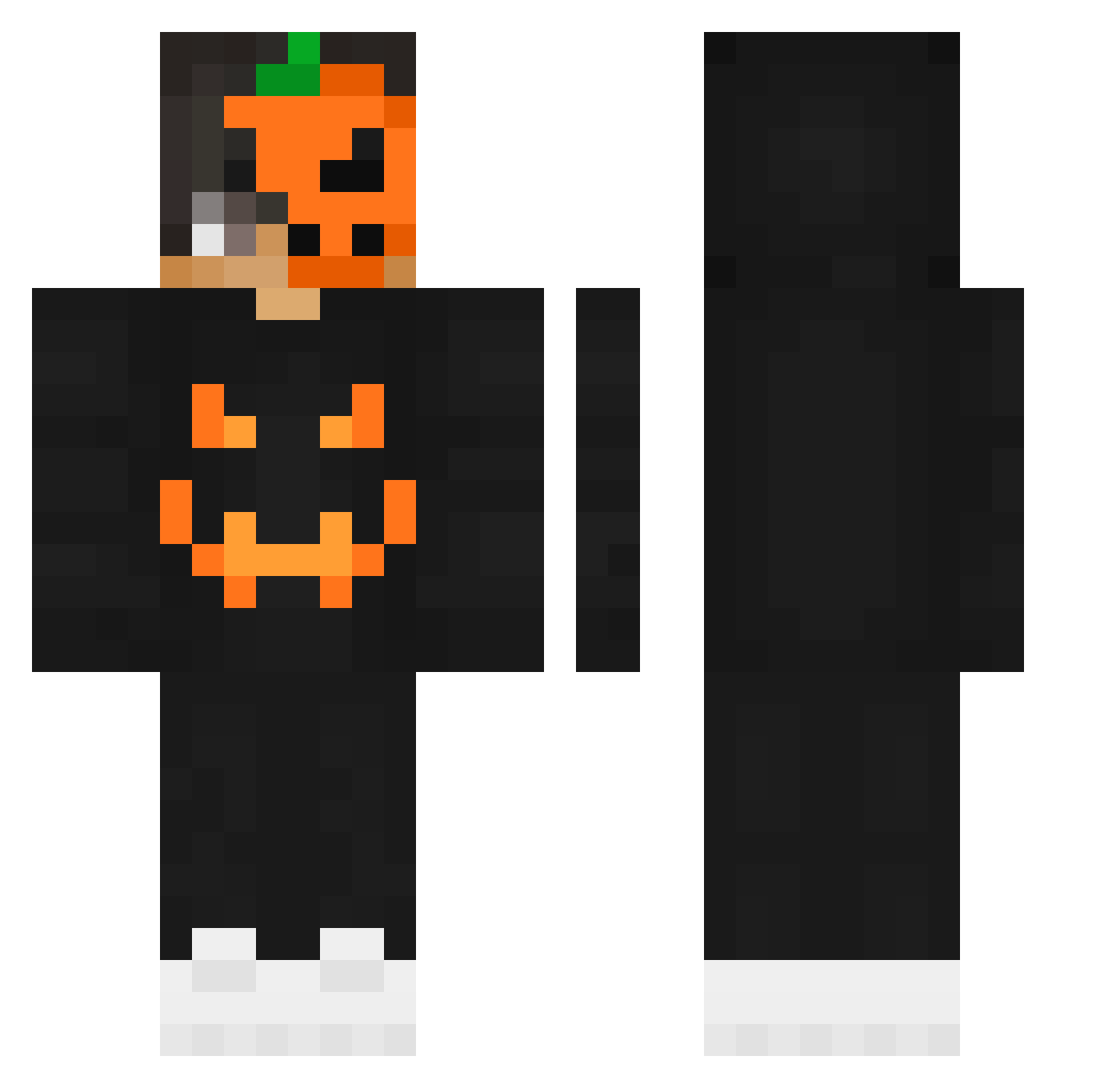
Current Minecraft skin of the player LittlestPyro, loaded from the official Mojang API. Rotate the 3D model with your mouse or finger, then download the skin as a PNG file and use it in Minecraft: Bedrock Edition or Java Edition for free. When LittlestPyro changes their skin, this page updates automatically and the old skin stays in the history below.
Other players with this skin (267)
LittlestPyro was the 221st player we have seen with this skin, first spotted on 26.10.2026. The same skin was seen on these players. Open a nickname to see their current skin and skin history.
 Im_Physco _SoldadoAlts_ RaiZo_Dz Improvem Puxzie Saturneeee D3stiny1337 7leebkakaw Amjed_30 jaafar_YT HeyItzSuhail StAsIeKxD KrotosYT burakrip_1 Meluuu silentbanana50 wuchen111 _Pok0ra__2 Dr_Mullo JamesBareham Elimur redtopyeti Nerdy1222 JIIGZ Fredbear609 kbm1024 shadowfox527 TOPGAME2314 MoneySoB1g MaverickR Malkis1 Silverozone AlanoxTV Rickzinn_12 Micasito Uber_Noob Younger_Gamer SousaGNM alperenertis Zi_Heng2002 setakireha Claire757 SuperHPYT LGG_Tom Wilberto1995 GIvanov NegraGamingYT Razunova CoolGeezer Ryanito09 _Greafy_ AITORCRAK Gucci_Frosch Lennnert SlightlyCrazy critcho SxD_GAYMING DEXTERCL kumasandao Noah022004
More Jackolantern Minecraft skins
See all 300 Jackolantern skins
How to install the LittlestPyro skin
- Press the Download button above to save the skin as a PNG file.
- Minecraft: Bedrock Edition (PE): open the Dressing Room from the main menu (or tap your character → Edit Character), go to Classic Skins → Owned, press the + (new skin) button, choose the downloaded PNG and pick the Classic (Steve) model. Works on PC and mobile; consoles cannot import custom skins.
- Minecraft: Java Edition: open the Minecraft Launcher, go to the Skins tab, click New Skin, load the PNG, pick the Classic (Steve) model and press Save & Use. You can also upload it at minecraft.net → Profile → Change Skin.
The skin does not show up after import - what should I do?
Restart Minecraft and open the Dressing Room again - imported skins sometimes appear only after a restart. Also make sure you selected the imported skin and picked the Classic (Steve) model.
Which model should I choose, Classic or Slim?
This skin is designed for the Classic (Steve) model. If you pick the wrong model, the arms of the skin will look stretched or squeezed.
Is the skin of LittlestPyro free to download?
Yes. Press Download, save the PNG file and use it in Minecraft: Bedrock Edition or Java Edition - no payment or registration needed. The skin also works on multiplayer servers and Realms.
More skins
Looking for more? Go back to all Minecraft skins and check the top skins of the week, month and all time, or find any player's skin by nickname.