
Linco32 - Minecraft Skins & Skin History
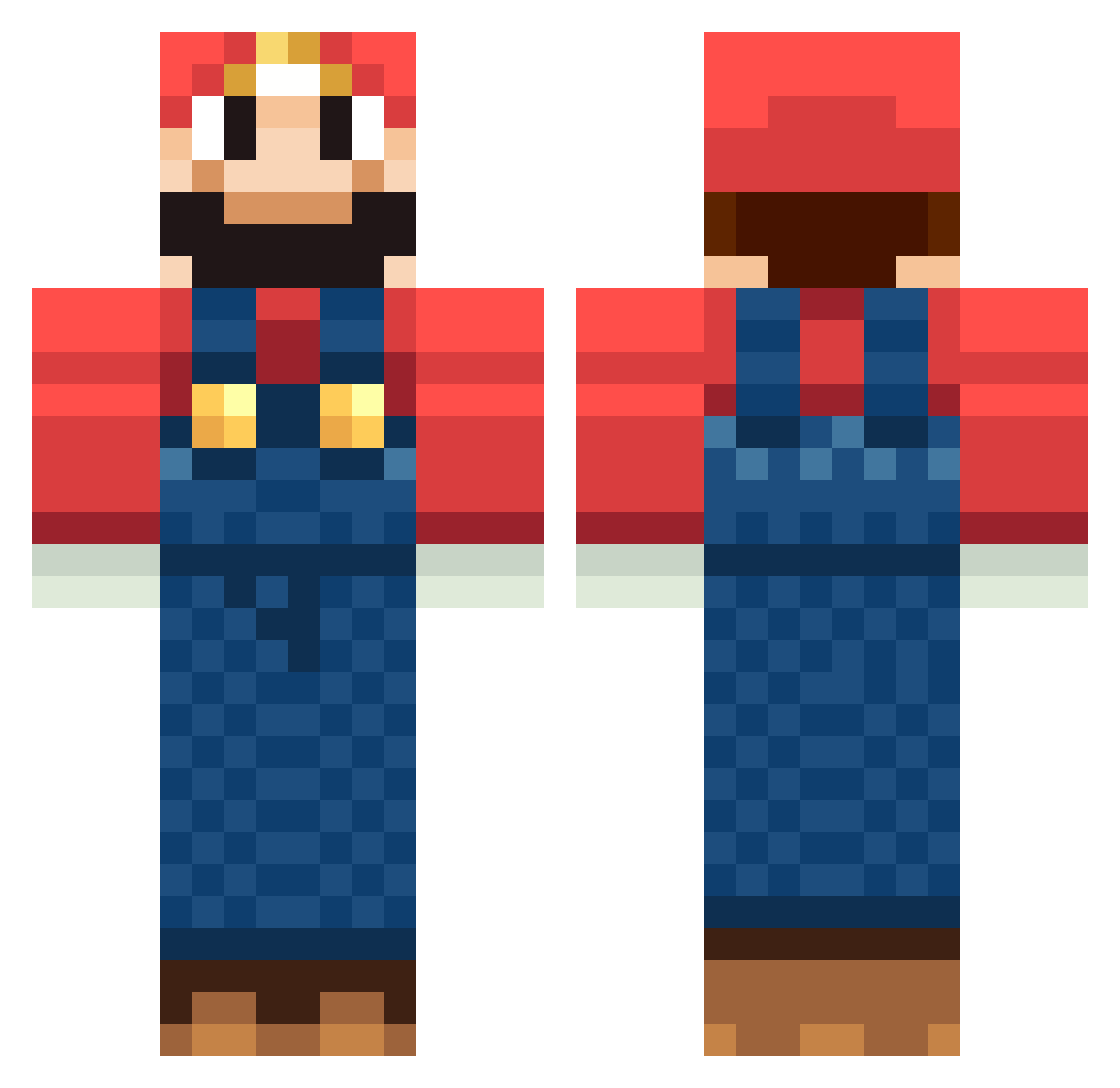
Current Minecraft skin of the player Linco32, loaded from the official Mojang API. Rotate the 3D model with your mouse or finger, then download the skin as a PNG file and use it in Minecraft: Bedrock Edition or Java Edition for free. When Linco32 changes their skin, this page updates automatically and the old skin stays in the history below.
Other players with this skin (1311)
Linco32 was the 1295th player we have seen with this skin, first spotted on 08.11.2026. The same skin was seen on these players. Open a nickname to see their current skin and skin history.
 MasterNintendo89 Lansuggs chaoman12345 BuilderMarie Adamdude6 CraftMaxX18 iRileyXD Pretorian91 perony MrGamero Grahamsbrod vicdaaaaa BIZ_kraft Roiloocing kulise97 ZuiSheng megzhads masterof3ds dfontenot70517 crazyjacksam gumby_feat Nickthakilla77 themario171 deadpool02sk Marvinhio oluk3xx Narcisses Muedermax ScreapDK VendibleWolf Preecy227 Lunchboxlol Coyizumi Toxic_Tim marioluigi23 Syobon7 Kamelek111 credric Moo1860 __s0phie__ assassin_duty Mephiboseth Simon_LA12 Omerch hotori RockyTyler tottuan00 matthew_kedefew TeamCaptain marioman241 Alphatrazz vaffelis Lasse1321 Lord_DrunkyRat zachatttack96 lysi123 PanNosy Zenderrr BoBdoni Skipperao
More Mario Minecraft skins
How to install the Linco32 skin
- Press the Download button above to save the skin as a PNG file.
- Minecraft: Bedrock Edition (PE): open the Dressing Room from the main menu (or tap your character → Edit Character), go to Classic Skins → Owned, press the + (new skin) button, choose the downloaded PNG and pick the Classic (Steve) model. Works on PC and mobile; consoles cannot import custom skins.
- Minecraft: Java Edition: open the Minecraft Launcher, go to the Skins tab, click New Skin, load the PNG, pick the Classic (Steve) model and press Save & Use. You can also upload it at minecraft.net → Profile → Change Skin.
The skin does not show up after import - what should I do?
Restart Minecraft and open the Dressing Room again - imported skins sometimes appear only after a restart. Also make sure you selected the imported skin and picked the Classic (Steve) model.
Which model should I choose, Classic or Slim?
This skin is designed for the Classic (Steve) model. If you pick the wrong model, the arms of the skin will look stretched or squeezed.
Is the skin of Linco32 free to download?
Yes. Press Download, save the PNG file and use it in Minecraft: Bedrock Edition or Java Edition - no payment or registration needed. The skin also works on multiplayer servers and Realms.
More skins
Looking for more? Go back to all Minecraft skins and check the top skins of the week, month and all time, or find any player's skin by nickname.