
Licky_Licky - Minecraft Skins & Skin History
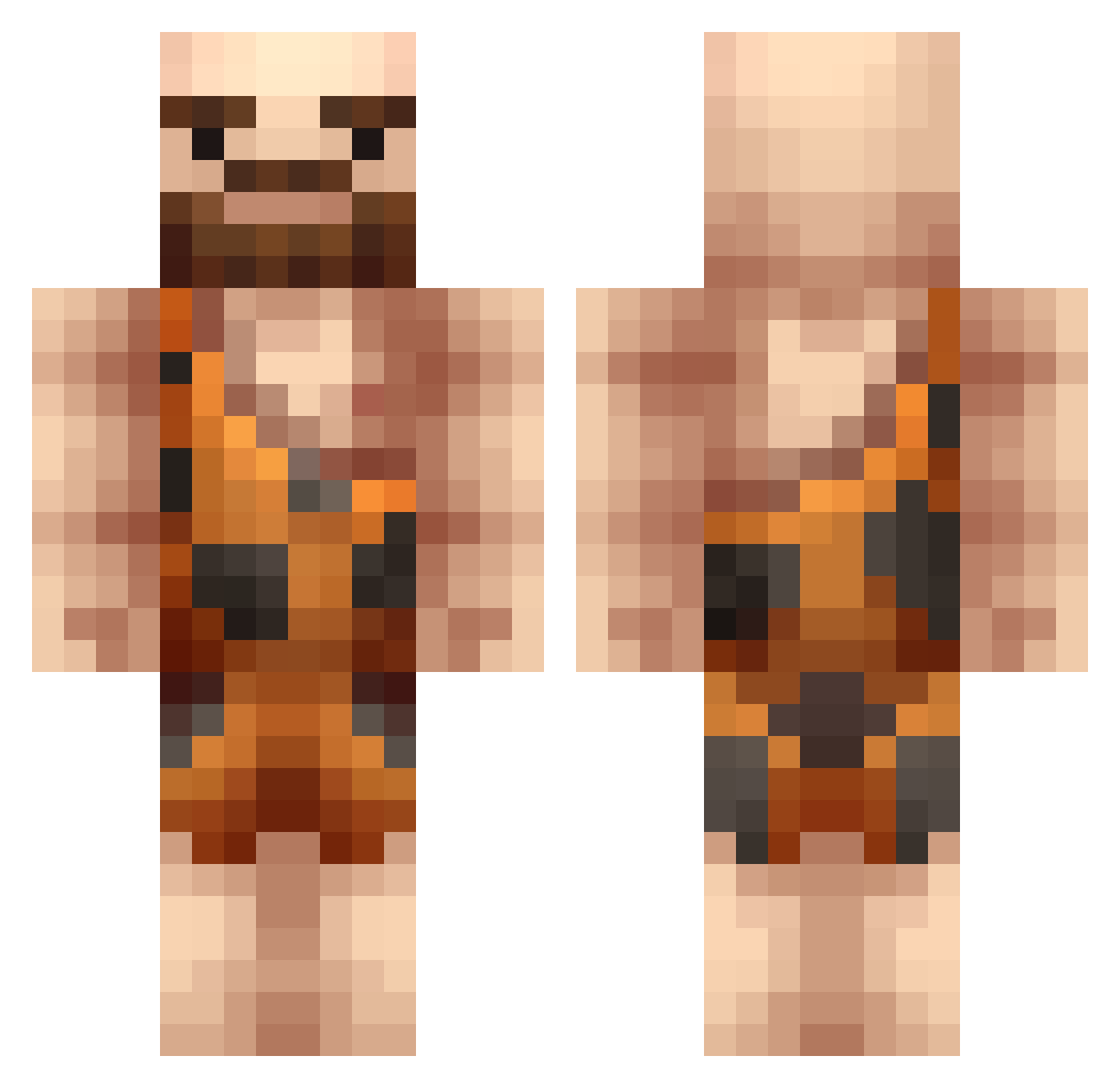
Current Minecraft skin of the player Licky_Licky, loaded from the official Mojang API. Rotate the 3D model with your mouse or finger, then download the skin as a PNG file and use it in Minecraft: Bedrock Edition or Java Edition for free. When Licky_Licky changes their skin, this page updates automatically and the old skin stays in the history below.
Other players with this skin (376)
Licky_Licky was the 309th player we have seen with this skin, first spotted on 22.10.2026. The same skin was seen on these players. Open a nickname to see their current skin and skin history.
 tooler111 iInCube _njall hiddengecko norsted AytonThePerv negersvend Olfy_Heiku PabloDLFG Thelgos SmooreMC TropicalCube Archos_ Jlecnik gwn_hidde Mac_an_Cheese7 BlastyBits nickh787 Jayy_D0G pivi3107 theninjapotato wiz1196 justion123 AhBonDance Jules_SVK Olmi22 EinfachHeino bachmannpi Lorianais EvolvedOni djjellybean33 BROCK5455 twice_as_rekt beesoup Groundhog707 fabsilie Choche08 Dziundze_ Not_Just_Someone Kerwan57 D_DanDan biffospud jooooke DavidLin1112 GOLAMRING57 Siemja FrankyChe Jheisen Weldforce1 halo24_atx EddieLombard 1jomaster Bober1996 serialtasted Gjkeeee nakedgirl Tree_Puncher96 Sermbezis Rhael_ Lejums
More Caveman Minecraft skins
How to install the Licky_Licky skin
- Press the Download button above to save the skin as a PNG file.
- Minecraft: Bedrock Edition (PE): open the Dressing Room from the main menu (or tap your character → Edit Character), go to Classic Skins → Owned, press the + (new skin) button, choose the downloaded PNG and pick the Classic (Steve) model. Works on PC and mobile; consoles cannot import custom skins.
- Minecraft: Java Edition: open the Minecraft Launcher, go to the Skins tab, click New Skin, load the PNG, pick the Classic (Steve) model and press Save & Use. You can also upload it at minecraft.net → Profile → Change Skin.
The skin does not show up after import - what should I do?
Restart Minecraft and open the Dressing Room again - imported skins sometimes appear only after a restart. Also make sure you selected the imported skin and picked the Classic (Steve) model.
Which model should I choose, Classic or Slim?
This skin is designed for the Classic (Steve) model. If you pick the wrong model, the arms of the skin will look stretched or squeezed.
Is the skin of Licky_Licky free to download?
Yes. Press Download, save the PNG file and use it in Minecraft: Bedrock Edition or Java Edition - no payment or registration needed. The skin also works on multiplayer servers and Realms.
More skins
Looking for more? Go back to all Minecraft skins and check the top skins of the week, month and all time, or find any player's skin by nickname.