
LexPrime - Minecraft Skins & Skin History
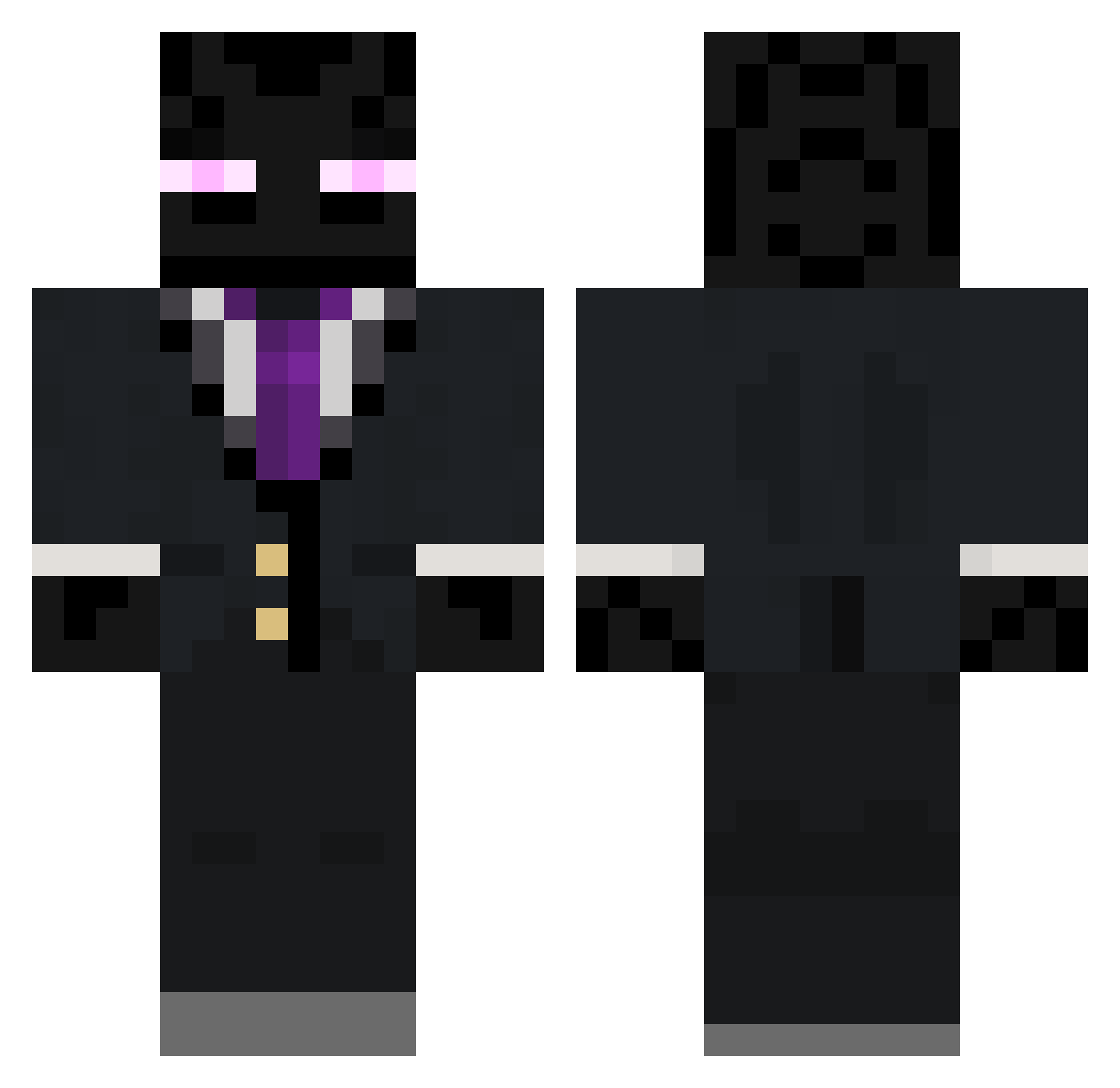
Current Minecraft skin of the player LexPrime, loaded from the official Mojang API. Rotate the 3D model with your mouse or finger, then download the skin as a PNG file and use it in Minecraft: Bedrock Edition or Java Edition for free. When LexPrime changes their skin, this page updates automatically and the old skin stays in the history below.
Other players with this skin (112)
LexPrime was the 106th player we have seen with this skin, first spotted on 02.11.2026. The same skin was seen on these players. Open a nickname to see their current skin and skin history.
 Zekeafied RicoMat Bosshog78 vapor_777 Gr1mnismal p1zdabol221 RezzieTV simsalex33 globalmerrick DimaTheCat DynamicImpulse NikitaGoobers camronolsen35 ENDERDUDE36072 EndA1t RED_FREEDOM SypherZer0 jaynjay2 FokusNik123 Cyberstalker harryyandrews newyellow Linyin VenomouzElite Phantomplague54 thenameiskeith bulliden Greesoum AngryCreeper228 motorin98 Gentleman95 Enderking1007 Mastrolindo46 AzatMx ZamboJi masonX09 MisterP2019 VimNovice iEnderpearl MCFinest_Waffles BigWill358 YOYOYOYOYOYOY Jakemgordy xRenon67 Chomp2000 THORASAURUS245 EnderBoy121316 Slashwen mattpenno12 lKassadil HeliosOne_1 UnfairAttorney kaban86 Bindshoes heximan204 DarkCobra98 xAndrew44 Aximik zachbj ralan1
More Enderman Minecraft skins
How to install the LexPrime skin
- Press the Download button above to save the skin as a PNG file.
- Minecraft: Bedrock Edition (PE): open the Dressing Room from the main menu (or tap your character → Edit Character), go to Classic Skins → Owned, press the + (new skin) button, choose the downloaded PNG and pick the Classic (Steve) model. Works on PC and mobile; consoles cannot import custom skins.
- Minecraft: Java Edition: open the Minecraft Launcher, go to the Skins tab, click New Skin, load the PNG, pick the Classic (Steve) model and press Save & Use. You can also upload it at minecraft.net → Profile → Change Skin.
The skin does not show up after import - what should I do?
Restart Minecraft and open the Dressing Room again - imported skins sometimes appear only after a restart. Also make sure you selected the imported skin and picked the Classic (Steve) model.
Which model should I choose, Classic or Slim?
This skin is designed for the Classic (Steve) model. If you pick the wrong model, the arms of the skin will look stretched or squeezed.
Is the skin of LexPrime free to download?
Yes. Press Download, save the PNG file and use it in Minecraft: Bedrock Edition or Java Edition - no payment or registration needed. The skin also works on multiplayer servers and Realms.
More skins
Looking for more? Go back to all Minecraft skins and check the top skins of the week, month and all time, or find any player's skin by nickname.