
Leiarht - Minecraft Skins & Skin History
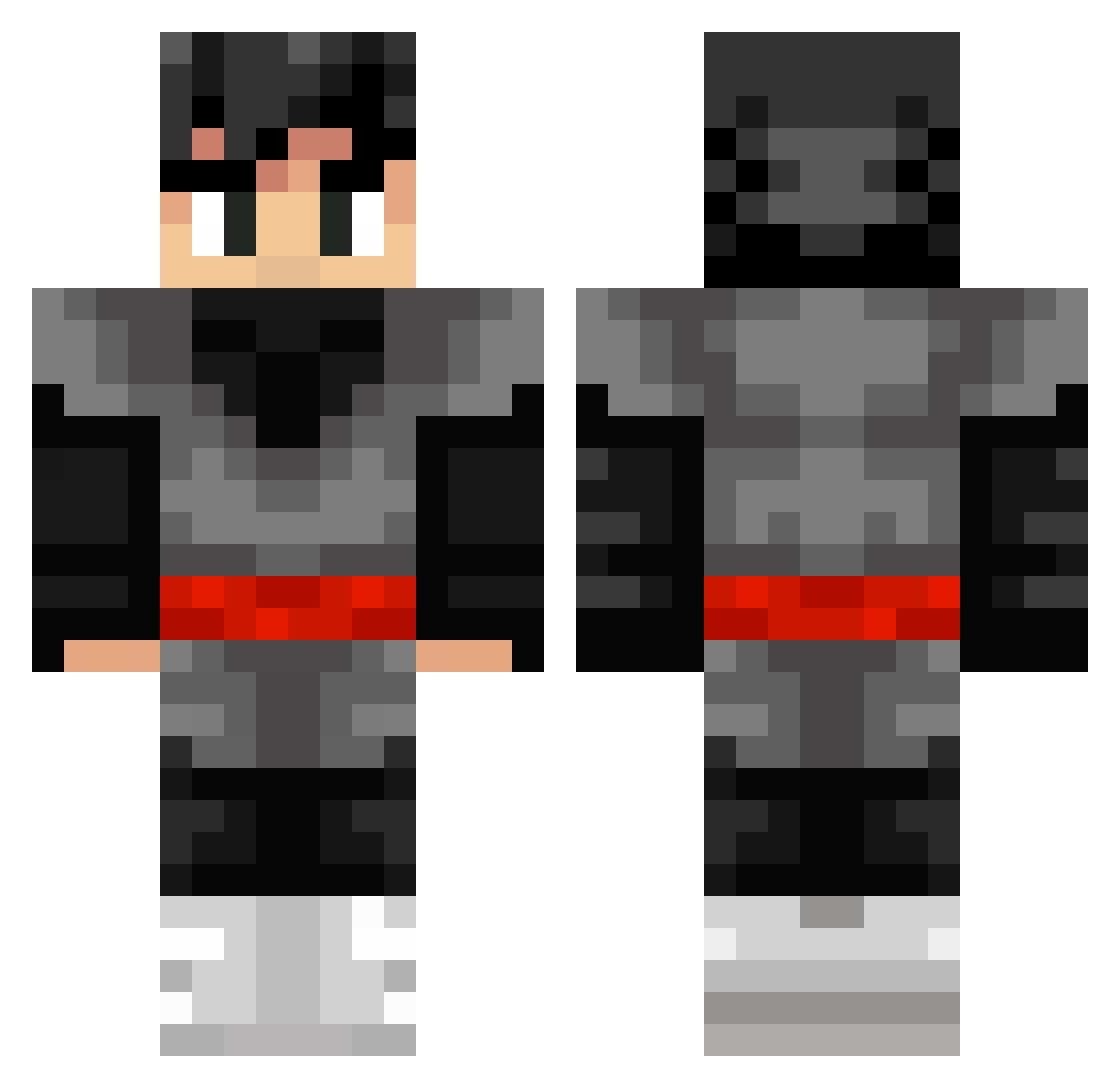
Current Minecraft skin of the player Leiarht, loaded from the official Mojang API. Rotate the 3D model with your mouse or finger, then download the skin as a PNG file and use it in Minecraft: Bedrock Edition or Java Edition for free. When Leiarht changes their skin, this page updates automatically and the old skin stays in the history below.
Other players with this skin (322)
Leiarht was the 289th player we have seen with this skin, first spotted on 29.10.2026. The same skin was seen on these players. Open a nickname to see their current skin and skin history.
 BagelPlayz_YT Gold_Hain BilorZ IBad_Boy TheLichking246 Wolffi27 Shreman kyeick_1338 AmirVal Sakkettino NeburJunior SMPL_Aussie kerry_1 DecoBr14 KameStyle almirderHamster Djoukim hankcanny Kuroo04 SebyStararatatat DeYoukin SonGokuII Blakening Freeztyle165 yukihiro1107 SlovoK Boundyss Bene1009 H1015_ QsterBear IWantDungeon FUBCOOL OhAbdo F_ch malk100 Gregbeg1812 Nurah96 IbbyJWD ColdAsIcePT ROZE6674 overcastings darkflight77 Wiffinberg PauloPlayer Karisu00 DBZxWOOL KasmaPL stucco11 zyan_le_singe ADAMSKI_IS_COOL Panczo998 Ploack ChitoManito Lamondille scy_uwur Zamasu87 MrUnk0wn Schwappy_ DonkeyButt3000 DemonicToke
More Goku Black Minecraft skins
How to install the Leiarht skin
- Press the Download button above to save the skin as a PNG file.
- Minecraft: Bedrock Edition (PE): open the Dressing Room from the main menu (or tap your character → Edit Character), go to Classic Skins → Owned, press the + (new skin) button, choose the downloaded PNG and pick the Classic (Steve) model. Works on PC and mobile; consoles cannot import custom skins.
- Minecraft: Java Edition: open the Minecraft Launcher, go to the Skins tab, click New Skin, load the PNG, pick the Classic (Steve) model and press Save & Use. You can also upload it at minecraft.net → Profile → Change Skin.
The skin does not show up after import - what should I do?
Restart Minecraft and open the Dressing Room again - imported skins sometimes appear only after a restart. Also make sure you selected the imported skin and picked the Classic (Steve) model.
Which model should I choose, Classic or Slim?
This skin is designed for the Classic (Steve) model. If you pick the wrong model, the arms of the skin will look stretched or squeezed.
Is the skin of Leiarht free to download?
Yes. Press Download, save the PNG file and use it in Minecraft: Bedrock Edition or Java Edition - no payment or registration needed. The skin also works on multiplayer servers and Realms.
More skins
Looking for more? Go back to all Minecraft skins and check the top skins of the week, month and all time, or find any player's skin by nickname.