
Lauke_ - Minecraft Skins & Skin History
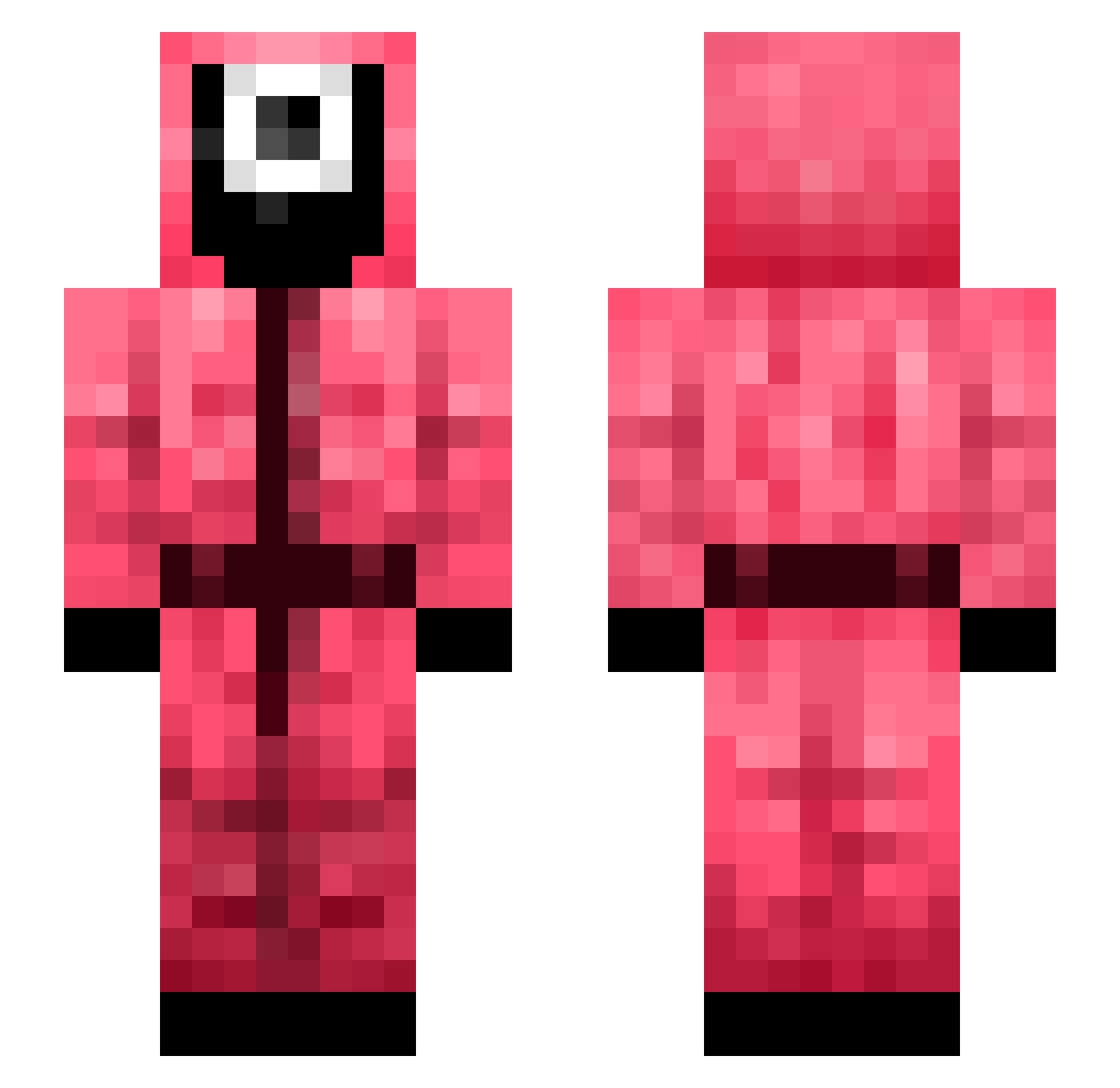
Current Minecraft skin of the player Lauke_, loaded from the official Mojang API. Rotate the 3D model with your mouse or finger, then download the skin as a PNG file and use it in Minecraft: Bedrock Edition or Java Edition for free. When Lauke_ changes their skin, this page updates automatically and the old skin stays in the history below.
Other players with this skin (428)
Lauke_ was the 373rd player we have seen with this skin, first spotted on 29.10.2026. The same skin was seen on these players. Open a nickname to see their current skin and skin history.
 Chan5181 wlfy913 iSylk mark_bay97 i3at0 hanyang9999 brancodawg tlsdnvl sonsimba Bazid NANADAIME800 HazyVizion Williamzzz15 Maverick__999 72haru ckan1201 G0ldyz theo325 Devil_Joa KOR_HM tsump Lord_Seventh_ sleptwurmom JesusDM06 LVS3R Blackman2013 Cu_Elementi31 LumaProject Otsus94 FinalStar69 Xw4rti_ Pollux7724 iA_Honey_Badger EbolaBanana Dchan_ MarkoMoliv DevaSuperior Mati27034 Dabjun Reiyudo Joshiscool096 hahakanan Gambinoo0 ddottyjjang HOLOLOLRO JL_SerG chrisstopher21 JungkoBro ian07110233 CartexGamer LouisTKim yi_coocoo neda22 pui20412 officialmarolino Elvispelvis2000 thewarfare24 krisztina549 Sgiya SIRIUS_TIME
More Guard Minecraft skins
How to install the Lauke_ skin
- Press the Download button above to save the skin as a PNG file.
- Minecraft: Bedrock Edition (PE): open the Dressing Room from the main menu (or tap your character → Edit Character), go to Classic Skins → Owned, press the + (new skin) button, choose the downloaded PNG and pick the Slim (Alex) model. Works on PC and mobile; consoles cannot import custom skins.
- Minecraft: Java Edition: open the Minecraft Launcher, go to the Skins tab, click New Skin, load the PNG, pick the Slim (Alex) model and press Save & Use. You can also upload it at minecraft.net → Profile → Change Skin.
The skin does not show up after import - what should I do?
Restart Minecraft and open the Dressing Room again - imported skins sometimes appear only after a restart. Also make sure you selected the imported skin and picked the Slim (Alex) model.
Which model should I choose, Classic or Slim?
This skin is designed for the Slim (Alex) model. If you pick the wrong model, the arms of the skin will look stretched or squeezed.
Is the skin of Lauke_ free to download?
Yes. Press Download, save the PNG file and use it in Minecraft: Bedrock Edition or Java Edition - no payment or registration needed. The skin also works on multiplayer servers and Realms.
More skins
Looking for more? Go back to all Minecraft skins and check the top skins of the week, month and all time, or find any player's skin by nickname.