
Lareewws - Minecraft Skins & Skin History
Current Minecraft skin of the player Lareewws, loaded from the official Mojang API. Rotate the 3D model with your mouse or finger, then download the skin as a PNG file and use it in Minecraft: Bedrock Edition or Java Edition for free. When Lareewws changes their skin, this page updates automatically and the old skin stays in the history below.
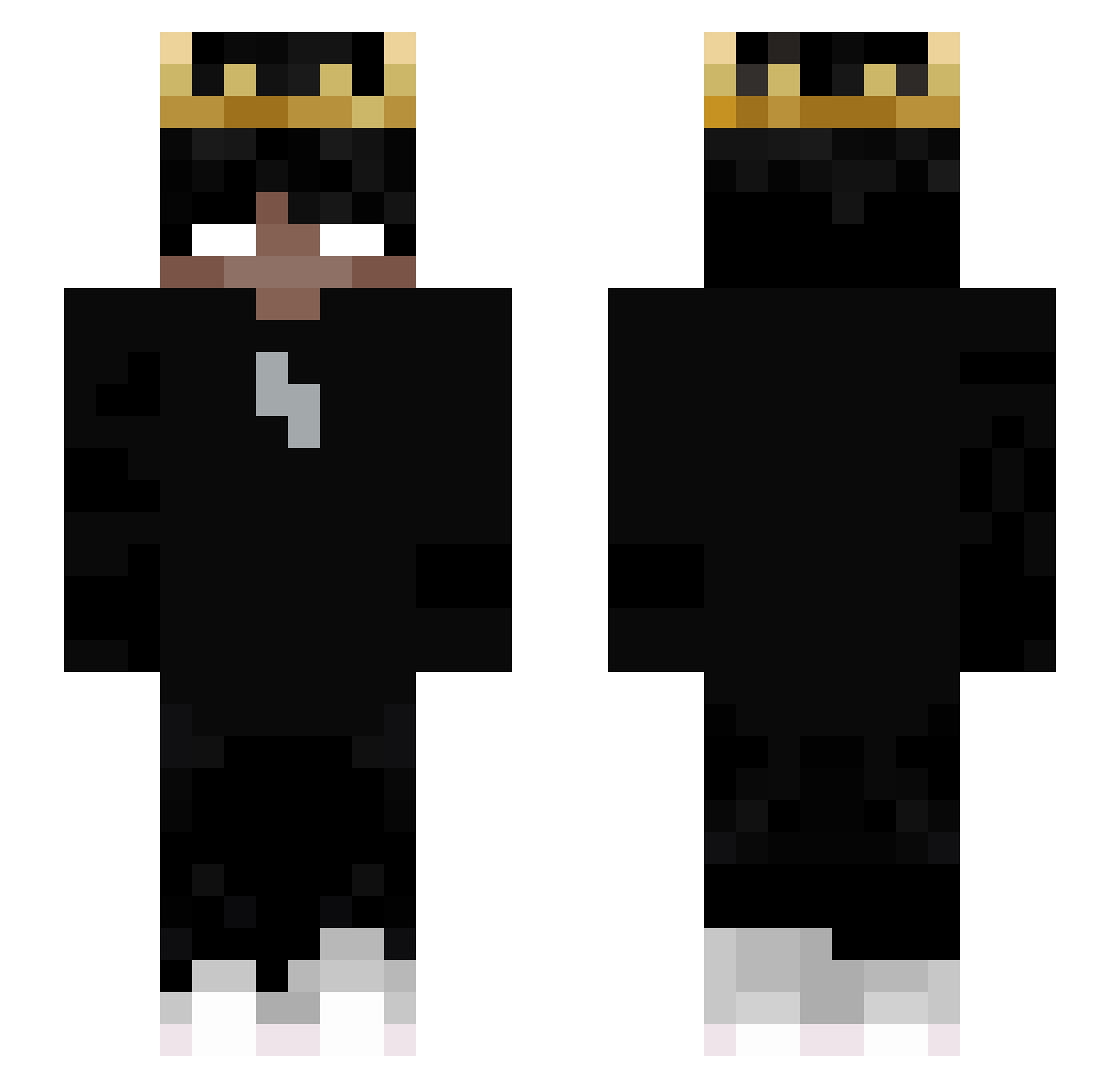
Other players with this skin (52)
Lareewws was the 37th player we have seen with this skin, first spotted on 29.09.2026. The same skin was seen on these players. Open a nickname to see their current skin and skin history.
 Djimenezp Jerole407 sync8052 Alexandros8 cizam YT_komkommer_bs rodrigoperez__ FishySky Darknight6753 Antoniololo Ipmello Cypisono__ Franek132 mucksehasi Riddhi1899 LilSynx xXsimbionteXx Adyxzltv Furious_Gamerz PabloW2223 HEIGUANGs Grimmmm111 R1CKiii Colin123987 abofatima joaopedrogv3 _Kimmyx_ Selloh83 FraxionMC elclavo Lian190319 Noib75 ReyMk4 Pepe3030 DanyK13 Ham0o0z Haw0n_ CORKPLATe TheNickgames qgameee_ Zeusinho Sykiro ZenoKaito iSomeone_ vmmy canstarz Mavrise The_King_0906 Samuel_Good
 Zizou052014 Black_Schadow GEILERKATER17
More Crown Minecraft skins
How to install the Lareewws skin
- Press the Download button above to save the skin as a PNG file.
- Minecraft: Bedrock Edition (PE): open the Dressing Room from the main menu (or tap your character → Edit Character), go to Classic Skins → Owned, press the + (new skin) button, choose the downloaded PNG and pick the Slim (Alex) model. Works on PC and mobile; consoles cannot import custom skins.
- Minecraft: Java Edition: open the Minecraft Launcher, go to the Skins tab, click New Skin, load the PNG, pick the Slim (Alex) model and press Save & Use. You can also upload it at minecraft.net → Profile → Change Skin.
The skin does not show up after import - what should I do?
Restart Minecraft and open the Dressing Room again - imported skins sometimes appear only after a restart. Also make sure you selected the imported skin and picked the Slim (Alex) model.
Which model should I choose, Classic or Slim?
This skin is designed for the Slim (Alex) model. If you pick the wrong model, the arms of the skin will look stretched or squeezed.
Is the skin of Lareewws free to download?
Yes. Press Download, save the PNG file and use it in Minecraft: Bedrock Edition or Java Edition - no payment or registration needed. The skin also works on multiplayer servers and Realms.
More skins
Looking for more? Go back to all Minecraft skins and check the top skins of the week, month and all time, or find any player's skin by nickname.