
LNu134 - Minecraft Skins & Skin History
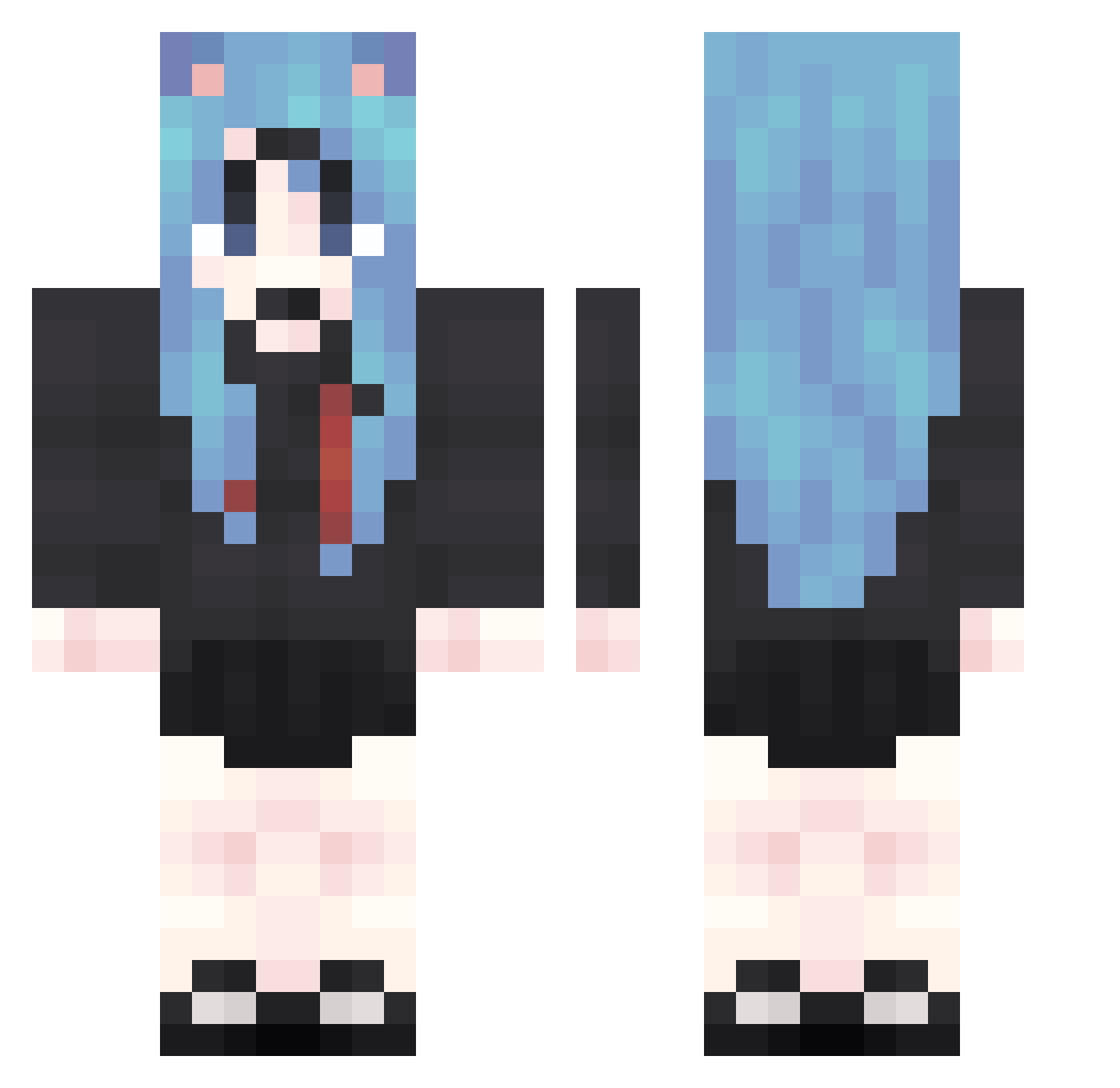
Current Minecraft skin of the player LNu134, loaded from the official Mojang API. Rotate the 3D model with your mouse or finger, then download the skin as a PNG file and use it in Minecraft: Bedrock Edition or Java Edition for free. When LNu134 changes their skin, this page updates automatically and the old skin stays in the history below.
Other players with this skin (1874)
LNu134 was the 1638th player we have seen with this skin, first spotted on 29.10.2026. The same skin was seen on these players. Open a nickname to see their current skin and skin history.
 wIp367 iag666 cjM433 kVN654 uMf46 Blt835 QrY642 GZv537 kkc767 VqM579 xHt274 xZV600 anq689 Oan584 UmM373 XPd865 PGg261 KfE779 vDz54 IbP170 qZC77 KEO979 rfb662 Gap694 hcC741 zON622 Vkc511 XDk105 DgD365 ttx529 nqv97 Zaj60 qbs651 Lrj405 PzZ352 oGm723 AshamedRobust811 yFo211 MJq398 WWU860 yET819 mvY375 dim460 psE785 HpB516 lDm390 pka773 iSd895 PQC913 kjQ641 kXT162 PuU713 OcB787 wVC997 gMs500 uGy389 PgJ838 Eub654 iGq749 apI971
More School Uniform Minecraft skins
See all 7166 School Uniform skins
How to install the LNu134 skin
- Press the Download button above to save the skin as a PNG file.
- Minecraft: Bedrock Edition (PE): open the Dressing Room from the main menu (or tap your character → Edit Character), go to Classic Skins → Owned, press the + (new skin) button, choose the downloaded PNG and pick the Classic (Steve) model. Works on PC and mobile; consoles cannot import custom skins.
- Minecraft: Java Edition: open the Minecraft Launcher, go to the Skins tab, click New Skin, load the PNG, pick the Classic (Steve) model and press Save & Use. You can also upload it at minecraft.net → Profile → Change Skin.
The skin does not show up after import - what should I do?
Restart Minecraft and open the Dressing Room again - imported skins sometimes appear only after a restart. Also make sure you selected the imported skin and picked the Classic (Steve) model.
Which model should I choose, Classic or Slim?
This skin is designed for the Classic (Steve) model. If you pick the wrong model, the arms of the skin will look stretched or squeezed.
Is the skin of LNu134 free to download?
Yes. Press Download, save the PNG file and use it in Minecraft: Bedrock Edition or Java Edition - no payment or registration needed. The skin also works on multiplayer servers and Realms.
More skins
Looking for more? Go back to all Minecraft skins and check the top skins of the week, month and all time, or find any player's skin by nickname.