
LEDGENDARY_GAMER - Minecraft Skins & Skin History
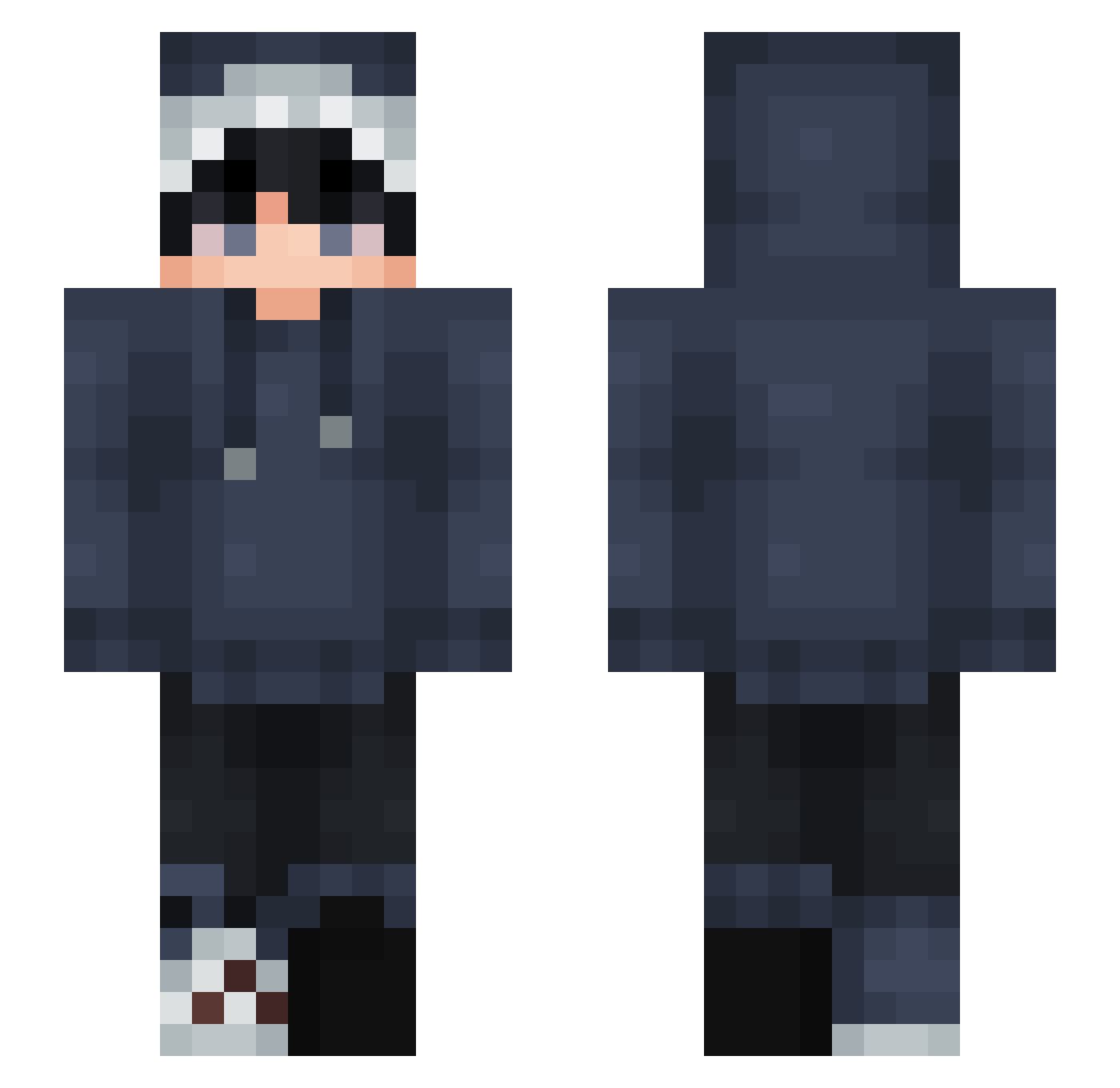
Current Minecraft skin of the player LEDGENDARY_GAMER, loaded from the official Mojang API. Rotate the 3D model with your mouse or finger, then download the skin as a PNG file and use it in Minecraft: Bedrock Edition or Java Edition for free. When LEDGENDARY_GAMER changes their skin, this page updates automatically and the old skin stays in the history below.
Other players with this skin (901)
LEDGENDARY_GAMER was the 898th player we have seen with this skin, first spotted on 09.11.2026. The same skin was seen on these players. Open a nickname to see their current skin and skin history.
 Hua__Ya Rhyzzyz qianhao1001 X_ysier AnnieTibbs TheShem maxlolmax1903 Fenpaii Asherixx Chubby7962 gP4NDAg TalkingTree6133 Fynn53 JackBarb8 zulfiquar22 Pythean Syft1x Phora_killer AdiNobody Seanzy424 niemouren Sakutas pikachu071 1slapy yt00 Elyssium69 Zencraft2004 Alyxrrnn Peterlicious_ COFCAT XulS1337 LamiRobloxX Beoclaw RxvengePlayz KasiiKun JustMeTokyo assbox10 Ryvenn JBM_Kira NichSol maciejqqk htb80 CUFT4u _Shqrky AltefD Kobajashi shmiddyy BlueSharky3 PandaCutie3552 Yakobu0101 UWU_Dominiczek Kasoriel Toe1ng Riki088 frosty2716 SplenterOne 120968 Puupi_ xHazelnutx zhendon
How to install the LEDGENDARY_GAMER skin
- Press the Download button above to save the skin as a PNG file.
- Minecraft: Bedrock Edition (PE): open the Dressing Room from the main menu (or tap your character → Edit Character), go to Classic Skins → Owned, press the + (new skin) button, choose the downloaded PNG and pick the Slim (Alex) model. Works on PC and mobile; consoles cannot import custom skins.
- Minecraft: Java Edition: open the Minecraft Launcher, go to the Skins tab, click New Skin, load the PNG, pick the Slim (Alex) model and press Save & Use. You can also upload it at minecraft.net → Profile → Change Skin.
The skin does not show up after import - what should I do?
Restart Minecraft and open the Dressing Room again - imported skins sometimes appear only after a restart. Also make sure you selected the imported skin and picked the Slim (Alex) model.
Which model should I choose, Classic or Slim?
This skin is designed for the Slim (Alex) model. If you pick the wrong model, the arms of the skin will look stretched or squeezed.
Is the skin of LEDGENDARY_GAMER free to download?
Yes. Press Download, save the PNG file and use it in Minecraft: Bedrock Edition or Java Edition - no payment or registration needed. The skin also works on multiplayer servers and Realms.
More skins
Looking for more? Go back to all Minecraft skins and check the top skins of the week, month and all time, or find any player's skin by nickname.