
L3ge - Minecraft Skins & Skin History
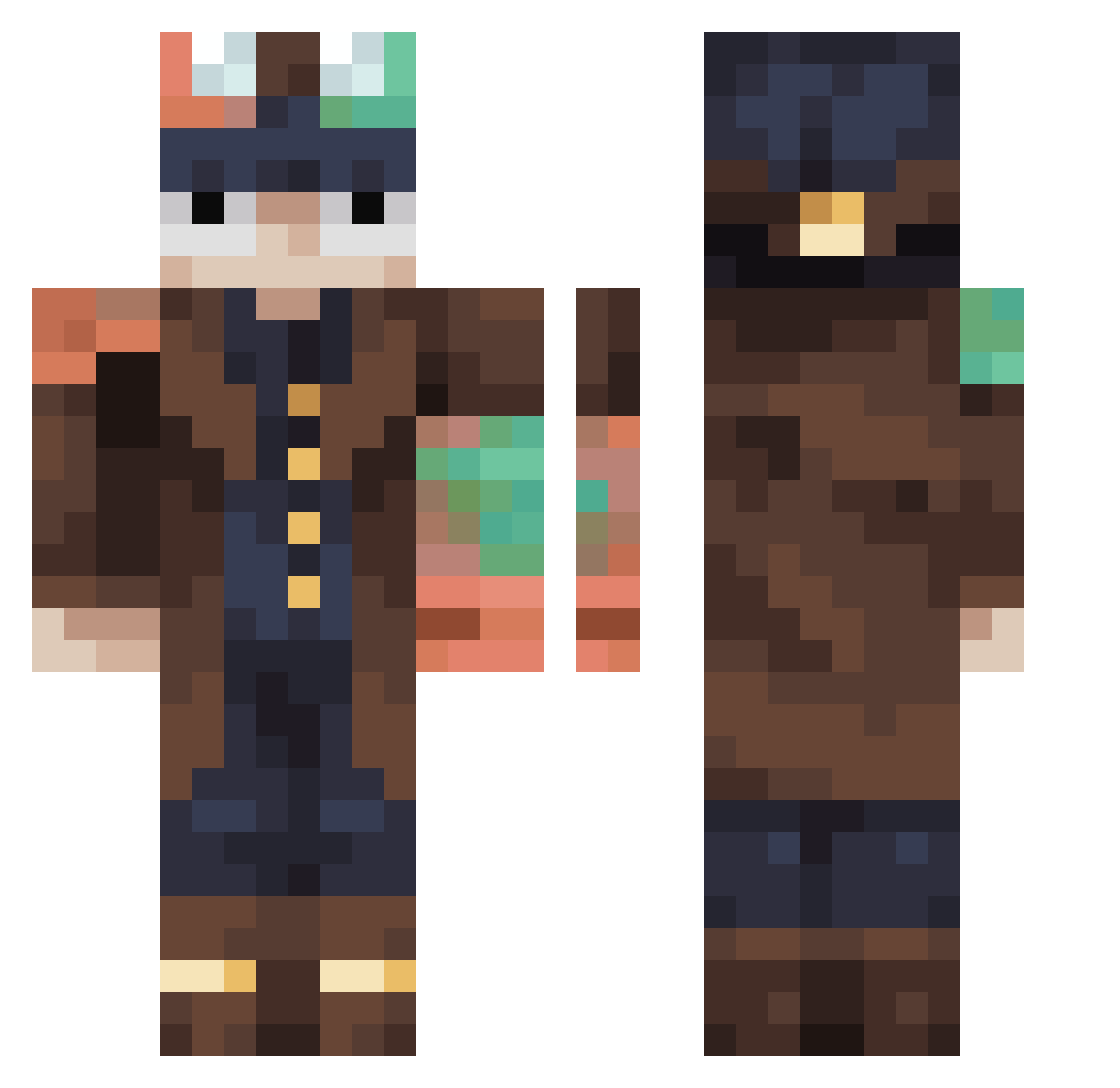
Current Minecraft skin of the player L3ge, loaded from the official Mojang API. Rotate the 3D model with your mouse or finger, then download the skin as a PNG file and use it in Minecraft: Bedrock Edition or Java Edition for free. When L3ge changes their skin, this page updates automatically and the old skin stays in the history below.
Other players with this skin (489)
L3ge was the 398th player we have seen with this skin, first spotted on 24.10.2026. The same skin was seen on these players. Open a nickname to see their current skin and skin history.
 Kiyoshishii BadHalo12 CorsZone GLIITCH_0 bigredshark bendybendy TottiChiu fao3mk DoctorDoom420 slick321 RealManDog XxLiveScenexX Dede_117 Barbamamma Zahalla TheC0nbot Cra1g69 zzu0830 AlastorTheRadioG Pumkin___ gunpodo00 SeiroShiro Csadad Mezskal palhanozl RIP_Demon66 AfricanDude135 Ajacobs1 j770212 Oemit Fmsp21 kaduriella Andrea_bomb3r bingamole dribbelkiller Dream_lololo_lol Adolf_Heetler Camilhan AxC_ViTaL2 RonaldBe feute averagesleepy TheGreatLMan pejelagarneitor X3rtfy Bottlefrog1 blarfinsnarfin kamran08012 misterfister4 katchaaoww catfish840 iBlutz Noji2115 liltonyboi godzilladude14 MasterClaw2008 V1990 Fllon Lakami13 Buzek
More Steampunk Minecraft skins
How to install the L3ge skin
- Press the Download button above to save the skin as a PNG file.
- Minecraft: Bedrock Edition (PE): open the Dressing Room from the main menu (or tap your character → Edit Character), go to Classic Skins → Owned, press the + (new skin) button, choose the downloaded PNG and pick the Classic (Steve) model. Works on PC and mobile; consoles cannot import custom skins.
- Minecraft: Java Edition: open the Minecraft Launcher, go to the Skins tab, click New Skin, load the PNG, pick the Classic (Steve) model and press Save & Use. You can also upload it at minecraft.net → Profile → Change Skin.
The skin does not show up after import - what should I do?
Restart Minecraft and open the Dressing Room again - imported skins sometimes appear only after a restart. Also make sure you selected the imported skin and picked the Classic (Steve) model.
Which model should I choose, Classic or Slim?
This skin is designed for the Classic (Steve) model. If you pick the wrong model, the arms of the skin will look stretched or squeezed.
Is the skin of L3ge free to download?
Yes. Press Download, save the PNG file and use it in Minecraft: Bedrock Edition or Java Edition - no payment or registration needed. The skin also works on multiplayer servers and Realms.
More skins
Looking for more? Go back to all Minecraft skins and check the top skins of the week, month and all time, or find any player's skin by nickname.