
KwI578 - Minecraft Skins & Skin History
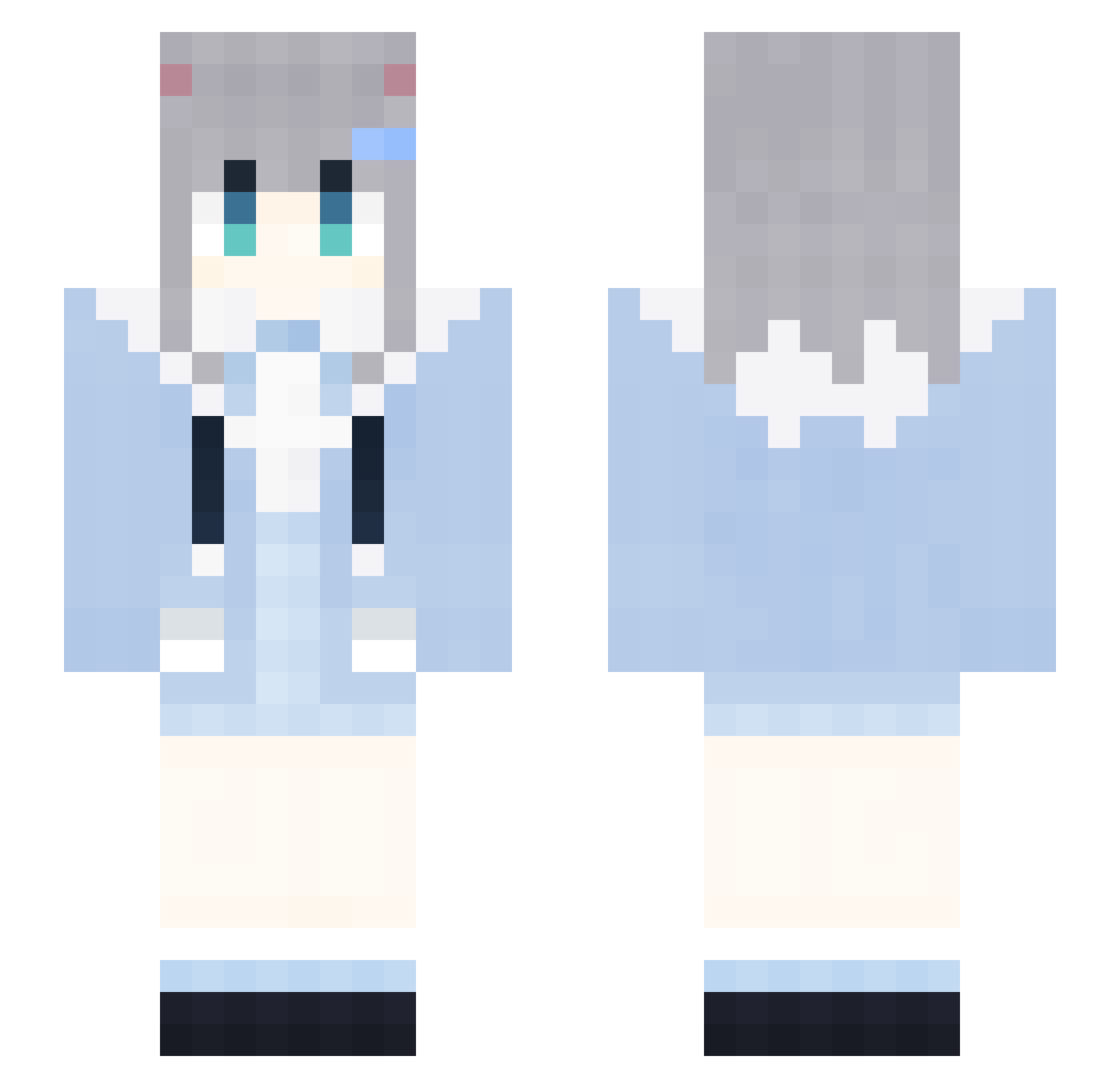
Current Minecraft skin of the player KwI578, loaded from the official Mojang API. Rotate the 3D model with your mouse or finger, then download the skin as a PNG file and use it in Minecraft: Bedrock Edition or Java Edition for free. When KwI578 changes their skin, this page updates automatically and the old skin stays in the history below.
Other players with this skin (1851)
KwI578 was the 1737th player we have seen with this skin, first spotted on 02.11.2026. The same skin was seen on these players. Open a nickname to see their current skin and skin history.
 cNF832 0001112223334718 RubberBandits529 remakewe LoveZxyLikeCd899 oPL821 AIRCUSHIONorg804 IiM43 eze748 2021COCA_COLA684 LoveZxyLikeuL582 wuh677 PleaseGoTXJVC135 SlD146 DontShoutPlsG481 ojL242 XxxxX_MAGA_Xx229 RubberBandits894 Sze840 2021COCA_COLA966 crowash GKJ133 mcLTXwYnUoFiX914 Xyy63 xPE38 LAWSONCOFFEEd163 rgL71 wDy196 _w_w_w_w_w_w_137 Sleep_CaIritz210 SIESTA_SAIGO RabbitMiceibv182 eXu232 fWv855 los542 LAWSONCOFFEEq857 LoveZxyLikexv261 GongZhen9707 AGi533 Guy337 mIv61 GapRapGpdNiEy722 cNN716 Set338 DWm275 LoveZxyLikehy713 MDm828 jbJ146 Kkq965 JAnrepLtbsOAp314 giM697 utm240 Rte665 yMq376 XxxxX_MAGA_Xx124 CherryHarrytd809 Qdl759 QRC718 pQz166 XJj478
More Cat Ears Minecraft skins
How to install the KwI578 skin
- Press the Download button above to save the skin as a PNG file.
- Minecraft: Bedrock Edition (PE): open the Dressing Room from the main menu (or tap your character → Edit Character), go to Classic Skins → Owned, press the + (new skin) button, choose the downloaded PNG and pick the Slim (Alex) model. Works on PC and mobile; consoles cannot import custom skins.
- Minecraft: Java Edition: open the Minecraft Launcher, go to the Skins tab, click New Skin, load the PNG, pick the Slim (Alex) model and press Save & Use. You can also upload it at minecraft.net → Profile → Change Skin.
The skin does not show up after import - what should I do?
Restart Minecraft and open the Dressing Room again - imported skins sometimes appear only after a restart. Also make sure you selected the imported skin and picked the Slim (Alex) model.
Which model should I choose, Classic or Slim?
This skin is designed for the Slim (Alex) model. If you pick the wrong model, the arms of the skin will look stretched or squeezed.
Is the skin of KwI578 free to download?
Yes. Press Download, save the PNG file and use it in Minecraft: Bedrock Edition or Java Edition - no payment or registration needed. The skin also works on multiplayer servers and Realms.
More skins
Looking for more? Go back to all Minecraft skins and check the top skins of the week, month and all time, or find any player's skin by nickname.