
Kuliicka - Minecraft Skins & Skin History
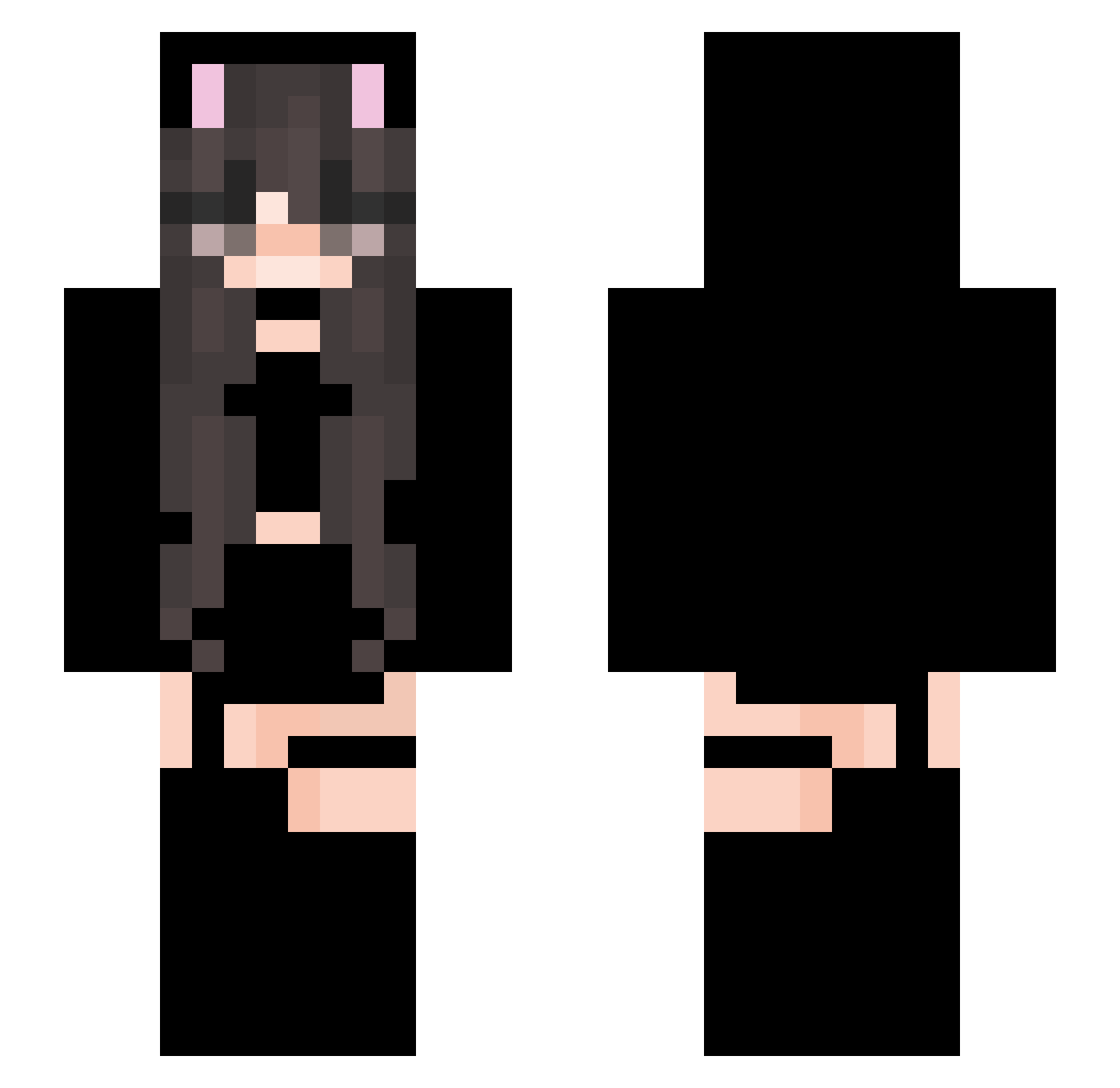
Current Minecraft skin of the player Kuliicka, loaded from the official Mojang API. Rotate the 3D model with your mouse or finger, then download the skin as a PNG file and use it in Minecraft: Bedrock Edition or Java Edition for free. When Kuliicka changes their skin, this page updates automatically and the old skin stays in the history below.
Other players with this skin (95)
Kuliicka was the 58th player we have seen with this skin, first spotted on 11.10.2026. The same skin was seen on these players. Open a nickname to see their current skin and skin history.
 pinspins MogoLewis Voiis NicoCraft365 Kryminall Chronos_ HHNam Byl0chKa SUATAA Agusmentor AQiSaMa Tawco13 Sudenur2774 UBOM9 jujulindinha1 AndyVaz Egirl_Cobbler YourLocalFurry KatieClarke2 TGNW LoadingO7 Leau_ Maschlala Adriiely_ Queen_Yuki JJ_YAY Jonas2039 ray_tw_ Milk083 Worrel Mlle_Mizuki Ghostfocu hina271 TTac00 Heluni Storm7392 IH1zyaI TWwatermelon IliveinYourWall_ MynxLynx jana_nyke Ibledue lzz1 laxxative FekSake Xerattu __Nymeria_ PollizagTheFirst frank_lyn UnshapenAcorn10 Ou________uO Endlar Dnve daisuk1 omgrosie StumbledDoge produktivnexus2 LoginAccepted Aftersensation Sacho44Binks
More Cat Ears Minecraft skins
How to install the Kuliicka skin
- Press the Download button above to save the skin as a PNG file.
- Minecraft: Bedrock Edition (PE): open the Dressing Room from the main menu (or tap your character → Edit Character), go to Classic Skins → Owned, press the + (new skin) button, choose the downloaded PNG and pick the Slim (Alex) model. Works on PC and mobile; consoles cannot import custom skins.
- Minecraft: Java Edition: open the Minecraft Launcher, go to the Skins tab, click New Skin, load the PNG, pick the Slim (Alex) model and press Save & Use. You can also upload it at minecraft.net → Profile → Change Skin.
The skin does not show up after import - what should I do?
Restart Minecraft and open the Dressing Room again - imported skins sometimes appear only after a restart. Also make sure you selected the imported skin and picked the Slim (Alex) model.
Which model should I choose, Classic or Slim?
This skin is designed for the Slim (Alex) model. If you pick the wrong model, the arms of the skin will look stretched or squeezed.
Is the skin of Kuliicka free to download?
Yes. Press Download, save the PNG file and use it in Minecraft: Bedrock Edition or Java Edition - no payment or registration needed. The skin also works on multiplayer servers and Realms.
More skins
Looking for more? Go back to all Minecraft skins and check the top skins of the week, month and all time, or find any player's skin by nickname.