
Kira1022 - Minecraft Skins & Skin History
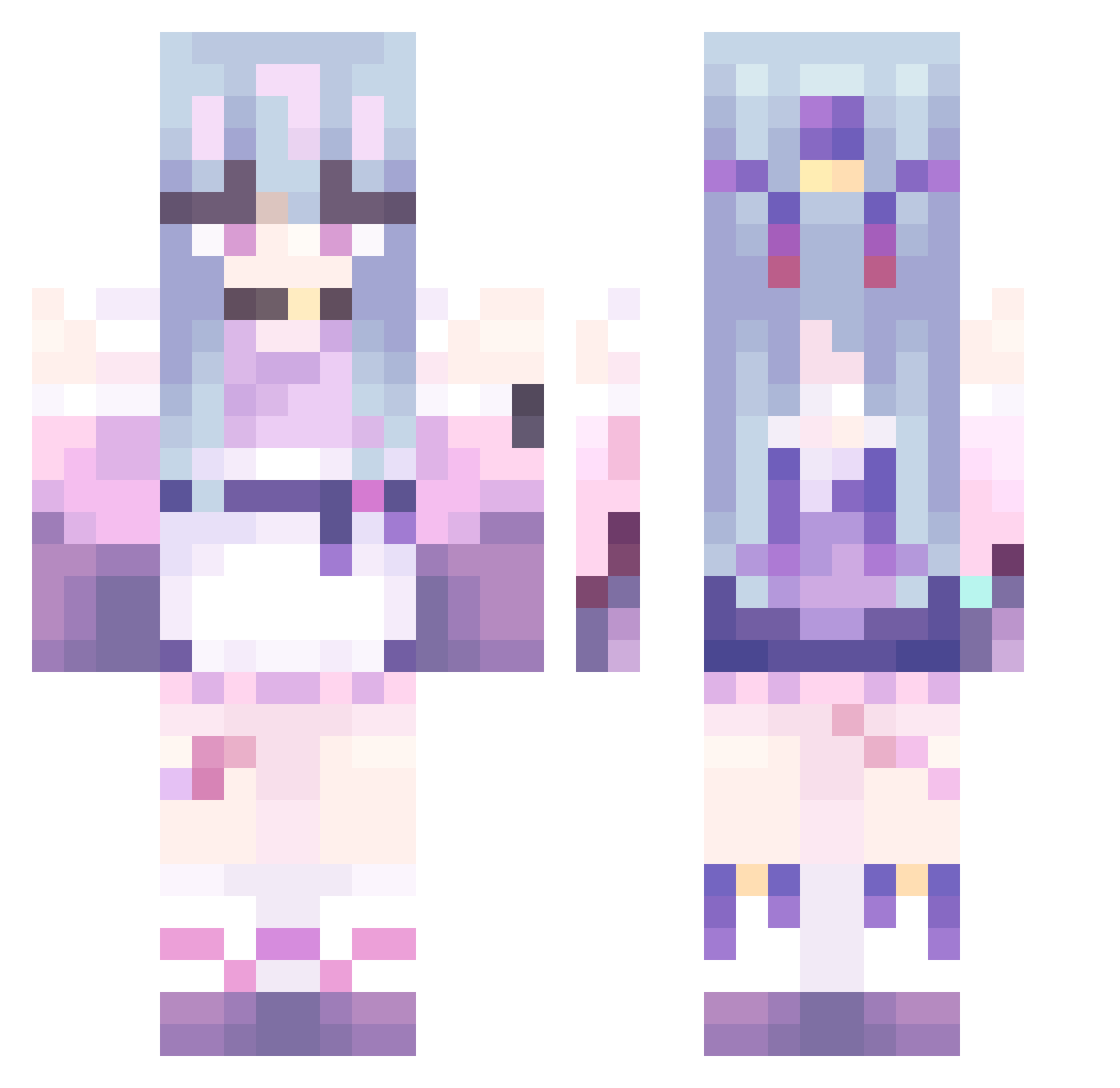
Current Minecraft skin of the player Kira1022, loaded from the official Mojang API. Rotate the 3D model with your mouse or finger, then download the skin as a PNG file and use it in Minecraft: Bedrock Edition or Java Edition for free. When Kira1022 changes their skin, this page updates automatically and the old skin stays in the history below.
Other players with this skin (479)
Kira1022 was the 404th player we have seen with this skin, first spotted on 22.10.2026. The same skin was seen on these players. Open a nickname to see their current skin and skin history.
 X86man Megermiri rxbyy__ AmorePsiche star_kc Mr_Drache scarypvpcat MAIMAIMAIMA hurenchgold314 GAKYANG COCOlili luvoks Drizzy330 ryan_ouob Decadex11 Yu_Ji202 sshhdh TAPIOCA_CR777 RGNMB Ic_ho Tian_yang14 FeralRaveGremlin Oliveriaaa kon335 yiqingsheng Paolino02 DollPrixess Busiest921 EXCOU Mizuno_Runa huaianmeng Lamba2727 Novaqiu Feer_19 TiniHuman Myolic Riamaru0531 QianChengCat kikioran chigua1 Miyayu25 Enigmariah lie_2 reabbit Uroch zeromin1234 DOGSICK03 EclipseQAQ AquaSaikoDesu mokey1111 Vanessa9499 Lukacs87 minnthv xerequinha12 Inazma123 NVlDIA_RTX5090 Sakura_Dance minahwinah kaluo233 cheemD
More Anime Girl Minecraft skins
See all 13509 Anime Girl skins
How to install the Kira1022 skin
- Press the Download button above to save the skin as a PNG file.
- Minecraft: Bedrock Edition (PE): open the Dressing Room from the main menu (or tap your character → Edit Character), go to Classic Skins → Owned, press the + (new skin) button, choose the downloaded PNG and pick the Classic (Steve) model. Works on PC and mobile; consoles cannot import custom skins.
- Minecraft: Java Edition: open the Minecraft Launcher, go to the Skins tab, click New Skin, load the PNG, pick the Classic (Steve) model and press Save & Use. You can also upload it at minecraft.net → Profile → Change Skin.
The skin does not show up after import - what should I do?
Restart Minecraft and open the Dressing Room again - imported skins sometimes appear only after a restart. Also make sure you selected the imported skin and picked the Classic (Steve) model.
Which model should I choose, Classic or Slim?
This skin is designed for the Classic (Steve) model. If you pick the wrong model, the arms of the skin will look stretched or squeezed.
Is the skin of Kira1022 free to download?
Yes. Press Download, save the PNG file and use it in Minecraft: Bedrock Edition or Java Edition - no payment or registration needed. The skin also works on multiplayer servers and Realms.
More skins
Looking for more? Go back to all Minecraft skins and check the top skins of the week, month and all time, or find any player's skin by nickname.